Philippines Internet for Tourists 2026 — WiFi, SIM & eSIM Compared
Complete guide to internet options in Philippines. Hotel WiFi vs SIM vs eSIM. Best option: eSIM from $1.99. No hassle, instant.
The best internet option for tourists in the Philippines in 2026 is an eSIM — specifically eSIMYat Philippines eSIM plans, starting from $2.10. You get instant QR code activation, zero roaming fees, 4G/LTE coverage on Globe and Smart networks, and you keep your home number active via Dual SIM. No queues. No passport. Under 2 minutes to connect.
Get Philippines eSIM — From $2.10My first trip to the Philippines cost me $190 in roaming fees. I used hotel WiFi when I could, rented a pocket WiFi device I nearly left in a tuk-tuk, and bought a local SIM at Ninoy Aquino that took 40 minutes and a passport photocopy. Never again. These days I land, scan a QR code, and I'm online before I reach baggage claim.
The Philippines internet tourist tips 2026 scene has changed fast. The country now has three main mobile operators — Globe, Smart (PLDT), and DITO — with 4G coverage across Luzon, Visayas, and most of Mindanao. 5G is live in Metro Manila, Cebu, and Davao. The global eSIM market surpassed $4B in 2026, and the Philippines is squarely in the middle of that shift, with eSIM-compatible devices now outselling single-SIM phones among international arrivals.
This guide cuts through every option — hotel WiFi, local SIM cards, pocket WiFi rentals, and eSIMs — so you know exactly what to buy before you board. Prices checked 2026-10-01.
Philippines Internet Options for Tourists: The Full Comparison
There are four real choices for staying connected in the Philippines. Each has a use case. Most tourists choose wrong and overpay. Here's the honest breakdown.
Hotel & Café WiFi
Free but unreliable. Most hotels in Manila, Cebu, and Boracay offer WiFi, but shared bandwidth means speeds drop to 2–5 Mbps during peak hours. Resorts in remote islands like Palawan and Siargao often have satellite connections that throttle after 500MB. Good for email. Useless for navigation in real time.
Verdict: Supplement only. Never rely on it as your primary connection.
Local SIM Card (Globe / Smart / DITO)
Available at Ninoy Aquino International Airport (NAIA) arrivals hall, SM malls, and convenience stores nationwide. Globe and Smart both offer tourist SIM packs. The process requires your passport, takes 20–45 minutes at the airport, and the SIM only works in the device you register it to. Coverage is solid in urban areas. In rural provinces and small islands, Smart tends to outperform Globe on 4G signal depth.
Verdict: Good value if you have time. The registration requirement and queue are the main friction points.
Pocket WiFi Rental
Rentable at NAIA and major malls. Connects up to 10 devices. Daily rental typically runs 200–350 PHP. The catch: you must return it, carry it everywhere, keep it charged, and pay replacement fees if lost (often 3,000–5,000 PHP). I watched a solo traveler at Manila airport spend 25 minutes sorting out a damaged device claim. Not worth it for solo trips.
Verdict: Makes sense for groups of 4+ splitting the cost. Overkill and risky for solo or couple travel.
Travel eSIM
A travel eSIM is a digital SIM profile downloaded directly to your phone via QR code — no physical card, no queue, no passport required. It uses the GSMA eSIM standard for remote SIM provisioning. You buy it before you fly, scan the QR code at home or in the lounge, and connect the moment you land.
Verdict: Best option for 95% of tourists. Instant, cheap, and lets you keep your home number for calls and 2FA texts via Dual SIM.
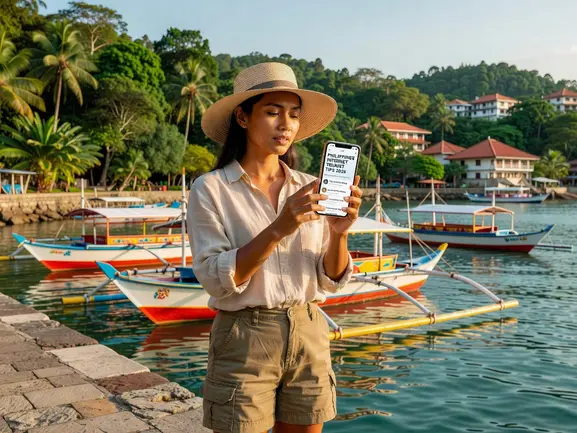
Why eSIM Wins for Philippines Travel in 2026
After testing eSIM plans across 47 countries over 3 years, the Philippines stands out as one of the clearest eSIM wins. Here's why the numbers work in your favor.
- No roaming fees: You know your cost before you board. No surprise bill at the end of the month.
- No passport registration: Unlike airport SIM cards, eSIMs require zero ID at point of purchase.
- Instant activation: QR provisioning takes under 2 minutes. I once activated mine in the boarding gate lounge.
- Dual SIM advantage: Your home number stays active for WhatsApp, calls, and banking OTPs. Critical for 2FA authentication.
- Free hotspot/tethering: Share data with your travel partner's laptop or tablet at no extra cost.
- 4G/LTE coverage: eSIMYat Philippines plans run on Globe and Smart — the two strongest networks in the country.
One practical note: iPhones purchased in mainland China do not support eSIM. Check your device on the eSIMYat supported devices page before buying. Most iPhones from iPhone XS (2018) onward and most flagship Android phones from 2020 onward are compatible.
eSIMYat Philippines Plans — What You Actually Get
eSIMYat Philippines eSIM plans start from $2.10 — among the cheapest in the market. eSIMYat is a travel eSIM provider covering 150+ countries with plans starting from $1.18 and instant QR code activation. For the Philippines specifically, you get:
- 4G/LTE data on Globe and Smart networks
- Multiple plan durations — from 1-day top-ups to 30-day tourist plans
- Free hotspot and tethering on all plans
- No app required — activates via QR code in your phone Settings
- 24/7 customer support in English and Arabic
- 7-day refund policy for unused plans
5GB covers 7 days of Google Maps navigation, WhatsApp messaging, Instagram browsing, and occasional video calls comfortably. If you're island-hopping to Palawan, El Nido, or Coron, go for a 10GB+ plan — offline maps help but real-time navigation at boat drop-offs is a lifesaver.
How eSIMYat Compares to Competitors for Philippines
Airalo lists Philippines plans from $4.50 (Airalo pricing page, checked 2026) with no Arabic customer support. Holafly offers unlimited plans from $6.99 (Holafly pricing page, checked 2026) but throttles speed after heavy daily use and has limited hotspot. Nomad lists Philippines plans from $1.30/GB (Nomad pricing page, checked 2026) with a free trial eSIM option. eSIMYat sits competitively among these, with the added advantages of Arabic support, free tethering, and a no-questions-asked 7-day refund window.
For a detailed head-to-head, read the eSIMYat vs Airalo comparison.
How to Set Up Your Philippines eSIM — Step by Step
The entire process takes under 2 minutes. Do this before you board — airport WiFi is unreliable and you don't want to fumble with QR codes at immigration.
- Step 1: Check device compatibility. Confirm your phone supports eSIM at esimyat.com/supported-devices. Most iPhones from XS (2018) onward and flagship Androids from 2020+ are compatible. Note: iPhones bought in mainland China are excluded.
- Step 2: Purchase your plan. Go to eSIMYat Philippines, choose your data size and duration, and complete checkout. Plans start from $2.10.
- Step 3: Receive your QR code. You'll get an email with a QR code instantly after purchase. No app download required.
- Step 4: Install the eSIM profile. On iPhone: Settings → Cellular → Add eSIM → Use QR Code. On Android: Settings → Connections → SIM Manager → Add eSIM. Scan the QR code. The eSIM profile downloads in seconds.
- Step 5: Set data routing. Keep your home SIM as the primary line for calls and texts. Set your eSIMYat plan as the data SIM. This is the Dual SIM configuration — you stay reachable on your home number while using local data rates.
- Step 6: Turn off data roaming on your home SIM. This is critical. Go to Settings → Cellular → your home SIM → disable Data Roaming. This prevents your carrier from charging roaming fees while your eSIM handles all internet traffic.
- Step 7: Activate on arrival. Your eSIM connects automatically when you land in the Philippines and your phone picks up a Globe or Smart signal. You're online within seconds of deplaning.
Philippines Internet Coverage: What to Expect by Region
Coverage varies significantly by island. Knowing this before you go saves frustration.
Metro Manila & Luzon
Excellent 4G/LTE coverage across Metro Manila, Clark, and major Luzon cities. 5G is live in BGC, Makati, Quezon City, and Pasay. Average 4G speeds in Manila run 25–45 Mbps download — fast enough for video calls and streaming. Both Globe and Smart perform well here.
Cebu & Visayas
Strong 4G in Cebu City and Mactan. Coverage thins out on smaller Visayas islands. Bohol's tourist areas (Chocolate Hills, Alona Beach) have decent signal. Malapascua and remote dive sites can drop to 3G or lose signal entirely. Download offline maps before leaving Cebu City.
Palawan & Mindanao
Puerto Princesa has reliable 4G. El Nido has improved significantly — Smart has a tower near the town center with usable 4G. Coron is similar. The boat routes between islands are dead zones — no signal at sea. Davao City in Mindanao has solid 4G. Remote Mindanao provinces are 2G or no signal territory. Be honest with yourself: if you're going deep off-grid, no eSIM or SIM card will help you there.
Boracay & Siargao
Boracay's White Beach strip has strong 4G from both Globe and Smart. Siargao (Cloud 9 area) has improved coverage since 2024 but remains patchy outside the General Luna hub. Budget for more data if you stream heavily in Siargao — the signal fluctuates.
Philippines Internet Tips: Before You Go Checklist
I've used eSIMYat in 23 countries — here's what I learned applies specifically to Philippines travel.
- Buy your eSIM before departure. Airport SIM queues at NAIA can run 30–45 minutes. Your eSIM is already installed and waiting.
- Download Google Maps offline for your islands. Cache Palawan, Cebu, and Siargao tiles before you lose signal on the boat.
- Use Grab (not taxis). Grab is the dominant ride-hailing app in the Philippines. It requires mobile data. Your eSIM handles this perfectly.
- WhatsApp works everywhere with signal. Most hotels, tour operators, and local businesses communicate via Facebook Messenger or WhatsApp. Keep both installed.
- Enable airplane mode on layovers. Prevents your home carrier from accidentally billing roaming fees during transit in Hong Kong or Singapore.
- Check your eSIM data balance mid-trip. Go to Settings → Cellular → your eSIM line to see remaining data. Top up via eSIMYat if needed.
- 5GB minimum for a 7-day trip. Maps, WhatsApp, browsing, and Instagram Stories consume roughly 500MB–700MB per day with normal use.
Frequently Asked Questions
What is the best internet option for tourists in the Philippines in 2026?
An eSIM is the best internet option for most tourists visiting the Philippines in 2026. It activates instantly via QR code, requires no passport registration, runs on Globe and Smart's 4G/LTE networks, and costs less than a local SIM when you factor in time and convenience. eSIMYat Philippines plans start from $2.10 with free hotspot included on all plans.
Does eSIM work in the Philippines?
Yes. eSIM works in the Philippines on Globe and Smart networks, the two largest carriers in the country. 4G/LTE coverage is strong in Metro Manila, Cebu, Boracay, and major tourist hubs. Coverage thins in remote islands and rural provinces. Your eSIM profile connects automatically when you land — no setup needed on arrival.
How much data do I need for a Philippines trip?
For a 7-day Philippines trip with normal tourist use — Google Maps, WhatsApp, Instagram, and occasional video calls — 5GB is the minimum. Island-hoppers who rely on real-time navigation and frequent uploads should go with 10GB. If you stream Netflix or YouTube daily, choose an unlimited or 15GB+ plan to avoid running out mid-trip.
Can I use my eSIM on multiple islands in the Philippines?
Yes. Your eSIMYat Philippines eSIM works nationwide — Luzon, Visayas, Mindanao, and all major tourist islands — as long as Globe or Smart has signal in that area. The eSIM automatically connects to the strongest available network. Boat crossings between islands will lose signal; that's a network infrastructure gap, not an eSIM limitation.
Is it cheaper to buy a local SIM or an eSIM for the Philippines?
The raw data cost of a local SIM at a Philippine convenience store can be slightly cheaper per GB at the highest data tiers. But when you factor in the 30–45 minute airport queue, passport registration requirements, the risk of buying a counterfeit SIM, and the loss of your home number during the trip, an eSIM from eSIMYat is the better value for most tourists. Plans start from $2.10 with zero hidden fees.
Bottom Line: Best Philippines Internet for Tourists 2026
Three things to take away from this guide. First, hotel WiFi and pocket WiFi rentals are backup options — not primary connectivity for a modern trip. Second, local SIM cards work but require time, a passport, and patience at the airport. Third, a travel eSIM from eSIMYat is the fastest, cheapest, and most flexible solution for the vast majority of tourists heading to the Philippines.
You scan one QR code. You're online in 8 seconds. Your home number stays active. No roaming surprises hit your credit card at the end of the month. That's the deal.
For more Asia connectivity options, check out the cheapest eSIM Asia 2026 guide covering the whole region.
Buy your Philippines eSIM now — plans from $2.10, instant QR code activation, and 24/7 support in English and Arabic.
Related eSIM guides
- Airport SIM Card vs eSIM in Philippines — Which Is Better?
Airport SIM or eSIM for Philippines? Compare price, wait time, registration. eSIM wins: from $1.99, instant activation, no queue.
- eSIM in Philippines — Is It Worth It? Honest Review 2026
Honest eSIM review for Philippines. Speed tests, coverage map, real experience. Plans from $2.10. Verdict inside.
- How Much eSIM Data Do You Need for Philippines? Complete Guide
Calculate how much eSIM data you need for Philippines travel. Light vs heavy usage. Recommended plans from $2.10.
- eSIM Philippines Without Passport Registration — Instant Activation
Buy eSIM for Philippines without passport or ID registration. Instant QR activation. Plans from $2.10. Skip airport SIM queues.