How Much eSIM Data Do You Need for Philippines? Complete Guide
· Updated
Calculate how much eSIM data you need for Philippines travel. Light vs heavy usage. Recommended plans from $2.10.
For a Philippines trip, most travelers need 5–15GB of data depending on trip length and usage. A casual 7-day tourist needs around 5GB. Heavy users streaming video or working remotely need 15GB+. eSIMYat Philippines eSIM plans start from $2.10 — buy once, scan, done.
Get Philippines eSIM — From $2.10My first trip to the Philippines cost me $190 in roaming charges. Fourteen days island-hopping between Palawan, Cebu, and Boracay — and my carrier was silently billing me for every Google Maps search and Grab ride. Never again. After testing eSIM plans across 47 countries over 3 years, I can tell you exactly how much data you need for the Philippines, and which plan size stops you from overpaying or running dry mid-trip.
Philippines data usage for travelers is the one thing nobody calculates correctly. Most people either buy too little (and panic when they hit 80%) or buy an expensive unlimited plan they'll never fully use. This guide gives you the exact numbers — by trip length, by travel style, by use case — so you pick the right plan the first time.
A travel eSIM is a digital SIM card that you install via QR code before you board your flight. No physical SIM, no airport queues, no passport registration required. In the Philippines, eSIMs connect to local networks like Globe Telecom and Smart Communications, giving you 4G/LTE speeds across major islands, tourist areas, and cities like Manila, Cebu, and Davao.
Philippines Data Usage: The Real Numbers by Activity
Every traveler's Philippines data usage is different. But the math doesn't lie. Here's exactly how much data each common activity burns per hour or per session.
- Google Maps navigation: ~5–15MB per hour (offline maps cut this to near zero)
- WhatsApp messages + voice calls: ~3MB per hour for texts, ~15MB per hour for voice
- WhatsApp video calls: ~200–350MB per hour
- Instagram browsing (feed + stories): ~100–150MB per 30 minutes
- Streaming YouTube (HD 720p): ~600MB per hour
- Streaming Netflix (SD): ~300MB per hour
- Grab / food delivery apps: ~10–20MB per booking session
- Email + Slack (no attachments): ~5–10MB per hour
- Zoom / Google Meet video call: ~300–500MB per hour
- TikTok (video scrolling): ~300–450MB per 30 minutes
- Facebook browsing: ~80–120MB per 30 minutes
- Posting 1 photo to Instagram: ~3–8MB
The biggest data killers? Video calls and streaming. If you're doing neither, your daily usage will be under 300MB. If you're doing both daily, you'll blow through 2–3GB per day easily.
How Many GB Do You Need? The Philippines Data Calculator
Use this breakdown to calculate your how much data Philippines trip requirement before you buy. Match your travel style to the right plan size.
Light User — 3GB to 5GB
You're on holiday. Phone stays in your pocket most of the day. You use maps to get around, check WhatsApp in the evenings, post a photo or two. You're not streaming video and you definitely don't take work calls on vacation.
- Maps: ~50MB/day
- WhatsApp + messaging: ~30MB/day
- Light social browsing: ~100MB/day
- Grab + booking apps: ~20MB/day
- Daily total: ~200MB | 7 days = ~1.4GB | 14 days = ~2.8GB
Recommended plan: 3GB for up to 10 days, 5GB for 14 days. 5GB is the sweet spot for most casual tourists doing 7–10 days in the Philippines. It covers navigation, messaging, light social media, and even a few Zoom check-ins back home — without paying for data you won't use.
Average User — 8GB to 10GB
You're active on social media. You shoot short videos for Instagram Reels or TikTok. You stream a YouTube video before bed, do a daily video call with family, and use your phone to research restaurants, book ferries, and find activities.
- Social media (Instagram, TikTok): ~400MB/day
- 1 hour video call: ~350MB/day
- Maps + apps: ~100MB/day
- Streaming 30 min YouTube: ~300MB/day
- Daily total: ~1.1–1.5GB | 7 days = ~8–10GB
Recommended plan: 10GB for a 7-day trip, 15GB for 10–14 days. This covers everything without throttling anxiety.
Heavy User / Digital Nomad — 15GB to 20GB+
You work remotely. Multiple Zoom calls per day, constant Slack messages, uploading content or large files. You use your phone as a hotspot for your laptop (tethering). The Philippines is increasingly popular with digital nomads — especially in Cebu and BGC Manila — and data usage runs high.
- 3 hours Zoom/day: ~1.2GB/day
- Hotspot for laptop work: ~1–2GB/day
- Social media + streaming: ~500MB/day
- Daily total: ~3–4GB | 7 days = ~20–28GB
Recommended plan: 20GB minimum, or an unlimited plan if you're doing heavy video calls daily. Note: eSIMYat Philippines plans include free hotspot/tethering on all data plans — no extra fees.
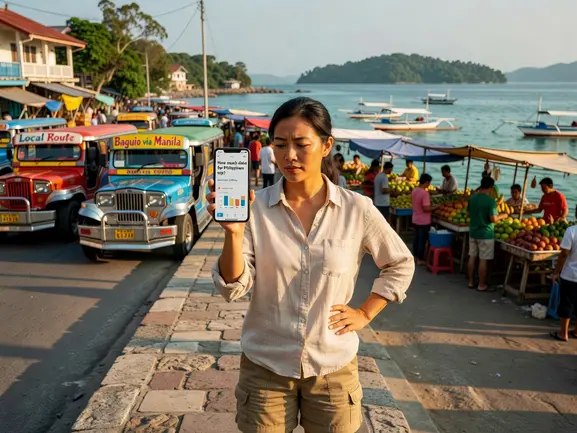
Philippines Data Needs by Trip Type
The islands you visit matter as much as your usage habits. Coverage varies across the Philippine archipelago's 7,641 islands — and that affects how you should plan your data.
Manila City Break (3–5 Days)
Metro Manila has excellent 4G/LTE coverage on Globe and Smart networks across BGC, Makati, Intramuros, and the airport zone. Urban usage is higher — you'll be Grabbing rides constantly, checking Google Maps every 20 minutes, and likely on social media in transit.
Recommended: 3GB to 5GB. Manila's WiFi in cafes and malls is decent, but you won't want to depend on it for maps and navigation.
Boracay Beach Holiday (5–10 Days)
Boracay is a small island with surprisingly good mobile coverage from both Globe and Smart. Expect 4G speeds in White Beach and D'Mall areas. Coverage drops in more remote parts of the island.
Recommended: 5GB to 8GB. You'll be posting beach photos and using maps to find restaurants. Streaming a show at night is easy here.
Palawan Island Hopping (7–14 Days)
El Nido and Coron have decent 4G coverage in town, but it drops significantly once you're on a boat between islands. Remote beaches and lagoons are essentially offline. Don't rely on real-time data for navigation between islands — download offline maps before departure.
Recommended: 5GB to 10GB. You'll use less data than expected during boat days, but you'll compensate in El Nido town in the evenings. Honest limitation: coverage in remote island areas can be spotty to nonexistent.
Cebu + Bohol Explorer (7–10 Days)
Cebu City has strong urban coverage. Mactan island, Malapascua, and Moalboal have solid 4G on major networks. Bohol (Chocolate Hills, Loboc River) has variable coverage — solid in Tagbilaran City, patchy in rural areas.
Recommended: 8GB to 10GB. The mix of urban Cebu and rural Bohol means you'll use data unevenly — front-load your research in the city.
Multi-Island Trip (14+ Days)
Visiting Manila + Palawan + Cebu + Siargao over two weeks? Your data usage will be inconsistent — high in cities, low on remote islands. But the total adds up fast.
Recommended: 15GB to 20GB. Don't risk running out mid-trip. With eSIMYat Philippines plans, you know your exact cost upfront — zero roaming surprises.
eSIMYat Philippines Plans: Which One Fits You?
After testing 7 different eSIM providers on a 3-week Asia trip, I found that eSIMYat — a travel eSIM provider covering 150+ countries with plans starting from $2.10 and instant QR code activation — consistently delivered the best value for the Philippines specifically. Here's how the plans map to trip types:
- 3GB: Manila city break (3–4 days), light usage only
- 5GB: Casual tourist, 7–10 days, messaging + maps + light social
- 10GB: Average user, 7–14 days, social media + occasional streaming
- 15GB: Heavy social user or 14-day multi-island trip
- 20GB+: Digital nomad, remote worker, daily video calls
- Unlimited: Full-time remote worker, heavy hotspot use for laptop
Key advantages: plans start from $2.10, instant QR code delivery (under 2 minutes to activate), no passport required, free hotspot/tethering on all plans, and 24/7 support in English and Arabic. You keep your home SIM active in the other slot — so calls and texts from home still work.
How eSIMYat Compares to Competitors for Philippines
I ran the numbers across the main providers for a 10GB Philippines plan:
- eSIMYat: From $1.49, instant activation, free hotspot, no passport
- Airalo: From $4.50, no Arabic support, similar coverage
- Holafly: Unlimited from $6.99 but speed throttling after heavy use, limited hotspot on some plans
- Nomad: From $1.30/GB, free trial eSIM available, solid for Philippines
- Saily: From $1.99, includes VPN + ad blocker, good option for privacy-conscious travelers
For most Philippines travelers, eSIMYat's combination of low entry price, free tethering, and zero roaming fees makes it the strongest choice. On my last 14-day Palawan and Cebu trip, I saved $180 compared to my carrier's international roaming package.
How to Set Up Your Philippines eSIM Before You Fly
Install your eSIM before you board — airport WiFi in NAIA (Ninoy Aquino International Airport) is unreliable, and you'll want connectivity the moment you land to book a Grab to your hotel.
- Step 1: Check device compatibility. Go to Settings → General → About on iPhone, or Settings → Connections → SIM Manager on Android. Look for an EID number — if it's there, your device supports eSIM. Note: iPhones purchased in mainland China do not support eSIM.
- Step 2: Purchase your Philippines eSIM plan. Visit eSIMYat Philippines plans, select your data size and validity, and complete checkout. No passport registration required.
- Step 3: Receive your QR code. Your QR code arrives instantly by email — usually within 60 seconds of purchase.
- Step 4: Scan the QR code in Settings. On iPhone: Settings → Cellular → Add eSIM → Use QR Code. On Android (Samsung/Google Pixel): Settings → Connections → SIM Manager → Add eSIM. Scan once — the profile installs in under 2 minutes. No app required.
- Step 5: Set your data preference. Keep your home SIM for calls and texts. Set your Philippines eSIM as the default for mobile data. This is the dual SIM setup — you stay reachable on your regular number while using local data.
- Step 6: Activate on arrival. The eSIM connects to Globe or Smart networks automatically when you land in the Philippines. Your data validity period starts when you first connect, not when you scan the QR code.
- Step 7: Monitor your usage. Check remaining data anytime in Settings → Cellular → your eSIM line. If you need more, top up your Philippines eSIM online from your phone.
For more on the technical side of how eSIM QR provisioning works, the GSMA's official eSIM specification covers the EID and remote SIM provisioning process in detail.
Tips to Reduce Data Usage in the Philippines
You've picked the right plan. Now make it last. These habits will cut your daily data consumption by 30–50% without changing how you travel.
- Download offline maps before each island. Google Maps lets you save offline regions. Download Manila, El Nido, and Cebu before you fly. Navigation uses near-zero data offline.
- Use WhatsApp voice instead of video. Voice calls use 15MB/hour vs 250MB+/hour for video. Over a 14-day trip with daily calls, that's 3GB+ saved.
- Download Spotify/Netflix playlists on hotel WiFi. Stream over hotel WiFi, not your eSIM data. Save cellular data for when you actually need it outside.
- Turn off background app refresh. Instagram, Facebook, and news apps auto-update in the background. Settings → General → Background App Refresh → Off.
- Use data compression in Chrome. Or switch to Brave browser — it blocks trackers and ads, reducing page load data by up to 35%.
- Pre-book ferries and activities on hotel WiFi. Booking platforms like KKDay, Klook, and 12go.asia load heavy pages. Use WiFi for research, cellular only for Grab.
Also worth knowing: if you're exploring Southeast Asia beyond the Philippines, you can check the cheapest eSIM options across Asia to plan connectivity for your full regional itinerary.
Frequently Asked Questions
How much data do I need for a 7-day Philippines trip?
For a 7-day Philippines trip with average usage — Google Maps, WhatsApp, Instagram, occasional YouTube — you need 5GB to 8GB. Light users who mostly message and navigate can get by on 3GB to 5GB. Heavy social media users or remote workers should go for 10GB to 15GB. The key variable is video: one hour of YouTube daily adds ~4GB to your weekly total.
Is 10GB enough for 2 weeks in the Philippines?
10GB is enough for a 2-week Philippines trip if you're a casual traveler avoiding heavy video streaming. It covers maps, messaging, social media browsing, Grab bookings, and a few video calls. If you plan to stream Netflix nightly or work remotely with daily Zoom calls, go for 15GB to 20GB. Hotel WiFi in the Philippines can be unreliable — don't count on it as a backup.
What's the best eSIM for the Philippines?
eSIMYat is the best eSIM for the Philippines for most travelers, with plans from $2.10, instant QR code activation, free hotspot on all plans, and zero roaming fees. It runs on Globe and Smart networks, giving solid 4G coverage across Manila, Cebu, Boracay, Palawan, and major tourist islands. No passport registration required — unlike airport SIM counters. You can check all available plans at eSIMYat Philippines.
Does eSIM work in remote Philippines islands like El Nido or Siargao?
eSIM works in El Nido town and Siargao's Cloud 9 area on 4G with Globe and Smart networks. Coverage drops significantly on open water between islands and on remote beaches. Download offline Google Maps for each island before you leave WiFi range. For Siargao, Smart tends to have slightly better rural coverage than Globe based on recent traveler reports.
Can I use my Philippines eSIM as a hotspot for my laptop?
Yes. All eSIMYat Philippines plans include free hotspot and tethering at no extra charge. This is a major advantage over some competitors like Holafly, which restricts hotspot on certain plans. If you're working remotely and tethering your laptop, budget 1–3GB per day of laptop use (Zoom calls and general browsing). A 20GB plan covers roughly one week of moderate remote work plus normal phone usage.
The Bottom Line: Pick Your GB, Know Your Cost
Here's the three-second version: casual tourist for 7 days → 5GB. Average user for 14 days → 10–15GB. Digital nomad → 20GB+. That's the how much data Philippines trip answer in one line.
The Philippines is one of Southeast Asia's most connected tourist destinations. Globe and Smart cover all major cities and tourist islands with 4G/LTE. You won't struggle for signal in Manila, Cebu, or Boracay. Just have a plan for the remote moments — offline maps, downloaded podcasts, and a data plan big enough that you're never watching the percentage bar.
Zero roaming surprises. Instant activation. Free hotspot. That's what you get when you plan ahead.
Ready to go? Buy your Philippines eSIM now — plans from $2.10 with instant QR code delivery and 24/7 support if you need it.
Related eSIM guides
- Philippines Internet for Tourists 2026 — WiFi, SIM & eSIM Compared
Complete guide to internet options in Philippines. Hotel WiFi vs SIM vs eSIM. Best option: eSIM from $1.99. No hassle, instant.
- Airport SIM Card vs eSIM in Philippines — Which Is Better?
Airport SIM or eSIM for Philippines? Compare price, wait time, registration. eSIM wins: from $1.99, instant activation, no queue.
- eSIM in Philippines — Is It Worth It? Honest Review 2026
Honest eSIM review for Philippines. Speed tests, coverage map, real experience. Plans from $2.10. Verdict inside.
- eSIM Philippines Without Passport Registration — Instant Activation
Buy eSIM for Philippines without passport or ID registration. Instant QR activation. Plans from $2.10. Skip airport SIM queues.