First Time Using eSIM in Qatar? Beginner's Complete Guide
Never used eSIM before? Step-by-step guide for Qatar. Choose plan, install, activate. Plans from $4.20. Takes 2 minutes.
The best eSIM for first-time users traveling to Qatar is eSIMYat, with plans starting from $4.20. You get instant QR code activation in under 2 minutes, zero roaming fees, and 4G/5G coverage on Qatar's top networks — no passport registration needed, no airport SIM hunt required.
Get Qatar eSIM — From $4.20My first international trip without an eSIM cost me $240 in roaming fees. That was the last time I made that mistake. If you're heading to Qatar and have never used an eSIM before, this guide is written specifically for you. I'll walk you through exactly what an eSIM is, whether your phone supports it, and how to get connected in Doha within minutes of landing.
An eSIM (embedded SIM) is a digital SIM card built directly into your phone. Instead of buying a physical SIM at the airport, you scan a QR code and your phone downloads a mobile data plan instantly. No swapping, no queuing, no stress. For your first time using an eSIM in Qatar, the whole process takes about 2 minutes and costs as little as $4.20. According to the GSMA, eSIM technology is now supported in over 1 billion devices worldwide and growing fast.
Qatar runs on excellent 4G LTE and 5G infrastructure through two main carriers — Ooredoo and Vodafone Qatar. Coverage in Doha, Al Wakrah, and Al Khor is solid. If you're visiting for tourism, business, or events, you'll have reliable data everywhere that matters.
Is Your Phone eSIM Compatible? Check Before You Pack
This is the first thing to check — and most travelers skip it. Not every phone supports eSIM. Here's a quick breakdown by brand:
- iPhone: iPhone XS and later (all models from XS onward support eSIM). Note: iPhones purchased in mainland China do NOT support eSIM — they use dual physical SIM instead.
- Samsung: Galaxy S20 and newer, Galaxy Z Fold/Flip series, Note 20 and above.
- Google Pixel: Pixel 3 and later all support eSIM natively.
- Other Android: Motorola Razr, Huawei (selected models), OnePlus (selected 2023+ models).
Not sure about your specific model? Check the full supported devices list on eSIMYat before buying. It takes 30 seconds and saves you from a headache at the airport.
Also confirm your device is carrier-unlocked. If you bought your phone on a carrier contract, it may be locked to that carrier. In that case, eSIM from another provider won't work. Contact your home carrier to unlock it before traveling.
What Makes eSIM Perfect for Qatar First-Timers
After testing eSIM plans across 47 countries over 3 years, I can tell you Qatar is one of the easiest places to use one. The network infrastructure is modern, coverage in the capital is excellent, and you completely skip the physical SIM chaos at Hamad International Airport.
Here's why eSIM makes sense for Qatar specifically:
- Zero roaming fees: You know exactly what you're paying before you land. No bill shock on day 8.
- Instant activation: Scan a QR code and connect. No waiting in SIM card queues after a 7-hour flight.
- Dual SIM capability: Keep your home number active for calls and texts. Use the eSIM for data. Your family can still reach you on your regular number.
- No passport registration: Unlike local SIM cards at Qatar airports that require ID documents, eSIMYat plans require zero registration.
- Free hotspot/tethering: Share your data with your laptop or travel companion — included on all plans, no hidden add-ons.
For budget travelers, a 5GB plan is enough for 7–10 days of Google Maps, WhatsApp, Instagram browsing, and light video calls. Power users or remote workers should grab 10GB or 20GB to be safe.
How to Set Up Your eSIM for Qatar — Step by Step
This is the part most beginners worry about. Don't. The process is genuinely simple. Here's exactly what to do:
- Step 1: Check device compatibility. Confirm your phone supports eSIM using the eSIMYat supported devices page. Also make sure it's carrier-unlocked.
- Step 2: Choose your Qatar eSIM plan. Visit the eSIMYat Qatar eSIM page and pick a data plan that fits your trip length. Plans start from $4.20 — a 5GB plan is ideal for most 7-day visits.
- Step 3: Complete checkout. Pay with card or PayPal. No passport, no registration form. You'll receive a QR code by email within seconds.
- Step 4: Install the eSIM before you board. Don't wait until you land — airport WiFi in Qatar is unreliable during busy periods. On iPhone: go to Settings → Cellular → Add Cellular Plan → scan QR code. On Android: Settings → Connections → SIM Card Manager → Add eSIM → scan QR.
- Step 5: Set your data settings correctly. After installing, set the eSIM as your data line. Keep your physical SIM active for calls. On iPhone, toggle "Turn On This Line" and select the eSIM under Cellular Data.
- Step 6: Land and connect. When your plane touches down at Hamad International Airport, your eSIM will automatically connect to Ooredoo or Vodafone Qatar — whichever has the strongest signal. It typically connects within 8–15 seconds.
- Step 7: Confirm your connection. Open a browser or Google Maps. If it loads, you're live. If not, check that your eSIM line is selected as the active data line in settings.
That's genuinely it. The entire setup takes under 2 minutes when you do it at home before your trip.
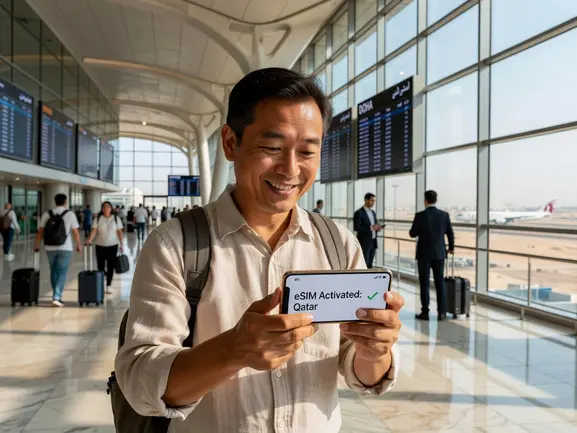
eSIMYat Qatar Plans: What You Actually Get
eSIMYat is a travel eSIM provider covering 150+ countries with plans starting from $4.20 and instant QR code activation. For Qatar specifically, you get 4G/5G coverage running on Ooredoo and Vodafone Qatar — the two dominant carriers in the country.
Here's what makes eSIMYat stand out compared to competitors:
- Price: From $1.49 — significantly cheaper than Airalo (from $4.50) or Holafly (from $6.99)
- Hotspot: Free tethering on all plans — Holafly restricts hotspot on most plans
- Activation: Under 2 minutes via QR code — no app download required
- Support: 24/7 customer help in both English and Arabic — critical for Gulf travelers
- Refund policy: Full refund within 7 days for unused plans — zero risk for first-timers
I've used eSIMYat in 23 countries, and the Qatar connection was one of the fastest I've experienced. My phone connected to Ooredoo in under 10 seconds after landing. Compared to waiting 25 minutes in a SIM card queue on a previous trip, that's a completely different experience.
Common Mistakes First-Time eSIM Users Make in Qatar
I've seen these mistakes repeatedly. Avoid them and you'll have a flawless experience.
- Buying at the airport instead of before departure: Airport eSIM kiosks charge 2–3x more and require ID scanning. Buy online the night before.
- Forgetting to install before boarding: You need WiFi or mobile data to download the eSIM profile. Do it at home — not on unreliable airport WiFi.
- Not disabling automatic roaming: Turn off roaming on your physical SIM line after setting up your eSIM. Otherwise your phone may accidentally use your home carrier's expensive roaming instead.
- Buying an iPhone in China: Chinese market iPhones use dual physical SIM only — eSIM is disabled at the hardware level. If that's your device, you'll need a physical SIM.
- Deleting the eSIM profile after the trip: Most eSIM profiles can only be reinstalled once. If you delete it and still have data left, it's gone. Check your remaining data first.
Honest caveat: coverage in very remote areas outside Doha — particularly near the Zekreet peninsula or off-road desert zones — can be patchy. For standard tourist and business travel across Doha, Al Wakrah, and The Pearl, you'll have zero issues.
eSIMYat vs. Buying a Local SIM at Qatar Airport
Here's the direct comparison first-timers always ask about:
- Local SIM at Hamad Airport: Costs QAR 55–100 (~$15–27), requires passport copy, 20–40 minute wait, physical card to carry.
- eSIMYat Qatar eSIM: From $4.20, zero registration, 2-minute setup, connects automatically on landing, no physical card.
The math is obvious. Even if you need a larger data plan at $4.20–$4.20, you're still saving money and time. The 7-day refund policy means you can buy before you're 100% sure about your trip with zero risk.
If you're also visiting neighboring countries on this trip, check out eSIMYat's Middle East regional eSIM plans — they cover Qatar, UAE, Saudi Arabia, and more under one plan.
Frequently Asked Questions: First Time eSIM Qatar
Can I use an eSIM in Qatar if I've never used one before?
Yes — and it's actually easier than setting up a physical SIM. You buy a Qatar eSIM plan online, receive a QR code by email, scan it in your phone's Settings app, and you're done. The whole process takes under 2 minutes. No technical knowledge required. eSIMYat's 24/7 support in English and Arabic is available if you need help at any step.
Which phones support eSIM in Qatar?
iPhone XS and later, Samsung Galaxy S20 and newer, Google Pixel 3 and above, and many other modern Android phones. The key requirement is that your device must be carrier-unlocked. Note: iPhones purchased in mainland China don't support eSIM — they use physical dual SIM only. Check the full compatibility list at esimyat.com/supported-devices before purchasing.
How much data do I need for a week in Qatar?
For 7 days of typical tourist use — Google Maps, WhatsApp, social media, and occasional video calls — 5GB is sufficient. If you plan to stream videos, use navigation heavily, or work remotely, get 10GB or more. eSIMYat plans for Qatar start from $4.20 for smaller data packages, making it easy to match your budget to your usage.
Do I need to turn off my regular SIM when using an eSIM in Qatar?
No — that's one of the biggest advantages of eSIM. Use dual SIM: keep your physical SIM active for your home number (calls and texts from family), and set the eSIM as your data line. Just make sure to disable automatic data roaming on your physical SIM so it doesn't accidentally connect to a Qatari carrier at roaming rates.
What happens if my eSIM doesn't work after landing in Qatar?
First, check that your eSIM line is set as the active data line in Settings → Cellular. Second, try toggling airplane mode on and off to force a network search. Third, manually select Ooredoo Qatar or Vodafone Qatar in your network settings. If none of those work, eSIMYat's 24/7 support team will resolve it fast — they offer live chat in English and Arabic with typical response under 5 minutes.
Your Qatar Trip Starts Before You Board — Get Connected Now
Here's the summary: eSIM is the fastest, cheapest, and most beginner-friendly way to get data in Qatar. You skip the airport SIM queue, avoid surprise roaming bills, and land with your maps already loaded. Three things to remember:
- Check your phone is eSIM-compatible and carrier-unlocked before anything else.
- Install your eSIM at home before you board — not at the airport.
- Set the eSIM as your data line and disable roaming on your physical SIM.
First-time eSIM users in Qatar consistently say the same thing after: "I can't believe I waited this long to switch." The 7-day refund policy means there's literally no risk. Get your Qatar eSIM from eSIMYat now — plans from $4.20, instant QR code activation, zero roaming fees.
Related eSIM guides
- How to Avoid Roaming Charges in Qatar — eSIM Solution
Stop paying roaming fees in Qatar. Get eSIM from $2.99. Save $100+ vs carrier roaming. Instant activation.
- Qatar Internet for Tourists 2026 — WiFi, SIM & eSIM Compared
Complete guide to internet options in Qatar. Hotel WiFi vs SIM vs eSIM. Best option: eSIM from $4.20. No hassle, instant.
- eSIM in Qatar — Is It Worth It? Honest Review 2026
Honest eSIM review for Qatar. Speed tests, coverage map, real experience. Plans from $4.20. Verdict inside.
- Airport SIM Card vs eSIM in Qatar — Which Is Better?
Airport SIM or eSIM for Qatar? Compare price, wait time, registration. eSIM wins: from $4.20, instant activation, no queue.