eSIM Without an App: Install by QR, No Account
· Updated
Install a travel eSIM from your phone's Settings by QR code, install link or manual code, buy it as a guest, and see which sellers need an account or an app. Plans from $1.26.
You can install a travel eSIM without an app if the seller provides a QR or activation code: your phone's Settings add it from the QR code, an install link or the manual activation code. Some sellers, such as Saily, require their app. eSIMYat sells plans from $1.26 by guest checkout and emails the QR code and manual codes.
Browse eSIM plans — From $1.26What you do need is a phone that supports eSIM, is not locked to your home carrier, and has Wi-Fi or mobile data while you install. Check your model on our list of eSIM-compatible phones before you buy: our refund policy does not cover an incompatible phone once the QR code has been delivered.
Do you need an app to use an eSIM?
Not for an eSIM that comes with a QR code or activation code. Your phone's Settings install it: Apple and Samsung document adding one from a QR code or from details typed in by hand, and Google says a Pixel can use a QR code. You need a seller's app only if that seller installs through one.
For a travel eSIM bought online, Apple documents these routes that need no app: scanning a QR code, tapping and holding a QR code in your email or browser (iOS 17.4 or later), tapping an install link from the provider (iOS 17.4 or later) and entering the details manually.
Done in your phone's Settings, with no app:
- installing the eSIM from a QR code, an install link or the manual code;
- turning the travel line on or off;
- choosing which line uses mobile data;
- turning on Data Roaming for the travel line.
What a seller's app can add: installing from inside the app instead (Saily works this way), buying plans, showing the data you have left, and top-ups.
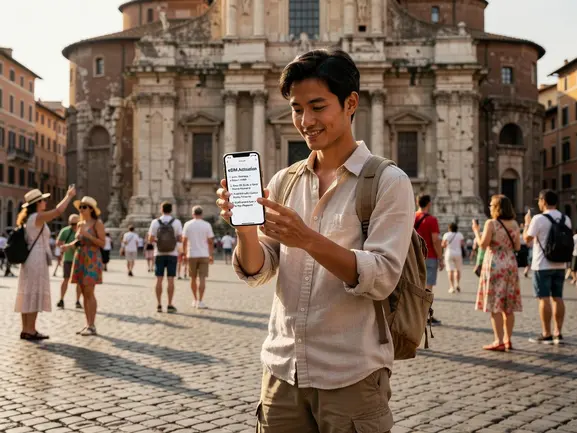
How to install an eSIM without an app
Install at home on Wi-Fi before you fly (see the FAQ on when validity starts). Our eSIM installation guide has the same steps plus troubleshooting.
On iPhone
- Open the installation email on a laptop, tablet or printout, so the QR code is on a second screen.
- Go to Settings > Cellular (Mobile Data in some countries) > Add eSIM or Set Up Cellular > Use QR Code, and scan the code. You may need to tap Other Options first.
- If iOS asks whether you will use the eSIM at home or while you travel, choose travel. If it asks which number to use only for cellular data, choose the travel line; your home number stays the default for calls and messages.
- On arrival, go to Settings > Cellular, tap the travel line and make sure Turn On this Line is on. Under Cellular Data, choose the travel line, then turn on Data Roaming in its Cellular Data Options.
iOS 26 or later may instead show Turn On Travel eSIM. If you keep both lines on, Apple notes that your home eSIM might still incur roaming fees.
Installing on the same phone that shows the QR code
A camera can't scan its own screen. On iOS 17.4 or later, open the email in your default email app or browser, tap and hold the QR code, then tap Add eSIM. Or tap Install on iPhone in the email, where it has that button, and tap Allow. On any iPhone, choose Enter Details Manually and type in the SM-DP+ address and activation code from the email.
On Android
On a Samsung Galaxy, go to Settings > Connections > SIM manager > Add eSIM > Scan QR code, or tap Enter activation code if the code is on the same phone. Tap Primary SIM in SIM manager to make the eSIM your data line, and on arrival turn on Data Roaming in Settings > Connections > Mobile Networks.
On a Google Pixel, go to Settings > Network & internet > SIMs > Add SIM > Set up an eSIM and follow the on-screen steps. In the same SIMs menu, choose the eSIM for Mobile data and turn on its Roaming setting. The email's Install on Android button may also work, where your phone supports it.
Can you install an eSIM without a QR code or a transfer?
Yes. A travel eSIM is a new plan, so nothing needs transferring: Apple's eSIM Quick Transfer only moves a number from your previous iPhone. Instead of the QR code, type in the manual details: eSIMYat's email includes the SM-DP+ address and activation code for Enter Details Manually on iPhone, and the activation code for Enter activation code on Samsung.
Which eSIM providers send the QR code by email?
eSIMYat emails the QR code once payment is confirmed and the eSIM has been issued, and the email includes the activation code and SM-DP+ address for manual entry. Guests also land on an order page that shows the same QR code. Holafly and Nomad also email a QR code with manual details; Saily installs through its app instead.
The order page also has Download QR and Copy LPA Code buttons. Where they can be generated, the email and the order page show Install on iPhone and Install on Android buttons.
If the eSIM isn't ready when you pay, the email is retried automatically. If nothing has arrived after a few minutes, check your spam folder, then write to us through the contact page, which says we reply within 24 hours.
Can you buy an eSIM without an account?
Yes, for data-only plans. eSIMYat's checkout form asks for an email address, where the eSIM is sent, and for you to accept the terms; then you pay. You don't create an eSIMYat account or password, and creating one is optional. Plans that include calls or texts, where offered, need a login and an identity check.
No app, no account and no ID are different things:
- No app: nothing to download; your phone's Settings install the eSIM.
- No account: data-only plans can be bought as a guest with an email address.
- No ID: we don't call our plans anonymous. You give an email address and pay.
Is there an Airalo alternative that doesn't need an account?
Yes. Airalo's help centre says you select Login "to sign up or log in" before buying on its website or app. eSIMYat's guest checkout for data-only plans asks for an email address, not an account, and you install from the QR code or manual details in Settings. Holafly and Nomad also let you buy without signing up.
| Provider | Account needed to buy | Install without its app |
|---|---|---|
| eSIMYat | No: guest checkout for data-only plans | Yes: QR code, install link or manual code |
| Airalo | Yes: "sign up or log in" | Its own help pages disagree (see note) |
| Holafly | No: "no login is required before purchase" | Yes: QR code, manual details, or tap and hold in Mail on iOS 17.4 or later |
| Nomad | No: checkout offers "continue as guest" | Yes: QR code in Settings, though Nomad says some plans may need a manual start in its app or account |
| aloSIM | Not stated | Yes: "No app required" |
| Saily | Not stated for web purchases | No: its iPhone guide says "Ensure the Saily app is installed" |
Note: one Airalo article says you "must download the app to install, activate, and use an eSIM"; another points to manual installation details "via the app or the website".
How to choose a no-app eSIM
No single no-app eSIM is best for every trip. Before you pay, check that:
- the QR code comes by email and on an order page, so you have a second copy;
- the manual details (SM-DP+ address and activation code) are included, for same-phone installs;
- the plan states its data allowance and how many days it lasts;
- the refund terms are in writing, including what happens if the eSIM never arrives;
- you compare the price for the data and days you need, not the lowest headline price.
For example, eSIMYat's cheapest plan for four destinations (larger plans cost more), prices checked 2026-11-25:
- United Kingdom: $1.62
- United States: $2.04
- Turkey: $1.26
- Japan: $2.10
If the eSIM won't install or connect
- It won't install: connect to stable Wi-Fi, turn Airplane Mode on and off, then restart the phone. Check the phone isn't carrier-locked: on iPhone, Settings > General > About should show "No SIM restrictions" next to Carrier Lock.
- Installed, but no internet: the travel line must be switched on, set as the mobile data line and have Data Roaming on. Then turn Airplane Mode on and off.
- The QR code says it is no longer valid: a QR code works only once. If the eSIM is still on the phone, use it from Settings; if it was deleted, contact support with your order number.
Frequently asked questions
Can I scan the eSIM QR code with the same phone?
Not with the camera, because the code has to be on another screen. On an iPhone with iOS 17.4 or later, tap and hold the QR code in your email and choose Add eSIM, or tap the install link if the email has one. Or type the details in: Enter Details Manually on iPhone, Enter activation code on Samsung.
When does my plan's validity start?
It depends on the plan. eSIMYat says most plans start when the eSIM first connects to a network at your destination, but some start once installed. Our plan pages don't yet show which, so if timing matters, ask us through the contact page before installing. Under our terms, a plan must be activated within six months of purchase.
Can I get a refund if my eSIM doesn't work?
Our refund policy covers three cases: the eSIM was not delivered within 24 hours of purchase; it has not been installed or activated and you ask within 5 calendar days of purchase; or a verified provider-side fault stops it connecting and no data has been used. Otherwise, installing or deleting the eSIM makes it non-refundable.
Can an iPhone bought in China mainland use a travel eSIM?
Check first. Apple says eSIM-supported iPhones bought in China mainland can activate an eSIM from a local carrier when outside China mainland, with Location Services on, and that eSIMs from carriers outside China mainland can't be installed while you are in China mainland. See the models in Apple's China mainland eSIM article, and contact us before you buy.
Sources
Each company's own pages, checked 4 and 5 October 2026:
- Apple: Set up eSIM, eSIM abroad, Dual SIM, data roaming, setup problems, unlocking
- Google: Set up a new eSIM, eSIM providers, mobile network settings
- Samsung: adding an eSIM, Primary SIM, data roaming
- Airalo: buying, the app, manual install
- Holafly: QR code delivery, iPhone setup, how it works
- Nomad: guest checkout (cart page), manual install, starting a plan
- aloSIM: buying without an app
- Saily: buying, iOS install, in-app install, top-ups
The bottom line
- A travel eSIM that comes with a QR code needs no app: Settings installs it from the QR code, an install link or the manual code.
- Install on Wi-Fi before you leave, and ask us first if the plan's start date matters; on arrival, turn the travel line on, use it for data and switch on its Data Roaming.
- eSIMYat sells data-only plans by guest checkout from $1.26 and emails the QR code and manual codes.