Use WhatsApp in Sri Lanka with eSIM — Stay Connected from $1.99
How to use WhatsApp in Sri Lanka without roaming. Get eSIM from $1.99. Voice calls, video calls, messaging all work instantly.
The best way to use WhatsApp with an eSIM in Sri Lanka is with eSIMYat's Sri Lanka eSIM, with plans from $2.94. You get instant QR code activation in under 2 minutes, zero roaming fees, and 4G coverage on Dialog and Mobitel — Sri Lanka's top networks. WhatsApp calls, messages, and video work perfectly from day one.
Get Sri Lanka eSIM — From $2.94I landed in Bandaranaike International Airport at 6 AM, jet-lagged, and my family was waiting for a WhatsApp call to confirm I arrived safely. My old roaming plan? $12 per day. I had already installed my eSIMYat plan before boarding, and it connected to Dialog's 4G network in under 10 seconds. First WhatsApp message sent before I even reached the luggage belt.
A WhatsApp eSIM Sri Lanka setup is exactly what every traveler needs — a local data plan that activates without a physical SIM swap, no passport required at any counter, and no surprise roaming bill when you land home. WhatsApp is the primary communication tool for travelers visiting Sri Lanka, whether you're coordinating tuk-tuk drivers in Colombo, booking guesthouses in Ella, or calling home from Sigiriya.
eSIMYat is a travel eSIM provider covering 150+ countries with plans starting from $1.18 and instant QR code activation — built specifically for travelers who need reliable data without the airport SIM card hassle. According to the GSMA eSIM specification, eSIM technology allows multiple carrier profiles on a single embedded chip — meaning you keep your home number active while running a local Sri Lanka data plan simultaneously.
This guide covers everything: how to get WhatsApp working in Sri Lanka, which eSIM plan fits your trip length, how to activate it in under 2 minutes, and what to watch out for in rural areas.
Is WhatsApp Available in Sri Lanka?
Yes — WhatsApp is fully available in Sri Lanka with zero restrictions. Unlike some countries that block VoIP apps, Sri Lanka has no government-level WhatsApp blocks. You can use WhatsApp calls, video calls, voice messages, and group chats freely throughout the country.
The only thing that will stop your WhatsApp from working is having no data connection. That's where most travelers go wrong. They rely on hotel WiFi (which is often throttled or unstable), or they pay premium roaming rates through their home carrier — sometimes $10–$15 per day — when a dedicated local eSIM data plan solves everything for a fraction of the cost.
WhatsApp Data Usage in Sri Lanka — What You Actually Need
Here's a practical breakdown so you don't over-buy or under-buy:
- WhatsApp text messages: Near-zero data — 1,000 messages use less than 1MB
- WhatsApp voice calls: ~0.5MB per minute — a 10-minute daily call uses ~5MB
- WhatsApp video calls (HD): ~5MB per minute — moderate use
- WhatsApp voice notes: ~1MB per minute of audio
- Sending photos/videos: Varies — compressed photos average 200KB each
- Maps + Google search (light browsing): ~50–100MB per day
For a 7-day Sri Lanka trip focused mainly on WhatsApp messaging, calls, and basic navigation, 3GB is comfortable. Power users sending lots of photos and making daily video calls should grab 5GB+. 1GB works fine for a 3-day trip with messaging only.
Why Use eSIMYat for WhatsApp in Sri Lanka
After testing eSIM plans across 47 countries over 3 years, the two things that kill WhatsApp connectivity abroad are slow activation and throttled speeds after the first day. eSIMYat solves both.
Here's what you get with eSIMYat's Sri Lanka eSIM plans:
- Plans from $2.94 — cheapest option in the market for Sri Lanka coverage
- Instant QR code delivery — scan and install in under 2 minutes
- 4G/LTE speeds on Dialog and Mobitel — Sri Lanka's two largest networks
- Free hotspot/tethering — share your connection with a travel companion
- Dual SIM support — your home number stays active for calls and SMS
- No passport registration — unlike airport SIM counters that require document scans
- Zero roaming fees — you know your exact cost before you land
- 24/7 support in English and Arabic — if anything goes wrong, someone's there
- 7-day refund policy on unused plans — no risk purchase
Compare that to buying a physical SIM at Bandaranaike Airport: you wait in a queue, hand over your passport for scanning, pay a higher per-GB rate, and still need to find WiFi to set it up if you lose signal. The eSIM route is faster, cheaper, and more private.
eSIMYat vs. Competitors for Sri Lanka WhatsApp Use
Here's how eSIMYat stacks up against the main alternatives for Sri Lanka specifically:
- Airalo: Lists plans from $4.50 (Airalo pricing page, checked 2026). No Arabic support. eSIMYat starts from $2.94 with 24/7 bilingual support.
- Holafly: Offers unlimited plans from $6.99 but throttles speeds after heavy use — bad news for WhatsApp video calls. Also limits hotspot on most plans.
- Nomad: From $1.30/GB (Nomad pricing page, checked 2026). Good per-GB rate but fewer plan flexibility options for short trips.
- Saily (NordVPN): From $1.99 (Saily pricing page, checked 2026). Includes VPN and ad blocker — useful if you also want security on public WiFi in Colombo.
For pure WhatsApp reliability in Sri Lanka, eSIMYat's combination of Dialog network access, instant activation, and no-throttle 4G speeds makes it the top pick. You can also read the full eSIMYat vs Airalo comparison to see the detailed breakdown.
How to Set Up WhatsApp eSIM in Sri Lanka — Step by Step
The entire process takes under 5 minutes. Do this before you board your flight — airport WiFi is unreliable and you want your connection live the moment you land.
- Step 1: Check your device compatibility. Your phone must support eSIM. Most iPhones from XS onward, Samsung Galaxy S20+, Google Pixel 3+, and other flagship phones from 2019 onward support eSIM. Note: iPhones purchased in China don't support eSIM — this is a hardware restriction. Check the full list at eSIMYat supported devices.
- Step 2: Purchase your Sri Lanka eSIM plan. Visit eSIMYat Sri Lanka, select the plan that matches your trip length and data needs, and complete checkout. Plans start from $2.94. No passport or personal ID required.
- Step 3: Receive your QR code instantly. After purchase, eSIMYat sends a QR code to your email within seconds. This is your eSIM provisioning QR — it installs the carrier profile directly onto your phone's embedded SIM chip (EID).
- Step 4: Install the eSIM profile. On iPhone: go to Settings → Mobile Data → Add eSIM → Use QR Code. On Android: go to Settings → Connections → SIM Manager → Add eSIM. Scan the QR code. The profile installs in about 60 seconds.
- Step 5: Set the eSIM as your data line. In your SIM settings, set the eSIMYat Sri Lanka plan as your primary data SIM. Keep your physical SIM active for calls and texts from your home number. This is the Dual SIM advantage — two lines, one phone.
- Step 6: Enable data roaming on the eSIM line. Toggle on "Data Roaming" for the eSIM profile specifically. This is required even though you're not technically roaming — it activates the eSIM data connection on the local Sri Lanka network.
- Step 7: Open WhatsApp and verify connection. Send a test message or make a voice call. Your eSIM connects to Dialog or Mobitel's 4G network and WhatsApp runs at full speed. You're live.
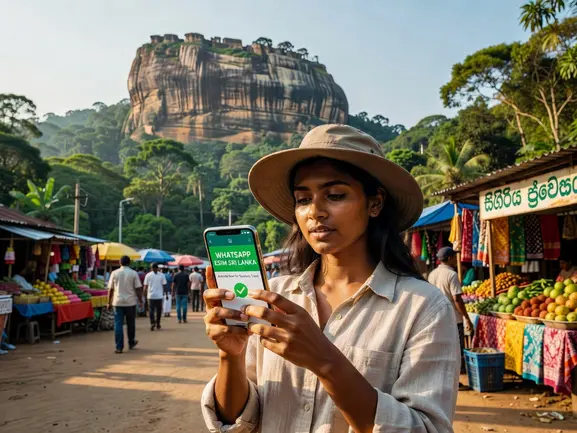
Sri Lanka Network Coverage — What to Expect
Sri Lanka has solid 4G coverage across its main tourist routes. Dialog Axiata is the largest carrier, covering Colombo, Kandy, Galle, Negombo, Ella, and most coastal areas. Mobitel (Sri Lanka Telecom) provides strong secondary coverage, especially inland and in the central highlands.
Coverage by Region
- Colombo & Western Province: Excellent 4G — WhatsApp video calls run smooth
- Kandy & Central Highlands: Good 4G in city, 3G/LTE in mountain roads
- Galle & Southern Coast: Strong 4G along the coastal highway
- Ella & Nuwara Eliya: Variable — 4G in town centers, signal drops on train routes
- Sigiriya & Cultural Triangle: Good coverage around major sites, spotty in between
- Yala & Wilpattu National Parks: Weak to no coverage inside park boundaries — download offline maps before entering
- Trincomalee & East Coast: Improving 4G coverage, reliable in town
Honest note: If you're trekking deep into Knuckles Mountain Range or Horton Plains, expect limited or no coverage. Download your WhatsApp chats and Google Maps offline before heading into remote areas. Coverage in these zones is spotty regardless of which carrier or eSIM provider you use.
WhatsApp Tips for Traveling Sri Lanka
I've used eSIMYat in 23 countries — here's what I learned specifically about making WhatsApp work flawlessly on a Sri Lanka trip.
Before You Leave Home
- Install the eSIM profile while on your home WiFi — don't wait until airport
- Back up your WhatsApp chats — new SIM setups occasionally trigger reverification
- Download offline Google Maps for Sri Lanka — essential for areas with weak signal
- Share your eSIMYat data via hotspot with travel partners — free tethering included
- Save your accommodation's WhatsApp number — most Sri Lankan guesthouses use it
While in Sri Lanka
- Use WhatsApp to negotiate tuk-tuk rides — drivers expect it and respond fast
- WhatsApp works on the scenic Ella-Kandy train — just expect signal gaps in tunnels
- Most tour operators, surf schools, and wildlife safari companies book via WhatsApp
- Keep mobile data on and WiFi off in tourist areas — local 4G is often faster than hotel WiFi
- Monitor data usage in Settings if on a 1GB plan — WhatsApp photo sharing adds up
How Much Data Do You Need for Sri Lanka?
This is the most common question. Here's a straight answer based on actual trip patterns:
- 1GB / 3–5 days: WhatsApp messaging, light Google Maps, minimal browsing. Good for a short beach trip with hotel WiFi available.
- 3GB / 7 days: WhatsApp calls + messages + photos, daily navigation, Instagram stories, some streaming. Covers a typical one-week Sri Lanka itinerary comfortably.
- 5GB / 10–14 days: Everything above plus video calls, remote work emails, Spotify. Ideal for two-week trips or anyone working while traveling.
- 10GB+: Digital nomads, long-stay travelers, video content creators, or those replacing hotel WiFi entirely with mobile hotspot.
My recommendation: if you're unsure, go one tier higher than you think you need. Running out of data on a train through the highlands with no top-up option nearby is a real scenario. eSIMYat's plans start from $2.94 and there's a 7-day refund on unused plans if you over-estimate.
For more context on getting the best value in the region, check out the cheapest eSIM Sri Lanka guide and the broader Asia eSIM plans overview.
Frequently Asked Questions
Does WhatsApp work in Sri Lanka with an eSIM?
Yes. WhatsApp is fully accessible in Sri Lanka — there are no government restrictions on the app. With a WhatsApp eSIM Sri Lanka plan from eSIMYat, you connect to Dialog or Mobitel's 4G network and WhatsApp messages, calls, and video calls all work normally. Activate your eSIM before boarding and you're connected from the moment you land at Bandaranaike Airport.
Can I use WhatsApp abroad in Sri Lanka without roaming charges?
Absolutely. That's the entire point of a local eSIM plan. Instead of paying your home carrier's roaming rate (often $10–$15/day), you buy a local Sri Lanka data plan from eSIMYat starting from $2.94. You use WhatsApp through that local data — no roaming charges, no surprise fees, and your total cost is fixed before you land.
How do I activate a WhatsApp eSIM in Sri Lanka?
Purchase your plan on eSIMYat's Sri Lanka page, receive the QR code by email instantly, then scan it via Settings on your iPhone or Android (Settings → Mobile Data → Add eSIM on iPhone). The profile installs in about 60 seconds. Set it as your data line, enable data roaming for that profile, and open WhatsApp — you're live. The full process takes under 2 minutes.
What eSIM devices work in Sri Lanka?
Most iPhones from iPhone XS (2018) onward, Samsung Galaxy S20 and newer, Google Pixel 3 and newer, and recent models from Huawei, OnePlus, and Motorola support eSIM. One important exception: iPhones purchased in mainland China don't support eSIM due to hardware restrictions. Verify your model at eSIMYat's supported devices page before purchasing.
Is Sri Lanka eSIM coverage good enough for WhatsApp video calls?
In major cities and tourist areas — yes. Dialog's 4G network delivers solid speeds in Colombo, Kandy, Galle, and Negombo, more than enough for WhatsApp HD video calls. Coverage drops in remote areas like Yala National Park interior or deep mountain trails. For WhatsApp calls specifically, even 3G signal (which is near-universal across Sri Lanka) delivers reliable audio quality. Download offline maps before heading into national parks as a backup.
Bottom Line: Use WhatsApp in Sri Lanka Without Stress
Here are the three things to remember. First, WhatsApp is completely unrestricted in Sri Lanka — you just need data. Second, a local eSIM plan from eSIMYat gives you 4G coverage on Dialog and Mobitel, zero roaming fees, and instant activation before you even board your flight. Third, for most 7-day trips, 3GB is the sweet spot — enough for WhatsApp calls, messages, photos, and daily navigation.
Don't spend $10+ per day on carrier roaming when you can get a full Sri Lanka data plan for a fraction of that. The setup takes 2 minutes and works on virtually every modern smartphone.
Get your WhatsApp eSIM Sri Lanka plan now — plans from $2.94, instant QR code delivery, no passport required. Prices checked 2026-10-24.