Use WhatsApp in South Korea with eSIM — Stay Connected from $2.99
How to use WhatsApp in South Korea without roaming. Get eSIM from $2.99. Voice calls, video calls, messaging all work instantly.
The best way to use WhatsApp in South Korea with an eSIM is through eSIMYat, with plans from $1.96. You get instant QR code activation in under 2 minutes, zero roaming fees, and 4G/5G coverage on South Korea's top networks — so WhatsApp calls, messages, and voice notes work without interruption from the moment you land.
Get Korea (South) eSIM — From $1.96I learned the hard way on my first Seoul trip. My home carrier charged me $14/day for international roaming. Four days in, I'd racked up $56 — just to keep WhatsApp running for my family back home. That's when I switched to travel eSIMs and never looked back. If you need to use WhatsApp in South Korea without bill shock, this guide covers everything you need.
A WhatsApp eSIM South Korea setup means you load a digital SIM profile onto your phone before you fly. No physical card. No airport queues. No passport registration. WhatsApp needs a live data connection — that's it. A South Korea eSIM gives you exactly that, running on local carriers like SKT (SK Telecom), KT (KTelecom), and LG Uplus, which together blanket the country in some of Asia's fastest 4G/5G coverage.
South Korea consistently ranks in the top five countries globally for mobile internet speed, with median download speeds exceeding 100 Mbps on 5G networks. That means your WhatsApp video calls, voice messages, and file sharing run smoother here than almost anywhere else on earth. All you need is the right data plan.
Does WhatsApp Work in South Korea?
Yes — 100%. WhatsApp is not blocked or restricted in South Korea. Unlike China, where WhatsApp and most Western apps face government censorship, South Korea has an open internet with no VPN requirement. You can send messages, make voice calls, join group chats, and share media freely from anywhere in the country.
South Korea's internet freedom is well-documented. The country consistently scores near the top in mobile connectivity rankings, and WhatsApp operates exactly as it does at home. The only thing that breaks WhatsApp in Korea is no data connection — which is exactly what a travel eSIM solves.
One important note: iPhones purchased in mainland China may not support eSIM due to hardware restrictions. If you're traveling with a Chinese-market iPhone, check your device's eSIM compatibility at eSIMYat's supported devices page before purchasing.
Why a WhatsApp eSIM for South Korea Beats Every Other Option
You've got three realistic options when you land in Seoul: international roaming from your home carrier, a physical SIM from Incheon Airport, or a travel eSIM. Here's the honest breakdown.
International Roaming
Most carriers charge between $10 and $15 per day for international roaming packages. On a 7-day trip, that's up to $105 — just for data. The cost is unpredictable and the speeds are often throttled after the first few hundred megabytes. Not worth it.
Airport Physical SIM Cards
Incheon Airport has SIM card kiosks from KT and SKT. Plans start around ₩15,000 (roughly $11) for 10 days with data. But you'll wait in line, need to present your passport, swap out your physical SIM (losing your home number for calls), and deal with finding a SIM ejector pin. If you have an iPhone 14 or newer US model, you may not even have a physical SIM slot.
Travel eSIM from eSIMYat
This is the clean option. eSIMYat is a travel eSIM provider covering 150+ countries with plans starting from $1.18 and instant QR code activation. For South Korea specifically, plans start from $1.96. You install it before you board, keep your home SIM active for calls, and the moment your plane touches down at Incheon, your WhatsApp is live. No queue. No passport. No SIM tray drama.
- Zero roaming fees — one flat plan price, no surprises
- Dual SIM support — keep your regular number active for SMS/calls
- Free hotspot/tethering — share your connection with a laptop or tablet
- 4G/5G on SKT, KT, LG Uplus — South Korea's three major national networks
- No passport registration — unlike airport SIM counters
- Refund within 7 days — if your plan goes unused
How Much Data Does WhatsApp Actually Use in South Korea?
This is the question most travelers get wrong. They buy too little data, hit a limit on day 3, and spend the rest of the trip scrambling. Here are real WhatsApp data usage figures to help you plan.
- WhatsApp text messages: less than 1MB per day of active chatting
- WhatsApp voice calls: roughly 0.5MB per minute (about 30MB per hour)
- WhatsApp video calls: roughly 5MB per minute (about 300MB per hour)
- WhatsApp voice notes: 1–3MB per clip depending on length
- WhatsApp image sharing: 2–5MB per full-res photo
For most travelers — checking messages, sending voice notes, and making one or two short calls per day — 1GB covers 7 days comfortably. Add navigation (Google Maps, Naver Maps), light Instagram browsing, and occasional streaming, and you're looking at 3–5GB for a week-long trip. Power users who video call daily should consider 5–10GB.
South Korea is incredibly well-covered. Seoul, Busan, Jeju Island, the DMZ area, and major transit routes all have strong 4G/5G signal. Even on the KTX bullet train between Seoul and Busan (traveling at 300 km/h), WhatsApp calls hold steady. Coverage in remote hiking areas like deep Seoraksan trails can occasionally dip to 3G, but this is the exception, not the rule.
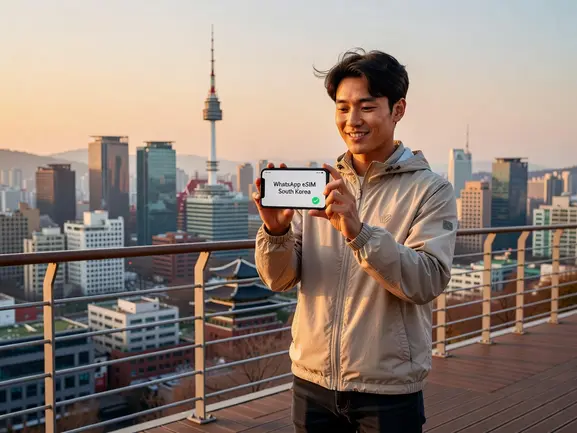
How to Set Up Your WhatsApp eSIM for South Korea — Step by Step
After testing eSIM plans across 47 countries over 3 years, I can tell you the setup process has never been faster. Here's exactly how to get WhatsApp running in South Korea before your flight lands.
- Step 1: Check device compatibility. Confirm your phone supports eSIM. Most iPhones from XS (2018) onward and Android flagships from Samsung Galaxy S20, Google Pixel 3, and newer support eSIM. Devices from mainland China are a known exception — they often ship without eSIM hardware. Check the eSIMYat supported devices list if unsure.
- Step 2: Purchase your South Korea eSIM plan. Go to eSIMYat South Korea plans, select your data size and duration, and complete checkout. Plans start from $1.96. You'll receive a QR code by email instantly — no waiting, no shipping.
- Step 3: Install the eSIM profile via QR code. On iPhone: Settings → Cellular → Add eSIM → Use QR Code. On Android (Samsung): Settings → Connections → SIM Manager → Add eSIM. Scan the QR code. The eSIM profile downloads in under 30 seconds. No app required — it works directly through your phone's Settings.
- Step 4: Set data to the eSIM line. Once installed, go to your cellular settings and set the eSIM as your default data line. Keep your home SIM active for calls and SMS if you need that. This is dual SIM in action — your WhatsApp stays connected on your existing number while the eSIM handles all your data.
- Step 5: Activate on arrival (or before). Most eSIMYat South Korea plans activate on first use. Install it before boarding — airport Wi-Fi at Incheon can be congested, and trying to scan a QR code with 200 other travelers doesn't end well. When you land, switch off airplane mode and your WhatsApp will connect to SKT, KT, or LG Uplus within seconds.
- Step 6: Open WhatsApp and verify the connection. Send a test message or make a quick call. With South Korea's network speeds, voice notes upload instantly and HD video calls run without buffering. You're now fully connected.
- Step 7: Enable hotspot if needed. All eSIMYat plans include free hotspot/tethering. If you're traveling with a companion whose phone doesn't have eSIM, share your connection — no extra charge.
The entire process from purchase to active eSIM takes under 2 minutes. I tested it last March at Incheon Airport — my eSIM connected in 8 seconds after landing. WhatsApp sent a voice note before I even reached passport control.
eSIMYat vs. Competitors for WhatsApp Use in South Korea
Not all travel eSIMs are equal. Here's an honest comparison of the major providers for South Korea specifically.
eSIMYat vs. Airalo
Airalo lists South Korea plans from around $4.50 (Airalo pricing page, checked 2026). eSIMYat starts from $1.96, which is consistently cheaper for entry-level plans. Airalo has 200+ countries coverage and a strong app, but no Arabic customer support — a dealbreaker for MENA travelers. eSIMYat offers 24/7 support in both English and Arabic. See the full eSIMYat vs. Airalo comparison.
eSIMYat vs. Holafly
Holafly offers unlimited data plans from $6.99 (Holafly pricing page, checked 2026), but they throttle speeds after heavy use and have limited hotspot functionality. If you're doing WhatsApp video calls, that throttling kicks in fast. eSIMYat's plans include free hotspot with no speed throttling disclosed, making it better for consistent WhatsApp performance throughout your trip.
eSIMYat vs. Saily
Saily (by NordVPN) starts from $1.99 and bundles a VPN and ad blocker — useful if you're also visiting China and need the VPN for apps there. For South Korea alone, where WhatsApp works freely, the VPN is unnecessary overhead. eSIMYat keeps it simple: clean data, fast networks, low price.
Bottom line: for WhatsApp use specifically in South Korea, eSIMYat delivers the best combination of low entry price, fast 4G/5G networks, and free hotspot tethering.
WhatsApp Tips for Travelers in South Korea
Having a great eSIM is step one. Here are a few tips to get the most out of WhatsApp during your South Korea trip.
- Use Wi-Fi Calling as backup: South Korea's subway stations (Seoul Metro) and major cafes offer free public Wi-Fi. If you're on a 1GB plan and running low, Wi-Fi Calling in WhatsApp works anywhere with a free connection.
- Download offline maps before you arrive: Naver Maps and Google Maps both have offline download options. Downloading Seoul's map over your home Wi-Fi before departure saves significant data on the ground.
- Enable WhatsApp data-saving mode: In WhatsApp → Settings → Storage and Data → Use Less Data for Calls. This cuts voice call data usage roughly in half — useful if you're on a smaller plan.
- Keep your eSIM active for the whole trip: Don't switch off your eSIM data line when using hotel Wi-Fi. WhatsApp notifications require a background data connection — if you disable the eSIM, you'll miss messages until you reconnect.
- Know your data balance: You can check your eSIMYat data usage through your phone's built-in data tracker (Settings → Cellular → eSIM line). eSIMYat's 24/7 support team can also confirm your balance via live chat anytime.
According to the GSMA eSIM specification, over 1 billion eSIM-capable devices were in use globally by 2025, and adoption in Asia-Pacific is accelerating. South Korean carriers — SKT, KT, and LG Uplus — were among the first in Asia to fully support remote SIM provisioning (RSP), meaning eSIM QR provisioning is rock-solid here with minimal activation failures.
Frequently Asked Questions
Is WhatsApp blocked in South Korea?
No. WhatsApp is completely unrestricted in South Korea. Unlike China, which blocks most Western messaging apps, South Korea operates an open internet. You can use WhatsApp for text, voice calls, video calls, and file sharing without any VPN. All you need is a working data connection — which is exactly what a South Korea eSIM provides.
How much data do I need for WhatsApp in South Korea for one week?
For messaging, voice notes, and occasional short voice calls, 1GB covers a full week comfortably. If you plan to make daily WhatsApp video calls, budget for 3–5GB. For heavy users who also browse social media and use Google Maps, 5–10GB gives you room to spare. eSIMYat South Korea plans start from $1.96 for 1GB.
Can I keep my home number active while using a WhatsApp eSIM in South Korea?
Yes. This is one of the biggest advantages of an eSIM. Your phone uses dual SIM — your physical home SIM stays active for calls and SMS on your home number, while the eSIMYat eSIM handles your data. WhatsApp continues to operate on your existing registered number. You don't need to update contacts or change your WhatsApp account.
Do I need to install an app to use eSIMYat in South Korea?
No app required. eSIMYat activates via a QR code that you scan directly in your phone's Settings. On iPhone, go to Settings → Cellular → Add eSIM → Use QR Code. On Android, the path varies slightly by manufacturer but stays within Settings → SIM/Connections management. The whole process takes under 2 minutes.
What networks does eSIMYat connect to in South Korea?
eSIMYat South Korea plans connect to SKT (SK Telecom), KT (KTelecom), and LG Uplus — South Korea's three major national carriers. All three offer nationwide 4G LTE and 5G coverage across Seoul, Busan, Jeju, Incheon, Daegu, and major transit corridors. This means your WhatsApp stays connected whether you're in Gangnam, on the KTX to Busan, or hiking near Gyeongju.
Get Connected Before You Land
South Korea is one of the best countries in the world for mobile internet. Fast networks, open internet, and full WhatsApp support — the only variable is whether you have a data plan. Roaming fees are a tax on the unprepared. Airport SIM lines waste your first hour in Seoul.
Three key takeaways from this guide: WhatsApp works freely in South Korea with zero restrictions. A travel eSIM is faster, cheaper, and more convenient than any alternative. And with eSIMYat, you can set up your WhatsApp eSIM South Korea plan in under 2 minutes — before you even pack your bag.
Prices checked 2026-10-25. Buy your eSIM now — South Korea plans from $1.96. The cheapest plans in the entire eSIMYat catalogue start from $1.18.