Use WhatsApp in South Africa with eSIM — Stay Connected from $2.99
How to use WhatsApp in South Africa without roaming. Get eSIM from $2.99. Voice calls, video calls, messaging all work instantly.
The best way to use WhatsApp in South Africa with an eSIM is through eSIMYat's South Africa eSIM, with plans from $3.14. You get instant 4G/LTE data activation via QR code — no SIM card, no roaming fees, no passport registration needed. WhatsApp calls, messages, and voice notes all work immediately after setup.
Get South Africa eSIM — From $3.14My first trip to Cape Town nearly broke my phone bill. I landed at OR Tambo International Airport, turned off airplane mode, and my carrier hit me with $18 in roaming charges before I'd even reached the luggage carousel. I learned the hard way: buying a local data plan before you board is non-negotiable in South Africa. Now I use a South Africa travel eSIM every time — and WhatsApp connects within seconds of landing.
A WhatsApp eSIM South Africa setup means you install a digital SIM profile before departure, arrive with data already active, and message your family or hotel the moment you step off the plane. No airport SIM queues. No passport required at a carrier store. No mystery roaming bill at month-end.
South Africa is one of Africa's most eSIM-ready countries. Local networks like Vodacom, MTN, and Cell C provide strong 4G/LTE coverage across Cape Town, Johannesburg, Durban, and the Garden Route. WhatsApp — both messaging and voice/video calls — runs perfectly on any of these networks with even 1-2 Mbps of data.
Does WhatsApp Work in South Africa?
Yes — WhatsApp works completely in South Africa. There are no app restrictions, no VPN requirements, and no government blocks on messaging platforms. South Africa has one of the highest WhatsApp adoption rates on the continent, with over 24 million active users as of 2025.
What you do need is active mobile data. WhatsApp won't work on dead roaming or airplane mode. That's the entire reason travelers run into problems — not the app, but the data connection behind it.
- WhatsApp messages: Work on any data connection, including 3G
- WhatsApp voice calls: Require at least 1 Mbps — reliably available on 4G LTE
- WhatsApp video calls: Best at 3 Mbps+ — works well in cities on Vodacom or MTN
- WhatsApp Status and media: Downloads and uploads work fine on 4G
The networks eSIMYat uses in South Africa — primarily Vodacom and MTN — are rated among the top-performing networks on the continent by Opensignal. You won't have connection issues in Cape Town, Joburg, or along the N2 coastal highway.
How to Set Up a WhatsApp eSIM for South Africa
Setting up a WhatsApp eSIM South Africa plan takes under two minutes. I've done this process on iPhones, Samsung Galaxy S-series phones, and Google Pixel devices. It's the same every time.
- Step 1: Check your device compatibility. Your phone must support eSIM. Most iPhones from XS onwards, Samsung Galaxy S20+, Google Pixel 3+, and many newer Android flagships are compatible. Note: iPhones originally purchased in China or Hong Kong may not support eSIM — always verify first. Check the full list at eSIMYat supported devices.
- Step 2: Buy your South Africa eSIM plan. Visit eSIMYat South Africa and choose your plan size. For 7 days of WhatsApp, maps, and light browsing, 1GB is enough. For two weeks with photos, Instagram, and video calls, go with 3-5GB. Plans start from $3.14.
- Step 3: Receive your QR code instantly. After purchase, eSIMYat sends a QR code to your email — usually within 60 seconds. No app download required.
- Step 4: Scan the QR code in Settings. On iPhone: Settings → Mobile Data → Add eSIM → Use QR Code. On Android: Settings → Connections → SIM Manager → Add eSIM. Scan the QR code from the email.
- Step 5: Label and configure your eSIM. Name the new plan "South Africa" so you can identify it easily. Your device now holds two active SIMs simultaneously — your home SIM for calls and the eSIMYat data SIM for internet.
- Step 6: Set data routing before you board. Go to your SIM settings and set the South Africa eSIM as your default data line. Keep your home SIM active for calls and SMS so your WhatsApp number stays registered.
- Step 7: Land and connect. Turn off airplane mode at OR Tambo or Cape Town International. Your eSIM connects automatically to Vodacom or MTN. Open WhatsApp — it works immediately.
Pro tip: Always install your eSIM profile at home on a reliable WiFi connection. Airport WiFi in South Africa can be unreliable, and QR code scanning requires a stable connection to complete the provisioning process.
How Much Data Do You Need for WhatsApp in South Africa?
This is the question every traveler asks — and the answer is simpler than you think.
WhatsApp is an extremely low-data app. Text messages use almost no data. Voice calls use roughly 0.5MB per minute. A 5-minute video call uses about 15MB. For a typical 7-day South Africa trip where you're mostly messaging, sharing photos, and making occasional calls, 1GB of data is more than enough for WhatsApp alone.
- WhatsApp only (7 days): 500MB–1GB is sufficient
- WhatsApp + Google Maps + occasional browsing (7 days): 1–2GB recommended
- WhatsApp + social media + streaming (7 days): 3–5GB is ideal
- Remote work with video calls (7 days): 5GB+ to stay comfortable
The key factor isn't WhatsApp itself — it's the maps and photos running alongside it. Google Maps in South Africa uses about 5–10MB per hour of active navigation. If you're driving the Garden Route or navigating Cape Town's city bowl, factor that in when choosing your plan size.
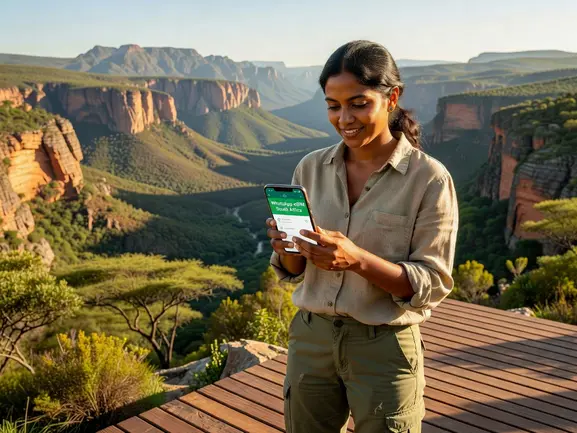
eSIMYat vs. Roaming vs. Airport SIM Cards in South Africa
I've tested all three options across multiple trips to South Africa. Here's the honest breakdown.
Carrier roaming is the most expensive option by far. Major US and UK carriers charge between $10–$15 per day for international roaming packages in South Africa. On a 10-day trip, that's $100–$150 for data you could get through an eSIM for a fraction of the price. On top of that, roaming speeds are often throttled after a daily cap.
Airport SIM cards from Vodacom or MTN are available at OR Tambo and Cape Town International. They're decent value, but require queuing, passport registration, and physical SIM swapping — which means your regular number goes offline. That's a problem if you rely on WhatsApp for your home contacts or work messages, since your number changes.
eSIMYat solves both problems. Plans start from $3.14, there's no passport registration, you keep your home number active on the same device (dual SIM), and activation takes under two minutes via QR code. You also get free hotspot tethering — useful if you're traveling with a laptop or tablet that doesn't have its own SIM.
For comparison, Airalo lists South Africa plans from $4.50 (Airalo pricing page, checked 2026), Holafly's unlimited plan starts from $6.99 (Holafly site, checked 2026) but throttles speeds after heavy use, and Nomad lists plans from $1.30/GB (Nomad pricing page, checked 2026). eSIMYat competes directly on price while adding 24/7 bilingual support in English and Arabic — something Airalo doesn't offer. See the full breakdown at eSIMYat vs. Airalo comparison.
WhatsApp eSIM Tips for Travelers in South Africa
After testing eSIM plans across 47 countries over 3 years, I've built a checklist that keeps WhatsApp working reliably throughout every trip. South Africa has a few unique considerations worth knowing.
Keep your home SIM active for WhatsApp verification. WhatsApp ties to your home phone number. With eSIMYat's dual SIM setup, your home SIM handles calls and SMS — so if WhatsApp ever asks to re-verify your number, it sends the code to your regular number, not the travel eSIM. This works seamlessly.
Download offline maps before you fly. Google Maps offline packs for Cape Town or Johannesburg are free and save a significant amount of data. Use your home WiFi to download them — then your eSIM data goes entirely toward WhatsApp, social media, and browsing.
Network coverage in remote areas can be limited. In rural parts of the Eastern Cape, deep Kruger National Park zones, and off-grid safari lodges, even Vodacom and MTN have patchy coverage. WhatsApp voice calls may drop in these areas. Download key contacts and offline WhatsApp messages before heading into the bush. This is an honest limitation worth knowing upfront.
Use WhatsApp Web at your accommodation. Most South African hotels and guesthouses offer WiFi. WhatsApp Web lets you use your laptop without consuming eSIM data — reserve your mobile data for on-the-go use.
Is eSIMYat Available for Other African Destinations Near South Africa?
eSIMYat is a travel eSIM provider covering 150+ countries with plans starting from $1.18 and instant QR code activation. Beyond South Africa, the platform covers neighboring African countries — making it ideal for multi-country trips across the region.
If your Southern Africa itinerary includes stops beyond South Africa, check out the Africa eSIM region plans for coverage across multiple countries with a single plan. Countries like Botswana, Zimbabwe, Zambia, Mozambique, and Tanzania are all separately available as well.
- Botswana eSIM: Available via eSIMYat for Chobe and Okavango Delta visitors
- Tanzania eSIM: Ideal for Kilimanjaro trekkers and Zanzibar trips
- Zimbabwe eSIM: Victoria Falls travelers can stay connected on WhatsApp without switching SIMs
- Zambia eSIM: Available for the Livingstone side of Victoria Falls
The global eSIM market reached $4B+ in value in 2026, and adoption is accelerating fast across Africa specifically — driven by travelers who are done paying roaming premiums. For technical details on how eSIM provisioning works, the GSMA eSIM specification is the definitive reference.
Frequently Asked Questions
Does WhatsApp work with an eSIM in South Africa?
Yes, WhatsApp works perfectly with an eSIM in South Africa. WhatsApp only needs active mobile data to function — it doesn't matter whether that data comes from a physical SIM or an eSIM. Once your eSIMYat plan activates on Vodacom or MTN's 4G network, WhatsApp messages, voice calls, and video calls all work immediately. No VPN needed, no app restrictions apply in South Africa.
Will my WhatsApp number change if I use an eSIM in South Africa?
No. Your WhatsApp number stays the same. WhatsApp is registered to your home SIM's phone number, not your data SIM. With eSIMYat's dual SIM setup, your home SIM remains active for calls and SMS while the travel eSIM handles data. Your contacts still reach you on the same WhatsApp number throughout your South Africa trip.
How much data does WhatsApp use per day in South Africa?
WhatsApp uses roughly 150–300MB per day for moderate use — including messages, voice notes, photos, and a few short calls. For a 7-day South Africa trip focused on messaging and occasional voice calls, 1GB of data covers WhatsApp comfortably. If you're adding Google Maps and social media browsing, choose a 2–3GB plan from eSIMYat to be safe.
Can I use WhatsApp eSIM South Africa on a Samsung phone?
Yes. Samsung Galaxy S20, S21, S22, S23, S24, Z Fold, and Z Flip series all support eSIM. Install via Settings → Connections → SIM Manager → Add eSIM, then scan the QR code eSIMYat sends to your email. The process takes under two minutes. Check the full device compatibility list at eSIMYat's supported devices page before purchasing.
Is there a refund policy if I buy a South Africa eSIM and don't use it?
Yes. eSIMYat offers a 7-day refund policy for unused plans. If your trip gets cancelled or you don't activate the plan within 7 days of purchase, you can request a full refund. This makes it risk-free to buy your plan before departure — which is always the recommended approach since airport WiFi is unreliable for eSIM installation.
The Bottom Line on WhatsApp eSIM South Africa
Using WhatsApp in South Africa is straightforward — the app itself has no restrictions. The only thing standing between you and instant connectivity is having active data when you land. That's exactly what a WhatsApp eSIM South Africa plan solves.
Three things to take away from this guide:
- WhatsApp works without restrictions across South Africa on Vodacom and MTN's 4G networks
- Dual SIM means you keep your home number — no WhatsApp re-registration, no number changes
- Install before you board — under two minutes, no passport, no queues
Don't repeat my first-trip mistake and pay a carrier $150 in roaming charges for data you could have for a fraction of that. Buy your South Africa eSIM from eSIMYat now — plans from $3.14, instant QR code activation, and 24/7 support in English and Arabic. Prices checked 2026-11-01.