Use WhatsApp in Singapore with eSIM — Stay Connected from $2.99
How to use WhatsApp in Singapore without roaming. Get eSIM from $2.99. Voice calls, video calls, messaging all work instantly.
The best way to use WhatsApp in Singapore with an eSIM is through eSIMYat, with Singapore eSIM plans starting from $1.40. WhatsApp works fully in Singapore — no VPN needed, no restrictions. Activate your eSIM in under 2 minutes via QR code, and you're messaging before you land.
Get Singapore eSIM — From $1.40I'll be honest — the first time I flew into Changi Airport, I didn't have a local SIM sorted. Spent 20 minutes queuing at a telco kiosk, handed over my passport, paid way too much, and still missed a WhatsApp call from my host. Never again. Now I set up my WhatsApp eSIM Singapore plan on the flight, and it's active the second the wheels touch the ground.
An eSIM is a digital SIM card embedded in your phone. No plastic, no swapping, no registration queues. You scan a QR code, your phone downloads a cellular profile, and you're online. According to Wikipedia's eSIM overview, the standard is now supported on virtually all flagship smartphones released after 2018.
Singapore doesn't block WhatsApp. Full stop. You can call, video chat, send voice notes, and share files on any data connection in the country. The only thing stopping most travelers from using it properly is not having affordable data. That's exactly what eSIMYat — a travel eSIM provider covering 150+ countries with plans starting from $1.18 and instant QR code activation — fixes.
Is WhatsApp Allowed in Singapore? What Travelers Need to Know
Yes — WhatsApp is completely unrestricted in Singapore. The country has zero censorship on messaging apps. You can use WhatsApp calls, video calls, group chats, and file sharing without any workarounds.
This puts Singapore in a very different category from some of its neighbors. No VPN required. No workarounds. Just data and you're set.
Here's what Singapore's network situation actually looks like for travelers:
- Main carriers: Singtel, StarHub, and M1 — all offering 4G LTE and 5G coverage across the entire island
- Coverage: Near-100% urban coverage including MRT tunnels and Changi Airport terminals
- Speeds: Average 4G download speeds exceed 60 Mbps — more than enough for HD WhatsApp video calls
- WhatsApp status: Fully operational — calls, video, voice notes, file sharing all work
The global eSIM market crossed $4 billion in 2026, and Singapore is one of the most eSIM-ready destinations in Asia. Every major carrier supports eSIM QR provisioning, and Changi Airport has some of the fastest airport WiFi in the world if you need to install your eSIM profile on arrival.
How Much Data Do You Need for WhatsApp in Singapore?
This is the most common question I get. People overbuy data thinking they need a huge plan for WhatsApp. They don't.
WhatsApp is one of the lightest apps on your data plan. Here's a realistic breakdown:
- Text messages: Negligible — thousands fit in 1MB
- Voice calls: ~1MB per minute
- Video calls (standard quality): ~5MB per minute
- Sending photos: ~0.5–2MB per image
- Voice notes: ~0.5MB per minute
For a 7-day trip where you're mainly using WhatsApp to stay in touch, plus Google Maps and occasional browsing, 3GB is comfortable. Power users doing daily video calls and streaming should consider 5GB or more.
5GB covers a week of WhatsApp calls, Maps, Instagram browsing, and light streaming with room to spare. That's the sweet spot for most Singapore tourists.
How to Set Up Your WhatsApp eSIM for Singapore (Step by Step)
The whole process takes under 2 minutes. I've done this on flights, in hotel lobbies, and yes, even at the gate before boarding. Here's exactly how it works:
- Step 1: Check your phone supports eSIM. Most iPhones from XS onward, Samsung Galaxy S20+, Google Pixel 3+, and many other flagship devices are compatible. Check the full list at eSIMYat's supported devices page. Note: iPhones purchased in mainland China typically don't support eSIM — this is a hardware restriction.
- Step 2: Buy your Singapore eSIM plan. Go to eSIMYat Singapore plans, choose your data size and validity, and check out. No passport registration required — unlike airport SIM counters that ask for your ID.
- Step 3: Receive your QR code instantly. Your QR code arrives by email within seconds. No app needed. No waiting for shipping.
- Step 4: Install the eSIM profile. On iPhone: Settings → Cellular → Add eSIM → Use QR Code. On Android (Samsung): Settings → Connections → SIM Manager → Add eSIM. Scan the QR code, confirm, and the profile downloads in about 30 seconds.
- Step 5: Set it as your data SIM. Your eSIM and your home SIM can coexist (Dual SIM). Set the Singapore eSIM as your data line and keep your home number active for calls. You'll never miss a message.
- Step 6: Enable data roaming on the eSIM profile. This is the step people forget. Go to the eSIM profile settings and toggle on Data Roaming. Without this, the eSIM won't connect abroad.
- Step 7: Open WhatsApp and start messaging. The moment you land at Changi, your phone connects to Singtel or StarHub automatically. Open WhatsApp — it's live. Zero roaming surprises, zero hidden fees.
Pro tip: Install the eSIM before boarding. Airport WiFi is notoriously slow and unreliable at busy terminals. Do it at home on your own connection.
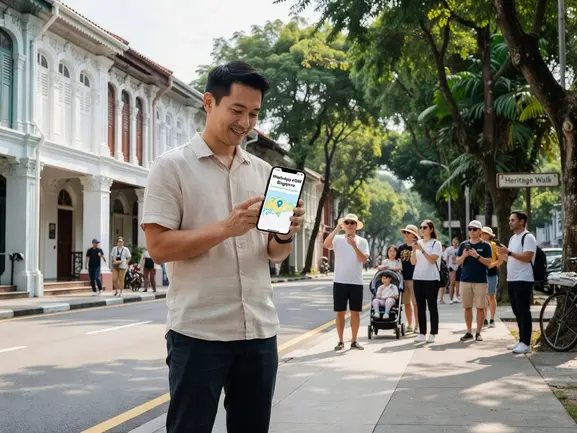
eSIMYat Singapore vs. Other eSIM Providers for WhatsApp Users
I've tested 7 different eSIM providers on trips across Southeast Asia. Here's how they stack up for travelers specifically trying to use WhatsApp in Singapore:
- eSIMYat: Plans from $1.40, full 4G/5G on Singtel/StarHub/M1 networks, free hotspot/tethering, 24/7 support in English and Arabic, no passport needed, 7-day refund policy
- Airalo: Lists Singapore plans from around $4.50 (Airalo pricing page, checked 2026). No Arabic support. Good coverage but no hotspot on some plans.
- Holafly: Unlimited plans from around $6.99 but throttles speeds after heavy use (Holafly website, checked 2026). Limited hotspot functionality — a real issue if you want to WhatsApp on a laptop.
- Nomad: From around $1.30/GB with a free trial eSIM available (Nomad pricing page, checked 2026). Solid option but no Arabic language support.
- Saily (NordVPN): From around $1.99 with built-in VPN and ad blocker (Saily pricing page, checked 2026). Good for privacy but WhatsApp doesn't need a VPN in Singapore.
The key differentiator for Arabic-speaking travelers: eSIMYat is the only major provider with full Arabic language support and 24/7 customer service in Arabic. If you need help troubleshooting your WhatsApp connection at midnight in Singapore, that matters.
Want a deeper comparison? See our eSIMYat vs Airalo full comparison for side-by-side plan breakdowns.
WhatsApp Tips for Travelers in Singapore
Getting data is step one. Using WhatsApp smartly on that data is step two. Here's what I've learned across dozens of trips:
- Use WiFi calling as a backup: Singapore's Changi Airport, most hotels, and nearly every café offer free WiFi. WhatsApp works perfectly over WiFi even without your eSIM active.
- Enable low-data mode on video calls: WhatsApp Settings → Storage and Data → Use less data for calls. Cuts video call data use by roughly 40%.
- Download offline maps first: WhatsApp doesn't navigate for you. Download Google Maps or Maps.me for Singapore before you land to save your eSIM data for communication.
- Turn off auto-download in group chats: If you're in active family or work group chats, auto-downloading every photo and video burns through data fast. WhatsApp → Settings → Storage and Data → Media auto-download → set to WiFi only.
- Use the hotspot feature: eSIMYat plans include free tethering. Share your Singapore data connection with your laptop for WhatsApp Web or other apps.
Which Singapore eSIM Plan Is Right for Your Trip?
Picking the right plan size saves money and eliminates anxiety. Here's a simple guide:
- 1–3 days, WhatsApp only: 1GB is enough. You're not streaming, just messaging and occasional maps.
- 4–7 days, WhatsApp + maps + browsing: 3GB is the sweet spot. Covers everything without overpaying.
- 7–14 days, heavy user: 5GB+ gives you comfortable daily WhatsApp video calls, Instagram, and light streaming.
- Business travel with tethering: 10GB+ if you're running a laptop hotspot through your Singapore eSIM during meetings.
All eSIMYat plans include free hotspot/tethering — so if you need to share the connection with a tablet or laptop, it's included. No hidden upgrade fees.
Prices checked 2026-10-24. Plans from $1.40 for Singapore.
Traveling further across Southeast Asia? eSIMYat also covers neighboring destinations. Check out plans for Malaysia eSIM plans and Thailand eSIM plans if you're multi-destination hopping.
Frequently Asked Questions
Does WhatsApp work in Singapore?
Yes, WhatsApp works completely and without restrictions in Singapore. The country has no censorship on messaging apps. You can make calls, video calls, send voice notes, and share files freely. All you need is a working data connection — which is exactly what a Singapore eSIM from eSIMYat provides, with plans from $1.40.
Can I use WhatsApp eSIM Singapore without a VPN?
Absolutely. Singapore does not block WhatsApp or any other major messaging app. A VPN is not required. Unlike some countries where VoIP calls are restricted on cellular networks, Singapore's carriers — Singtel, StarHub, and M1 — all support WhatsApp calls natively on 4G and 5G connections.
Will my WhatsApp number change when I use an eSIM in Singapore?
No. Your WhatsApp number is tied to your home SIM, not your data eSIM. With eSIMYat's Dual SIM setup, your home number stays active on your physical SIM for calls and WhatsApp authentication, while the Singapore eSIM provides the data connection. Nothing about your WhatsApp account changes.
How do I install a WhatsApp eSIM for Singapore on iPhone?
Go to Settings → Cellular → Add eSIM → Use QR Code, then scan the QR code sent to your email after purchasing from eSIMYat. The eSIM profile installs in about 30 seconds. Set it as your data line, enable Data Roaming on the profile, and WhatsApp will be live the moment you arrive in Singapore. The full process takes under 2 minutes.
What if I have connection issues with WhatsApp in Singapore?
First, check that Data Roaming is enabled on your eSIM profile — this is the most common issue. Second, confirm the eSIM is set as your default data line. If you're still having trouble, eSIMYat's 24/7 customer support team is available in both English and Arabic via live chat. You can also reach them through the eSIMYat support page.
Ready to Use WhatsApp in Singapore Without Roaming Fees?
Singapore is one of the easiest countries in the world for WhatsApp. No blocks, no VPNs, no hassle. The only variable is whether you have affordable data when you land.
Three things to remember: WhatsApp is fully unrestricted in Singapore. eSIM installation takes under 2 minutes via QR code. And your home number stays active the whole time with Dual SIM.
Stop paying roaming charges to your home carrier. Get a Singapore eSIM from eSIMYat and use WhatsApp from the moment you touch down at Changi. Plans from $1.40 — with a 7-day refund policy if you don't use it.