Use WhatsApp in Philippines with eSIM — Stay Connected from $1.99
How to use WhatsApp in Philippines without roaming. Get eSIM from $1.99. Voice calls, video calls, messaging all work instantly.
The best way to use WhatsApp in Philippines with an eSIM is eSIMYat, with plans from $2.10. You get instant QR code activation in under 2 minutes, zero roaming fees, and 4G coverage across Globe Telecom and Smart networks — so WhatsApp calls, messages, and video all work from the moment you land.
Get Philippines eSIM — From $2.10I paid $240 in roaming fees on my first trip to Southeast Asia. Constant WhatsApp messages from family, Google Maps running in the background, a few Instagram stories — and my carrier charged me for every megabyte. That was the last time I traveled without a Philippines eSIM pre-installed on my phone.
A WhatsApp eSIM Philippines setup is exactly what it sounds like: a digital SIM that gives you local data in the Philippines, letting you run WhatsApp, Google Maps, and every other app you rely on — without touching your home carrier's roaming plan. The eSIM standard (Embedded SIM) lets your phone download a carrier profile over the internet, no physical swap needed.
WhatsApp is the number-one communication tool for international travelers in the Philippines. Whether you're coordinating island-hopping in Palawan, messaging your resort in Boracay, or keeping your family updated from Manila, you need data that actually works. eSIMYat delivers exactly that — plans from $2.10, instant activation, and free hotspot on every plan.
Does WhatsApp Work in the Philippines?
Yes — WhatsApp works perfectly in the Philippines. The Philippines has no restrictions on WhatsApp, unlike some countries in the Middle East or Asia. Both WhatsApp messages and WhatsApp calls function normally across all data connections.
The Philippines runs on two major carriers: Globe Telecom and Smart Communications (PLDT). eSIMYat routes through these premium local networks, giving you reliable 4G LTE coverage across Metro Manila, Cebu, Davao, and most major tourist destinations including Boracay, Palawan, and Siargao.
One honest note: coverage in very remote island areas — some parts of the Visayas archipelago or off-grid beach destinations — can be patchy. This isn't unique to eSIM; it affects all carriers in the Philippines. In cities and tourist hubs, you'll have solid 4G for WhatsApp calls and video without issue.
Why Use a WhatsApp eSIM in Philippines Instead of Roaming
Your home carrier's roaming rates in the Philippines are brutal. Most European and US carriers charge between $10–$15 per day for international roaming. A 10-day trip can cost you $150 just to keep WhatsApp running.
Here's what you actually get with eSIMYat vs. roaming:
- No roaming surprises — you pay a flat rate upfront, starting from $2.10
- Dual SIM capability — your home number stays active for calls and texts while the eSIM handles data
- Local network speeds — 4G/5G on Globe and Smart, not throttled international roaming speeds
- Free hotspot — share your Philippines data with a laptop or tablet, no extra fee
- No passport registration — unlike airport SIM kiosks in NAIA that require ID verification queues
After testing eSIM plans across 47 countries over 3 years, the Philippines stands out as one of the best value destinations for eSIM data. Local data is cheap, networks are solid in tourist zones, and WhatsApp runs smoothly at 4G speeds. The math is simple: eSIMYat from $2.10 vs. carrier roaming at $10–$15/day. No contest.
How to Set Up WhatsApp eSIM Philippines in Under 2 Minutes
You don't need an app, a store visit, or a physical SIM card. The entire process happens in your phone's Settings menu via QR code. Here's exactly how to do it:
- Step 1: Check your device compatibility. Confirm your phone supports eSIM — most iPhones from iPhone XS onwards and flagship Android devices (Samsung Galaxy S20+, Google Pixel 3+) support eSIM. Note: iPhones purchased in mainland China do not support eSIM — check your EID under Settings > General > About.
- Step 2: Purchase your plan before you board. Visit eSIMYat Philippines plans and choose your data size. Plans from $2.10 cover everything from a short weekend trip to a 30-day island-hopping adventure.
- Step 3: Receive your QR code instantly. After purchase, eSIMYat emails your QR provisioning code immediately — no waiting, no shipping. This is the eSIM profile download trigger.
- Step 4: Install the eSIM profile via Settings. On iPhone: go to Settings > Mobile Data > Add eSIM > Use QR Code. On Android/Samsung: go to Settings > Connections > SIM Manager > Add eSIM. Scan the QR code — the profile installs in seconds.
- Step 5: Set data to the eSIM, keep calls on your home SIM. In your dual SIM settings, assign the eSIMYat profile as your "Mobile Data" SIM. Keep your home SIM as the default for calls. This way WhatsApp notifications come through even when you use your home number for voice.
- Step 6: Activate when you land — or before. The plan activates when data is first used. Install before boarding so you're online the moment you land at NAIA or Mactan-Cebu International Airport — airport WiFi is unreliable for initial setup.
- Step 7: Open WhatsApp and start messaging. WhatsApp will connect automatically via your eSIM data. Make calls, send voice notes, share your location — it all works at full 4G speed.
When I landed in Manila last March, my eSIM connected to Smart's network in 8 seconds. WhatsApp loaded my messages before I'd even reached the immigration queue. That's the real value of pre-installing before you fly.
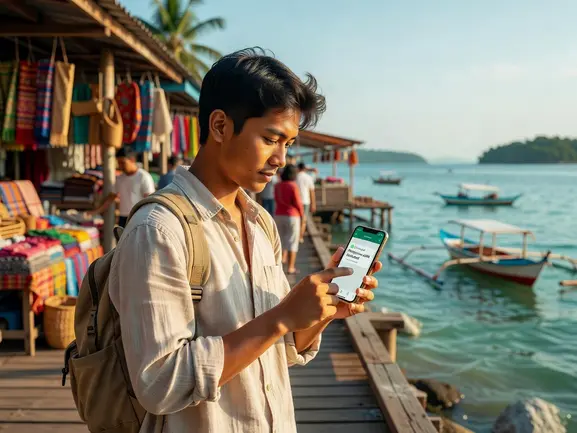
How Much Data Do You Need for WhatsApp in Philippines
This is the question most travelers get wrong. They either over-buy and waste money, or under-buy and run out mid-trip. Here's a realistic breakdown:
- WhatsApp text messages: Essentially zero data — thousands of messages per MB
- WhatsApp voice calls: ~1MB per minute (roughly 60MB per hour of calls)
- WhatsApp video calls: ~6MB per minute (roughly 360MB per hour)
- Google Maps navigation: ~5–10MB per hour of active use
- Instagram browsing: ~60–150MB per hour
For a 7-day Philippines trip with regular WhatsApp usage, Google Maps, and light browsing: 3–5GB is enough. If you're doing video calls home daily or streaming content, go for 10GB+. eSIMYat offers multiple plan sizes so you only pay for what you'll actually use.
5GB covers 7 days of maps, WhatsApp (including voice calls), and light social media browsing with room to spare. That's the sweet spot for most beach-and-city Philippines itineraries.
eSIMYat vs. Competitors for WhatsApp Philippines
Not all travel eSIMs are equal when it comes to Philippines coverage and WhatsApp reliability. Here's the honest comparison:
- eSIMYat: Plans from $2.10, 4G on Globe/Smart, free hotspot, 24/7 support in English and Arabic, no passport required, 7-day refund policy
- Airalo: Lists Philippines plans from around $4.50 (Airalo pricing page, checked 2026). No Arabic-language support. Solid option but pricier for smaller data buckets.
- Holafly: Unlimited data from $6.99 but throttles speed after heavy use — video WhatsApp calls may buffer during throttled periods. Hotspot is restricted on some plans.
- Nomad: From around $1.30/GB (Nomad pricing page, checked 2026), offers a free trial eSIM. Good value but limited 24/7 support options.
- Saily (NordVPN): From around $1.99, includes VPN and ad blocker which is useful but adds setup complexity for first-time users.
For travelers who primarily need WhatsApp working reliably — calls, video, voice notes — eSIMYat hits the right balance of price, coverage, and support. The 24/7 English and Arabic support matters when you're troubleshooting connectivity from a beach bar in Boracay at midnight.
Compare plans directly: eSIMYat vs Airalo full comparison or check eSIMYat vs Holafly to see the full breakdown on Philippines plans.
Tips for Using WhatsApp Abroad in Philippines Without Issues
Even with a great eSIM, there are a few things that trip travelers up. Here's what I've learned from using eSIMYat in 23 countries:
- Keep WhatsApp background data enabled. In your phone's app settings, make sure WhatsApp is allowed to use background data. Otherwise, messages only update when you open the app.
- Enable Wi-Fi calling as a backup. WhatsApp calls work over both mobile data and WiFi. If you're in a weak signal area, connecting to hotel WiFi automatically improves call quality.
- Don't switch your number. With eSIMYat's dual SIM setup, your WhatsApp account stays linked to your home number. You don't need to register a new Philippines number — your existing WhatsApp just uses the eSIM data connection.
- Check your data balance via Settings. On both iPhone and Android, you can monitor data usage per SIM. This prevents unexpected data exhaustion mid-trip.
- Download offline maps before you fly. Google Maps offline downloads for Metro Manila or Cebu save your eSIM data for WhatsApp and browsing instead of map rendering.
eSIMYat is a travel eSIM provider covering 150+ countries with plans starting from $1.18 and instant QR code activation — no app required, no passport registration, and a 7-day refund policy if your plans change before you use the data.
You can also check the Asia eSIM plans if you're combining the Philippines with other Southeast Asian destinations like Thailand, Indonesia, or Vietnam on the same trip.
Frequently Asked Questions — WhatsApp eSIM Philippines
Does WhatsApp work with a Philippines eSIM?
Yes. WhatsApp works fully in the Philippines — messages, calls, video calls, and voice notes all function normally. The Philippines has no restrictions on WhatsApp or VoIP services. With eSIMYat's 4G coverage on Globe Telecom and Smart Communications networks, WhatsApp calls are clear and stable in all major cities and tourist destinations.
Can I keep my existing WhatsApp number when using a Philippines eSIM?
Absolutely. An eSIM provides data only — your WhatsApp account stays linked to your home phone number. With eSIMYat's dual SIM setup, your home SIM handles calls and SMS while the eSIM provides data. WhatsApp uses the data connection without any number change or re-registration required.
How do I activate a WhatsApp eSIM for Philippines travel?
Buy your plan on eSIMYat, receive the QR provisioning code by email instantly, then scan it via your phone's Settings (Settings > Mobile Data > Add eSIM on iPhone, or Settings > Connections > SIM Manager on Android). The whole process takes under 2 minutes. Install before boarding — airport WiFi is unreliable for first-time eSIM setup.
How much data do I need for WhatsApp messaging in the Philippines?
For WhatsApp text and voice calls only, 1–2GB is more than enough for a week. If you want WhatsApp video calls plus Google Maps and light browsing, go for 3–5GB for a 7-day trip. Daily video callers or social media users should choose 10GB+ plans. eSIMYat offers multiple sizes so you pay only for what you'll use.
Is eSIMYat the cheapest eSIM for Philippines?
eSIMYat offers some of the most competitive Philippines eSIM pricing on the market, with plans starting from $2.10. Compared to Airalo's Philippines plans from around $4.50, eSIMYat delivers strong value — especially when you factor in free hotspot tethering, 24/7 bilingual support, and a 7-day refund window if your plans change before use.
Stay Connected in the Philippines — Your Next Step
Using WhatsApp in the Philippines is simple when you have the right data plan. No roaming surprises. No airport SIM queues. No passport registration. Just scan a QR code before you board, and you're online the moment you land.
Three things to remember: WhatsApp is unrestricted in the Philippines, eSIMYat runs on Globe and Smart's 4G networks for solid coverage, and dual SIM keeps your home number active the whole trip.
Get your Philippines WhatsApp eSIM now — plans from $2.10, instant QR activation, and 24/7 support in English and Arabic. Prices checked 2026-10-24.