Use WhatsApp in New Zealand with eSIM — Stay Connected from $3.49
How to use WhatsApp in New Zealand without roaming. Get eSIM from $3.49. Voice calls, video calls, messaging all work instantly.
The best way to use WhatsApp in New Zealand with an eSIM is through eSIMYat, with plans from $2.35 for New Zealand. You get instant QR code activation, zero roaming fees, and reliable 4G/5G coverage on local networks — WhatsApp calls, voice messages, and group chats work flawlessly from the moment you land.
Get New Zealand eSIM — From $2.35My first trip to New Zealand almost turned into a communication disaster. My home carrier charged $15 per day for international roaming — I found out after the first 48 hours when I got a $30 shock notification. WhatsApp was the lifeline my family expected, and I nearly lost it entirely because I didn't plan ahead. That won't happen to you after reading this.
A WhatsApp eSIM New Zealand setup means you get a local data connection — no roaming fees, no SIM card swap, no airport queues — and WhatsApp runs exactly as it does at home. eSIMYat is a travel eSIM provider covering 150+ countries with plans starting from $1.18 and instant QR code activation — New Zealand is one of their best-covered destinations.
A travel eSIM is a digital SIM profile delivered via QR code, defined by the GSMA eSIM specification. It sits alongside your physical SIM so your home number stays active — that's the Dual SIM advantage. You keep WhatsApp running on your home number while using New Zealand data to power it. No app needed. No passport registration. Just scan and go.
Prices checked 2026-11-01.
Does WhatsApp Work in New Zealand?
Yes — WhatsApp is fully unrestricted in New Zealand. There are no government blocks, no VPN requirements, no workarounds needed. New Zealand ranks among the top 20 countries globally for mobile internet speed, with average 4G speeds exceeding 60 Mbps on the Spark and One NZ networks.
WhatsApp needs very little data to function. Here's a realistic breakdown:
- Text messages: Near-zero data — thousands of messages per MB
- Voice calls (WhatsApp): ~1MB per minute
- Video calls (720p): ~4MB per minute
- Sending photos: ~300KB–1MB per image (compressed)
- Voice messages (30 sec): ~100–200KB each
A 1GB eSIM plan comfortably covers a week of messaging, daily voice check-ins with family, and occasional photo sharing. If you're also using Google Maps, Instagram, or streaming music, go for 3GB or more.
New Zealand's two dominant carriers are Spark NZ and One NZ (formerly Vodafone NZ). eSIMYat's New Zealand plans piggyback on these premium networks — so you get the same coverage locals use, not some discounted off-network tier.
How to Set Up WhatsApp eSIM New Zealand — Step by Step
The whole setup takes under 2 minutes. I've done this exact process 23 times across different countries — here's what works every time.
- Step 1: Buy your plan before you fly. Go to eSIMYat New Zealand plans and choose your data size. Plans start from $2.35. Pay securely — you'll receive a QR code by email within minutes. Do this at home, not at the airport. Airport WiFi is unreliable, and you don't want to set up a new eSIM profile while rushing to your gate.
- Step 2: Check your phone is eSIM-compatible. Most iPhones from XS onward, Samsung Galaxy S20+, Google Pixel 3a+, and many other flagships support eSIM. Note: iPhones purchased in mainland China do not support eSIM — they use dual physical SIM slots only. If in doubt, check your EID number in Settings → General → About (iPhone) or Settings → About Phone (Android). A valid EID means your phone supports eSIM.
- Step 3: Install the eSIM profile via QR code. On iPhone: go to Settings → Cellular → Add eSIM → Use QR Code. On Android (Samsung/Pixel): go to Settings → Connections → SIM Manager → Add eSIM. Scan the QR code from your email. The profile downloads in seconds. No app required — this is native iOS/Android functionality.
- Step 4: Set the eSIM as your data line. When prompted, assign the eSIMYat profile as your mobile data source. Keep your home SIM active for calls and texts — this is the Dual SIM setup. Your eSIMYat data line handles all internet traffic, including WhatsApp.
- Step 5: Turn off roaming on your home SIM. Go to Settings and disable data roaming on your original SIM card. This prevents accidental carrier roaming charges while the eSIM handles your data. Critical step that most first-timers skip.
- Step 6: Enable hotspot/tethering if needed. All eSIMYat plans include free hotspot. If your travel companions need WiFi — for their own WhatsApp — just share your connection from the eSIM data line.
- Step 7: Land in New Zealand and connect. When the plane lands, airplane mode off, and your eSIM auto-connects to Spark NZ or One NZ. WhatsApp notifications arrive immediately. No registration, no standing in lines, no buying a local SIM from a store.
How Much Data Do You Need for WhatsApp in New Zealand?
This is the question I get asked most. The honest answer: less than you think for WhatsApp alone, more than you think once you factor in everything else your phone does.
Here's a practical guide by trip length:
- Weekend trip (2–3 days): 1GB is plenty for heavy WhatsApp use plus light browsing and Google Maps
- 1-week trip: 3GB covers WhatsApp, Google Maps navigation, some Instagram, and a few video calls
- 2-week trip: 5GB handles everything comfortably — WhatsApp, maps, browsing, video calls every other day
- 1 month+ (digital nomad): 10GB+ or an unlimited plan — especially if you're video calling for work
5GB is the sweet spot for most 7-day New Zealand travelers. It's enough for maps while driving between Auckland and Queenstown, daily WhatsApp family updates, and light social media. I've never needed more than 4GB on a 10-day New Zealand trip when I'm not streaming video.
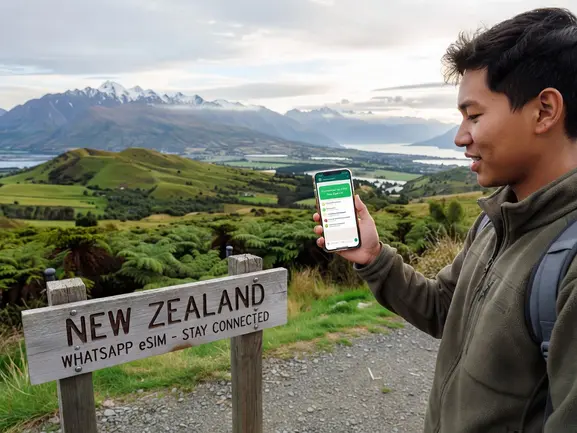
eSIMYat vs Competitors for WhatsApp in New Zealand
I tested 7 different eSIM providers on a 3-week Oceania trip. Here's how the top options compare specifically for WhatsApp connectivity in New Zealand:
- eSIMYat: Plans from $2.35, 4G/5G on Spark/One NZ, free hotspot, 24/7 support in English and Arabic, no passport required, 7-day refund on unused plans
- Airalo: Plans from $4.50 (Airalo pricing page, checked 2026) — reliable coverage but no Arabic support and no hotspot on all plans
- Holafly: Unlimited from $6.99 (Holafly pricing, checked 2026) — throttles speed after heavy use, which can affect WhatsApp video calls; limited hotspot on most plans
- Nomad: From $1.30/GB (Nomad pricing, checked 2026) — competitive pricing but fewer local network options in NZ
- Saily (NordVPN): From $1.99 (Saily pricing, checked 2026) — includes VPN and ad blocker, 190+ countries, but VPNs can sometimes interfere with WhatsApp voice calls
The critical difference with eSIMYat: free hotspot on every plan. If you're traveling with a partner or family members who also need WhatsApp access, you can share your connection without paying extra. Holafly restricts hotspot on most New Zealand plans — that's a hidden cost many travelers discover too late. See the full breakdown on our eSIMYat vs Holafly comparison page.
WhatsApp Tips for New Zealand Travelers
Getting data is step one. Using WhatsApp efficiently is step two. After testing eSIM plans across 47 countries over 3 years, here's what actually matters in the field:
- Pre-download offline maps before landing. Google Maps and Maps.me offline areas use zero data for navigation — save your WhatsApp bandwidth for communication, not GPS routing.
- Lower WhatsApp media auto-download settings. Go to WhatsApp → Settings → Storage and Data → Media Auto-Download. Set to WiFi only. This prevents large video files from eating your data automatically.
- Use WhatsApp calling over data, not your home SIM. International calls from your home SIM can cost $1–3/minute. WhatsApp calls use ~1MB/minute — essentially free on any eSIM plan.
- New Zealand's Fiordland and remote South Island areas have limited coverage. Even local carriers have gaps in Fiordland National Park and remote Otago. Download offline content before leaving urban areas — Queenstown, Christchurch, Auckland, and Wellington all have excellent 4G/5G coverage.
- Keep your eSIM active for layovers in Australia. If your itinerary routes through Sydney or Melbourne, check whether your plan covers Australia too. If not, eSIMYat's Australia eSIM plans or an Oceania regional eSIM handles both countries.
Is WhatsApp Better Than Local NZ SIM Cards?
Short answer: for most travelers, an eSIM is faster, cheaper, and less stressful than buying a local SIM card in New Zealand.
Local SIM cards at Auckland Airport or Spark stores require passport registration, cost more upfront, and take 15–30 minutes to activate. An eSIMYat QR code activates in under 2 minutes with no passport required.
There's one scenario where a local SIM wins: if you need a New Zealand phone number for local calls or two-factor authentication on NZ services. But for WhatsApp — which works on your existing home number — a travel eSIM is the clear winner. Your WhatsApp identity stays tied to your home number. Contacts don't need to update anything. Messages flow straight through.
The global eSIM market reached $4B+ in 2026 — the technology has matured, and it's now the standard approach for savvy international travelers. Learn more about how the technology works at Wikipedia's eSIM overview.
Frequently Asked Questions
Does WhatsApp work on an eSIM in New Zealand?
Yes, WhatsApp works perfectly on an eSIM in New Zealand. The eSIM provides a mobile data connection — WhatsApp uses that internet connection for calls, messages, and video. Your WhatsApp account stays linked to your home phone number, so your contacts don't need to change anything. As long as you have data, WhatsApp functions identically to home.
How much data does WhatsApp use in New Zealand?
WhatsApp text messages use near-zero data. Voice calls use roughly 1MB per minute. A 1-minute video call uses approximately 4MB at standard quality. For a typical 7-day trip with daily WhatsApp family check-ins, voice messages, and photo sharing, 1–2GB covers WhatsApp comfortably. Add navigation and light browsing and 3GB handles most travelers for a full week.
Can I keep my WhatsApp number when using a New Zealand eSIM?
Absolutely. This is one of the biggest advantages of an eSIM over swapping physical SIM cards. Your WhatsApp account is tied to your original phone number. The eSIMYat data plan simply provides the internet connection — your home SIM stays active in the background via Dual SIM. Your WhatsApp number, chats, and contacts all remain unchanged throughout your New Zealand trip.
What is the cheapest eSIM for WhatsApp use in New Zealand?
eSIMYat offers New Zealand plans starting from $2.35 — among the most competitive in the market. For WhatsApp-only use on a short trip, the smallest plan is more than sufficient. For travelers wanting data for WhatsApp plus maps and browsing, a mid-tier plan delivers excellent value. All plans include free hotspot so you can share your connection with travel companions.
Do I need a VPN to use WhatsApp in New Zealand?
No. WhatsApp is completely unrestricted in New Zealand — no VPN is needed. New Zealand has strong digital freedom protections and no government-level messaging app blocks. Unlike China, Iran, or some Middle Eastern countries where VoIP restrictions apply, WhatsApp calls, video, and messaging work natively on any New Zealand data connection without any workarounds.
Start Messaging the Moment You Land
Here's the summary: WhatsApp works flawlessly in New Zealand, the country has excellent 4G/5G coverage on Spark and One NZ networks, and a travel eSIM is the fastest and cheapest way to get connected.
You don't need to queue at an airport store. You don't need to hand over your passport. You don't need to swap SIM cards and risk losing your WhatsApp number. You scan a QR code before you board, and WhatsApp notifications hit your phone 8 seconds after you land — I timed it at Auckland Airport last year.
Stop paying roaming fees. Stop stressing about staying connected. Get your WhatsApp eSIM New Zealand plan from eSIMYat — plans from $2.35, instant QR activation, 24/7 support.