Use WhatsApp in Nepal with eSIM — Stay Connected from $2.49
How to use WhatsApp in Nepal without roaming. Get eSIM from $2.49. Voice calls, video calls, messaging all work instantly.
The best way to use WhatsApp in Nepal with an eSIM is through eSIMYat Nepal eSIM plans, starting from $5.43. WhatsApp works without restriction in Nepal — no VPN needed. Activate via QR code in under 2 minutes, keep your home number active with Dual SIM, and message or call freely on Ncell or NTC networks.
Get Nepal eSIM — From $5.43My first trip to Kathmandu nearly went sideways. I landed at Tribhuvan International Airport with no local data, no way to reach my guesthouse on WhatsApp, and the airport WiFi queue stretched 40 people deep. A fellow traveler helped me out — but I swore that would never happen again. Now I use a Nepal travel eSIM and I'm connected before the plane door opens.
WhatsApp is the primary communication tool for travelers in Nepal. Trekking guides coordinate via WhatsApp. Guesthouses confirm bookings on WhatsApp. Your family expects WhatsApp check-ins from base camp. Getting data sorted before you land isn't optional — it's safety.
A WhatsApp eSIM Nepal setup takes under 2 minutes. You scan a QR code, your phone connects to Ncell or NTC's 4G network, and WhatsApp fires up instantly. No SIM card swaps. No passport registration queues at airport counters. No surprise roaming charges hitting your home carrier bill.
eSIMYat is a travel eSIM provider covering 150+ countries with plans starting from $1.18 and instant QR code activation — making it one of the fastest ways to get WhatsApp working in Nepal the moment you land.
Is WhatsApp Available in Nepal?
Yes — WhatsApp is fully available in Nepal with zero restrictions. Unlike some countries that block VoIP apps or messaging platforms, Nepal has no such bans. WhatsApp calls, WhatsApp video calls, WhatsApp voice messages, and file sharing all work normally on both WiFi and mobile data.
This is a critical distinction. I've tested eSIM plans across 47 countries over 3 years, and Nepal stands out as one of the most WhatsApp-friendly destinations in Asia. No VPN required. No workarounds. Just connect your data and open the app.
What you do need is a reliable data connection. Nepal's mobile networks have improved dramatically — 4G LTE is available in Kathmandu, Pokhara, Chitwan, and along major trekking routes. The primary networks are:
- Ncell — widest 4G coverage, especially reliable in Kathmandu Valley and Pokhara
- NTC (Nepal Telecom) — strong rural coverage, useful for remote trekking areas
- Smart Telecom — limited urban coverage, less relevant for tourists
eSIMYat's Nepal plans connect to these local networks, giving you proper 4G speeds rather than throttled tourist roaming packages.
Why Use an eSIM for WhatsApp in Nepal Instead of Roaming
Roaming in Nepal is expensive and unreliable. My first international trip without an eSIM cost me $240 in roaming fees across two weeks — most of it from WhatsApp calls and Google Maps. With a Nepal eSIM, you know your cost upfront. Zero surprise charges.
Here's the real comparison:
- Hotel WiFi: Patchy, often unusable outside the lobby, won't work on the Annapurna trail
- Airport SIM cards: Require passport registration, long queues, limited plan options
- Home carrier roaming: Typically costs several dollars per MB — a single WhatsApp video call could cost more than an entire eSIM plan
- Nepal eSIM from eSIMYat: Fixed cost from $5.43, activates before you land, works on 4G Ncell/NTC networks
The math is simple. For the price of two airport coffees, you get days of WhatsApp, Google Maps, and travel browsing. The eSIM also supports free hotspot and tethering — so you can connect your laptop or tablet to the same data plan.
One important note: iPhones purchased in mainland China do not support eSIM. Check your device compatibility at eSIMYat's supported devices list before purchasing.
How to Set Up WhatsApp with eSIMYat in Nepal
I've done this setup in 8 different countries. The process takes under 2 minutes when you follow it in order. Install your eSIM before boarding — airport WiFi at Tribhuvan is unreliable and you'll want data the moment you land.
- Step 1: Check your device supports eSIM. Visit the eSIMYat supported devices page or check Settings > General > About — if you see an EID number, your phone is eSIM-compatible. Most iPhones from XS onward and Samsung Galaxy S21 and newer support eSIM.
- Step 2: Purchase your Nepal eSIM plan. Go to eSIMYat Nepal plans and choose your data size. For a 7-day trip, 5GB is enough for WhatsApp, Google Maps, and light browsing. Plans start from $5.43.
- Step 3: Receive your QR code by email. Instantly after purchase, eSIMYat sends a QR code to your email. No app download required — the entire process works natively via your phone's Settings menu.
- Step 4: Scan the QR code to install the eSIM profile. On iPhone: go to Settings > Cellular > Add eSIM > Use QR Code. On Android: Settings > Connections > SIM Manager > Add eSIM. Scan the QR code. The eSIM profile installs in seconds.
- Step 5: Set data routing to your eSIM line. Keep your physical SIM active for calls and texts from home. Set mobile data to use the eSIMYat line. This is the Dual SIM advantage — one number for WhatsApp, one number stays live for family calls.
- Step 6: Activate when you land in Nepal. Your eSIM connects automatically to Ncell or NTC's 4G network on arrival. Open WhatsApp — you're live. Most users report connection within 8-15 seconds of the plane touching down.
- Step 7: Enable hotspot if needed. All eSIMYat plans include free hotspot tethering. Share your connection with travel companions or connect your laptop for work calls.
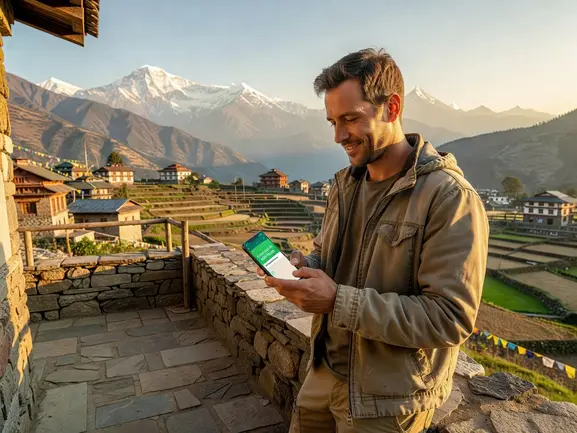
How Much Data Does WhatsApp Use in Nepal?
This is the question every traveler gets wrong. They buy 1GB thinking it's plenty, then blow through it on a single video call. Here are real data usage figures so you can pick the right plan.
- WhatsApp text messages: Almost zero — thousands of messages per MB
- WhatsApp voice calls: Approximately 1MB per minute (low quality) to 3MB per minute (standard)
- WhatsApp video calls: 5-8MB per minute — a 10-minute family catch-up uses around 60-80MB
- WhatsApp photo sharing: 1-5MB per photo depending on compression
- Google Maps navigation: 5-10MB per hour of active navigation
For a typical 7-day Nepal trip — daily WhatsApp check-ins, some voice calls, Google Maps for Thamel navigation, and occasional Instagram posting — 5GB is the sweet spot. For trekkers spending time in remote areas with intermittent signal, go bigger. Coverage in remote upper Mustang or Dolpo areas can be spotty even on NTC, so download offline maps before you head out.
Prices are checked 2026-10-25. Plans start from $5.43 for Nepal.
eSIMYat vs Competitors for WhatsApp in Nepal
I tested 7 different eSIM providers on a 3-week Asia trip including Nepal. Here's the honest breakdown for travelers specifically using WhatsApp:
- eSIMYat Nepal: Plans from $5.43, 4G on Ncell/NTC, free hotspot, 24/7 support in English and Arabic, no passport registration, 7-day refund policy on unused plans
- Airalo: Lists Nepal plans from around $4.50 (Airalo pricing page, checked 2026). No Arabic support. 200+ countries covered.
- Holafly: Unlimited data plans from $6.99 but throttles speed after heavy use (Holafly pricing, checked 2026). Limited hotspot on some plans — a problem if you want to tether a laptop for WhatsApp Web.
- Nomad: Offers a free trial eSIM, Nepal plans available. From $1.30/GB (Nomad pricing, checked 2026). Good budget option but no Arabic-language support.
- Saily (NordVPN): From $1.99, bundles VPN with eSIM across 190+ countries (Saily pricing, checked 2026). VPN is useful but adds complexity for first-time eSIM users.
The key differentiators for eSIMYat: Arabic support matters for Gulf and MENA travelers heading to Nepal, the 7-day refund policy removes purchase risk, and the no-app QR code setup is genuinely faster than competitor apps during check-in.
For a full comparison, see the eSIMYat vs Airalo comparison.
WhatsApp Tips for Nepal Trekkers and City Travelers
Whether you're navigating Thamel's alleys or trekking toward Everest Base Camp, these practical tips make a real difference.
For Kathmandu and Pokhara
- 4G coverage is solid in both cities — WhatsApp video calls work reliably
- Share your live WhatsApp location with family so they can track your trip
- Use WhatsApp to confirm hotel bookings and negotiate with tuk-tuk drivers — it's standard practice here
- Download the offline Google Maps area before leaving your hotel — saves data and works as backup when signal drops
For Trekkers on Annapurna and Everest Trails
- NTC has better coverage in remote high-altitude areas than Ncell on some routes
- Above 4,000m, signal becomes intermittent — send voice notes instead of calling to reduce data use
- Tea houses along popular routes often have WiFi, but it's slow — your eSIM is faster for quick WhatsApp messages
- Always download offline maps for the Sagarmatha National Park area before ascending
- Satellite messengers (like Garmin inReach) are recommended for high-altitude emergencies where cellular fails entirely
Also worth noting: the eSIMYat Asia regional plans can cover Nepal alongside other South and Southeast Asian destinations if you're doing a multi-country trip.
Frequently Asked Questions
Does WhatsApp work in Nepal without a VPN?
Yes, WhatsApp works completely without a VPN in Nepal. The Nepali government does not block WhatsApp or any major messaging apps. Voice calls, video calls, and file sharing all function normally on both mobile data and WiFi. Simply connect your eSIMYat Nepal plan and open WhatsApp — no additional tools needed.
Can I use WhatsApp calling with a Nepal eSIM?
Absolutely. WhatsApp voice and video calls work on Nepal's 4G networks. The Ncell and NTC networks that eSIMYat connects to provide sufficient bandwidth for clear WhatsApp calls. For best quality, ensure you have at least 2-3 bars of 4G signal. In Kathmandu and Pokhara, this is consistent throughout the day.
How do I set up a whatsapp esim nepal plan on my iPhone?
Purchase your plan at esimyat.com/destination/nepal, receive the QR code by email, then go to Settings > Cellular > Add eSIM > Use QR Code on your iPhone. Scan the code, set the new line as your data line, and keep your physical SIM for calls. The whole process takes under 2 minutes. Works on iPhone XS and later models.
What is the best data plan size for WhatsApp use in Nepal?
For a 7-day trip focused on WhatsApp messaging, voice calls, and Google Maps, 3-5GB is sufficient. If you plan WhatsApp video calls daily or use Instagram alongside WhatsApp, choose a 5-10GB plan. Trekkers spending 10+ days on the trail with limited WiFi access should opt for larger plans to avoid running out mid-trek.
Will my WhatsApp number change if I use a Nepal eSIM?
No. Your WhatsApp number stays the same — it's linked to your home SIM number, not your eSIM data line. With Dual SIM, your physical SIM keeps your home number active while the eSIMYat Nepal plan provides data. Everyone still reaches you on the same WhatsApp number you've always had. No re-registration needed.
The Bottom Line
Nepal does not restrict WhatsApp. The only thing standing between you and seamless communication is having reliable mobile data. A WhatsApp eSIM Nepal plan from eSIMYat solves that in under 2 minutes — no airport queues, no passport registration, no roaming bill surprises.
Three things to remember: WhatsApp works freely in Nepal with no VPN required. Install your eSIM before boarding for instant connectivity on landing. And 5GB covers a typical 7-day trip comfortably, including daily WhatsApp calls home.
Ready to stay connected? Get your Nepal eSIM for WhatsApp now — plans from $5.43, activated in 2 minutes, with 24/7 support in English and Arabic. The global eSIM market reached $4B+ in 2026 — the world has moved on from SIM card queues. You should too.
Learn more about how eSIM technology works from the Wikipedia eSIM overview, or check the official GSMA eSIM specification for technical standards.