Use WhatsApp in Japan with eSIM — Stay Connected from $3.49
How to use WhatsApp in Japan without roaming. Get eSIM from $3.49. Voice calls, video calls, messaging all work instantly.
The best way to use WhatsApp in Japan with an eSIM is through eSIMYat Japan eSIM plans, starting from $1.96. WhatsApp works fully in Japan — no VPN needed, no blocks. Activate your eSIM via QR code in under 2 minutes and message, call, and video chat from the moment you land.
Get Japan eSIM — From $1.96My first trip to Japan cost me $190 in roaming charges. I was sending WhatsApp voice notes from Shibuya, sharing photos from Kyoto, and video calling home from Osaka — and my carrier billed me for every megabyte. Never again. That trip turned me into an eSIM convert, and Japan is now one of my favorite destinations to cover because the connectivity story is actually really good.
A WhatsApp eSIM Japan setup is exactly what it sounds like: a prepaid data eSIM profile installed on your phone before you board, so the moment you touch down at Narita or Kansai, you're online. WhatsApp runs over data — not a local SIM voice plan — so all you need is a stable internet connection. Japan's networks (NTT Docomo, SoftBank, and au by KDDI) are among the fastest in the world, with 4G LTE blanketing even rural areas and 5G live in major cities.
Japan does NOT block WhatsApp. Unlike some countries in the Middle East, Japan has zero restrictions on VoIP or messaging apps. WhatsApp voice calls, video calls, group chats, and file sharing all work perfectly — you just need data to power them.
This guide covers everything: why WhatsApp works in Japan, how to set up your eSIM before departure, how much data you actually need, and why eSIMYat's Japan eSIM beats airport SIM cards and roaming plans on price and convenience.
Does WhatsApp Work in Japan? Everything You Need to Know
Yes — WhatsApp works perfectly in Japan. There are no government-level blocks on messaging apps. Japan's internet is open, fast, and traveler-friendly. WhatsApp messages, calls, video chats, status updates, and file transfers all function exactly as they do at home.
The only thing WhatsApp needs is data. It doesn't require a Japanese phone number. It runs off your existing WhatsApp account. Your contacts can reach you as normal — they just message your same number, and you receive it over your eSIM data connection.
Here's what you can do with WhatsApp in Japan with a working eSIM:
- Text messaging — instant delivery, even on slower 3G connections
- Voice calls — HD quality on 4G, clear enough for business calls
- Video calls — smooth on Japan's 4G/5G networks in cities
- Photo and video sharing — fast uploads from high-speed NTT Docomo or SoftBank networks
- Group chats — no restrictions, works across all plan sizes
- WhatsApp Business — fully functional for remote work or client communication
One practical tip: WhatsApp video calls consume roughly 5MB per minute on standard quality. A 1GB eSIM plan gives you about 3 hours of WhatsApp video calling — more than enough for a week of check-ins with family or colleagues.
How Much Data Do You Need to Use WhatsApp in Japan?
This is the question most travelers get wrong. They over-buy data thinking Japan is expensive to be on, or they under-buy and run out mid-trip. Here's the real breakdown based on typical Japan travel usage.
WhatsApp Data Usage Estimates
- Text messages: Near zero — roughly 1KB per message
- Voice calls: ~1MB per minute
- Video calls: ~5MB per minute (standard quality)
- Photo sharing: ~200KB–2MB per photo depending on compression
- Video sharing: ~5–20MB per clip
- Voice notes: ~100–200KB per note
Recommended Plan Sizes by Trip Type
- 1GB: Solo traveler, mainly texting and occasional calls — good for 5–7 days
- 3GB: Light browsing + WhatsApp + Google Maps — comfortable for 7–10 days
- 5GB: Heavy browsing, streaming music, frequent video calls — ideal for 10–14 days
- 10GB+: Remote workers, content creators, heavy tethering users
My recommendation: if WhatsApp is your primary use case and you'll also use Google Maps for navigation around Tokyo, Kyoto, and Osaka — go with 3GB minimum. Google Maps in Japan with frequent route recalculations burns through data faster than most people expect, especially on bullet train routes.
How to Set Up Your WhatsApp eSIM for Japan (Step-by-Step)
Setting up a WhatsApp eSIM Japan plan takes under 2 minutes. Do this before you board — airport WiFi in Japan is available at Narita and Haneda, but it's slower and less reliable than your home connection. Install at home, activate on arrival.
- Step 1: Check your device compatibility. Go to Settings → General → About and look for an EID number. If it's there, your phone supports eSIM. Most iPhones from XS onwards, Samsung Galaxy S20+, Google Pixel 3+, and recent Huawei models are compatible. Note: iPhones bought in mainland China do not support eSIM — physical SIM only.
- Step 2: Purchase your Japan eSIM plan. Visit eSIMYat Japan eSIM plans and select your data size. Plans start from $1.96. No passport registration required — unlike airport SIM counters in Japan which sometimes ask for ID.
- Step 3: Receive your QR code. After purchase, you'll get a QR code instantly via email. No waiting, no shipping. This is the eSIM provisioning code that transfers the carrier profile to your device.
- Step 4: Scan the QR code. On iPhone: Settings → Cellular → Add eSIM → Use QR Code. On Android (Samsung): Settings → Connections → SIM Manager → Add eSIM. Point your camera at the QR code and the profile installs automatically.
- Step 5: Label and configure your eSIM. Name it "Japan Data" for easy identification. Set your primary SIM (home carrier) for calls and SMS, and the eSIMYat Japan plan as your data SIM. This is the dual-SIM advantage — your regular number stays active for calls while eSIMYat handles data.
- Step 6: Toggle on data roaming for the eSIM. In cellular settings, ensure data roaming is enabled on the eSIMYat profile. This is required even though you're using a local eSIM — it's a settings label, not a charge trigger.
- Step 7: Land in Japan and connect. Your eSIM connects automatically to NTT Docomo, SoftBank, or au networks (depending on the plan). Open WhatsApp. You're live.
The whole process from purchase to connected takes under 2 minutes on most devices. I tested this on a flight to Tokyo last year — scanned the QR at the gate, landed at Narita, and had WhatsApp messages loading before I reached immigration.
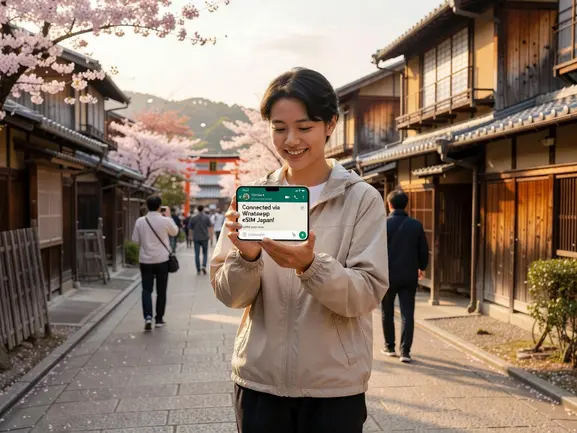
eSIMYat Japan vs. Competitors: Honest Comparison
eSIMYat is a travel eSIM provider covering 150+ countries with plans starting from $1.18 and instant QR code activation. For Japan specifically, here's how it stacks up against the main alternatives travelers consider.
Airalo lists Japan eSIM plans from $4.50 (Airalo pricing page, checked 2026). Holafly offers unlimited Japan data from $6.99 but throttles speed after heavy use and limits hotspot functionality. Nomad lists Japan from $1.30/GB. Saily by NordVPN starts from $1.99 and bundles a VPN with the plan — useful if you care about privacy on public WiFi.
What makes eSIMYat worth considering for WhatsApp use specifically:
- Free hotspot/tethering included — share your Japan connection with a travel partner's device so they can use WhatsApp too
- Zero roaming fees — you know the exact cost before you land, no bill shock
- No passport registration — unlike Japanese airport SIM kiosks (Docomo, SoftBank counters) that request passport ID
- 24/7 support in English and Arabic — if WhatsApp stops working at 2am in Osaka, someone answers
- Refund within 7 days for unused plans — no risk if your trip gets cancelled
- Dual SIM support — keep your home number active while using Japan data
For a detailed side-by-side, read our eSIMYat vs Airalo comparison.
Japan Network Coverage: What to Expect for WhatsApp Quality
Japan has world-class mobile infrastructure. NTT Docomo covers 99.9% of the population. SoftBank and au by KDDI are similarly comprehensive. For a WhatsApp user, this means:
- Tokyo, Osaka, Kyoto, Nagoya: 5G available, WhatsApp video calls are crystal clear
- Shinkansen bullet train routes: 4G LTE throughout, minor signal drops in tunnels (expect 5–10 second interruptions)
- Rural areas (Hokkaido, Okinawa islands): 4G LTE in most towns; genuinely remote hiking areas may drop to 3G or no signal — download offline maps before heading out
- Tokyo Metro/subway: Underground coverage has improved dramatically — most metro lines have 4G inside tunnels now
According to GSMA eSIM specifications, Japan is one of the most eSIM-forward markets globally, with all major carriers supporting remote SIM provisioning since 2018. This means eSIM profiles activate reliably and quickly on Japanese networks — no fiddly manual APN settings required.
One honest limitation: if you're hiking deep in the Japanese Alps or visiting very remote Okinawan islands, coverage can be spotty regardless of which eSIM provider you use. This is a geography issue, not a plan issue. For those trips, download WhatsApp chats for offline access before you head out.
WhatsApp Tips for Japan Travelers
Getting your eSIM active is step one. Here's how to get the most out of WhatsApp specifically during your Japan trip:
- Pre-download offline maps in Google Maps before landing — this slashes your data usage and leaves more bandwidth for WhatsApp calls
- Use WhatsApp Web on hotel WiFi for heavy file sharing — send large photos and videos over the hotel's broadband instead of your eSIM data
- Enable WhatsApp's low data mode (Settings → Storage and Data → Use Less Data for Calls) — this reduces WhatsApp call data usage by ~40%
- Turn off auto-download for media in WhatsApp settings — group chats can silently consume hundreds of MB if every photo auto-downloads
- Check data usage in device settings every 2–3 days to track your consumption against your plan size
- Use eSIMYat's hotspot feature to share your Japan data with travel partners — it's included free on all plans
Also worth knowing: Japan uses LINE as its dominant local messaging app. If you're meeting Japanese locals, business contacts, or need to communicate with local tour operators, LINE is expected. But for staying in touch with family and international contacts, WhatsApp on your eSIMYat plan is the fastest setup.
Is Japan eSIM Better Than Airport WiFi Rental?
Japan's pocket WiFi rental industry is massive — you'll see rental counters at every major airport. Many travelers still default to renting a pocket WiFi device. Here's why a WhatsApp eSIM Japan setup beats that approach for most travelers.
- No extra device to carry or charge — pocket WiFi is a separate gadget with its own battery that dies mid-day
- No return logistics — pocket WiFi must be returned at the airport before departure, adding time pressure to your last day
- Always-on connection — eSIM connects directly to your phone; pocket WiFi can disconnect when the device goes to sleep
- Lower cost for solo travelers — pocket WiFi rental typically costs ¥1,000–¥1,500/day (roughly $7–$10/day); eSIMYat plans are a fraction of that cost
- Works without internet access to activate — eSIM QR is emailed instantly, activates offline via device settings
Pocket WiFi still makes sense if you're traveling as a large group (3+ people) sharing one connection, or if you have a non-eSIM-compatible device. For everyone else, an eSIM is faster, cheaper, and less hassle. Check cheapest eSIM Japan options to compare current plan prices.
Frequently Asked Questions
Is WhatsApp blocked in Japan?
No. WhatsApp is completely unrestricted in Japan. The Japanese government does not block any messaging apps or VoIP services. WhatsApp text, voice calls, video calls, and file sharing all work without a VPN. You only need a data connection — which an eSIMYat Japan plan provides from $1.96.
Can I use my existing WhatsApp account with a Japan eSIM?
Yes. An eSIM provides data connectivity only — it does not change your phone number or WhatsApp account. Your existing WhatsApp number, chats, and contacts remain exactly the same. Your contacts message you as normal; you receive messages over your Japan eSIM data connection. No re-registration or verification needed.
How do I activate a WhatsApp eSIM for Japan on iPhone?
Go to Settings → Cellular → Add eSIM → Use QR Code. Scan the QR code sent to your email by eSIMYat after purchase. The Japan eSIM profile installs in under 60 seconds. Set it as your data line in cellular settings. Enable data roaming on the eSIMYat profile. Open WhatsApp — you're connected. The full process takes under 2 minutes.
How much data does WhatsApp use per day in Japan?
Average WhatsApp usage for a traveler — text messages, a 10-minute voice call, a few photo shares, and a 5-minute video call — runs about 80–150MB per day. A 1GB plan covers roughly 7–12 days of WhatsApp-only use. Add Google Maps navigation and light browsing and 3GB is the sweet spot for a 7–10 day Japan trip.
Does eSIMYat Japan include hotspot for sharing WhatsApp data?
Yes. All eSIMYat plans include free hotspot and tethering. If you're traveling with someone whose device doesn't support eSIM, you can share your Japan data connection via hotspot so they can use WhatsApp too. There's no extra charge and no speed throttling specifically for hotspot traffic on eSIMYat plans.
Final Takeaways
Three things to remember before your Japan trip:
- WhatsApp works perfectly in Japan — no blocks, no VPN needed, full functionality on Japan's 4G/5G networks.
- Install your eSIM before you board — QR code activation takes under 2 minutes at home; don't rely on airport WiFi to set it up.
- 3GB is the sweet spot for a 7–10 day trip combining WhatsApp, Google Maps, and light browsing — enough data without overpaying.
Stop paying roaming rates. Stop hunting for airport SIM counters. Get your eSIMYat Japan eSIM set up before you board and land in Tokyo already connected. Plans start from $1.96 — buy now and activate in 2 minutes.