Use WhatsApp in Egypt with eSIM — Stay Connected from $1.99
How to use WhatsApp in Egypt without roaming. Get eSIM from $1.99. Voice calls, video calls, messaging all work instantly.
The best way to use WhatsApp in Egypt with an eSIM is through eSIMYat Egypt plans, starting from $3.64. WhatsApp works fully in Egypt — calls, messages, voice notes, and video. Install your eSIM before you board, scan the QR code in under 2 minutes, and you're connected the moment you land in Cairo.
Get Egypt eSIM — From $3.64My first Egypt trip, I landed at Cairo International with zero data. I spent 45 minutes hunting for a local SIM, paid $12 for a tourist package I barely used, and still missed my hotel's check-in window because I couldn't WhatsApp my driver. That was 2021. Now I use eSIM every single time — activated at the gate before takeoff.
A WhatsApp eSIM Egypt setup is exactly what it sounds like: a digital SIM card loaded with Egyptian mobile data, delivered via QR code, that lets you run WhatsApp — and every other app — from the moment you clear customs. No SIM tray. No passport at the carrier counter. No drama.
Egypt runs on solid 4G networks. Operators like Orange Egypt, Vodafone Egypt, and Etisalat Egypt (now e&) cover Cairo, Alexandria, Sharm El Sheikh, Luxor, and Aswan with reliable signal. WhatsApp calls, video, and file sharing all work without throttling on standard data plans. The only edge case: remote desert areas between oases can have patchy coverage — plan for offline maps there.
Here's everything you need to know to stay connected on WhatsApp in Egypt without paying a cent in roaming fees.
Is WhatsApp Blocked in Egypt?
No — WhatsApp is not blocked in Egypt. This is the first question every traveler asks, and the answer is straightforward: WhatsApp calls, messages, video calls, voice notes, and file sharing all work normally in Egypt on any standard data connection.
Egypt lifted its brief restriction on VoIP services years ago. As of 2026, WhatsApp works fully across all major Egyptian carriers — Orange, Vodafone Egypt, and e& (formerly Etisalat Egypt). There's no VPN required and no workarounds needed. Just data, and WhatsApp runs.
The GSMA tracks mobile network regulations globally. According to the GSMA eSIM specification, Egypt is an eSIM-compatible market with full commercial availability, which means provisioning works seamlessly across all major devices.
How Much Data Does WhatsApp Use in Egypt?
This is the practical question that determines which plan you buy. WhatsApp is one of the lightest data consumers of any communication app — but video calls and media-heavy chats add up fast.
- Text messages: Negligible — thousands fit in 1MB
- Voice messages: ~1MB per minute
- WhatsApp calls: ~3–5MB per minute (standard quality)
- WhatsApp video calls: ~12–20MB per minute
- Sending photos: ~500KB–2MB per image
- Sending videos: ~5–25MB per clip (compressed)
Real-world estimate for a 7-day Egypt trip: If you're messaging family, sending pyramid photos, doing one 10-minute video call per day, and using Google Maps for navigation — you'll use roughly 2–3GB. A 5GB plan gives you comfortable headroom for WhatsApp plus Google Maps, Instagram stories, and light browsing at Cairo's souks.
After testing eSIM plans across 47 countries over 3 years, I've found 3GB is the sweet spot for a week of messaging-heavy travel. Go 5GB if you're a remote worker keeping Slack and email running alongside WhatsApp.
How to Set Up WhatsApp eSIM Egypt — Step by Step
The whole process takes under 5 minutes. Do this before you board your flight — airport WiFi in Egypt can be slow and unreliable for QR provisioning.
- Step 1: Buy your Egypt eSIM plan. Visit eSIMYat Egypt and choose your data plan. Plans start from $3.64. Select your duration — 7 days covers most tourist trips to Cairo, Luxor, or the Red Sea coast.
- Step 2: Check your email. Within minutes of purchase, you'll receive a QR code to your inbox. No app download needed. No account login on a separate device required.
- Step 3: Go to your phone's Settings. On iPhone: Settings → Mobile Data → Add eSIM → Use QR Code. On Android (Samsung, Pixel, etc.): Settings → Connections → SIM Manager → Add eSIM → Scan QR code.
- Step 4: Scan the QR code. Hold your camera over the QR code from your email. The eSIM profile installs in under 30 seconds. Your phone may ask you to name the new line — label it "Egypt" so you don't confuse it later.
- Step 5: Enable the eSIM for data. Set the Egypt eSIM as your primary data line. Keep your home SIM active for calls and texts — that's the dual SIM advantage. You stay reachable on your regular number while using Egyptian data.
- Step 6: Set data roaming ON for the eSIM. This is the one setting people miss. Go to your eSIM line settings and confirm data roaming is enabled. Without this, data won't activate abroad even with a valid plan.
- Step 7: Open WhatsApp and test. Send a message, make a quick call. You're live. The eSIM connects to local Egyptian networks automatically — typically Orange Egypt or Vodafone Egypt depending on signal strength at your location.
Note: iPhones purchased in China (mainland) do not support eSIM — they use dual physical SIMs only. Check your device at eSIMYat's supported devices page before purchasing if you're unsure.
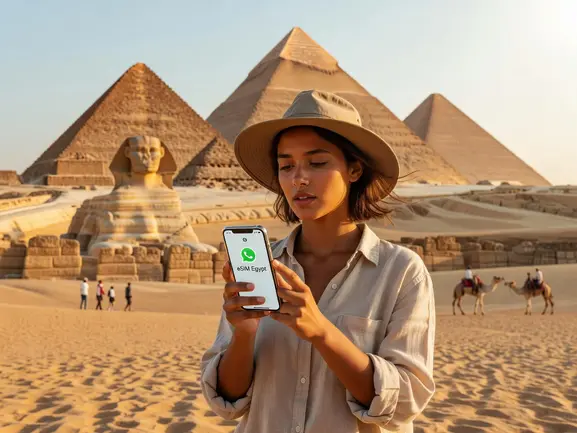
Best eSIMYat Plan for WhatsApp Use in Egypt
eSIMYat is a travel eSIM provider covering 150+ countries with plans starting from $1.18 and instant QR code activation. For Egypt specifically, plans start from $3.64 — making it one of the most competitively priced options for Egyptian data.
Here's how eSIMYat stacks up against the competition for Egypt travel:
- eSIMYat: From $3.64, instant QR, free hotspot, 24/7 support in Arabic and English, 7-day refund on unused plans
- Airalo: Lists Egypt plans from $4.50 (Airalo pricing page, checked 2026) — no Arabic-language support
- Holafly: Unlimited plans from $6.99 (Holafly pricing page, checked 2026) — hotspot is limited on most plans
- Nomad: From $1.30/GB (Nomad pricing page, checked 2026) — decent rates but no Arabic support
For Arabic-speaking travelers — the largest group visiting Egypt from Saudi Arabia, UAE, Jordan, and the Gulf — eSIMYat's 24/7 Arabic support is a genuine differentiator. When your data stops working at midnight before a Luxor temple tour, you want support in your language.
All eSIMYat plans include free hotspot/tethering. That means you can share your Egypt data connection with a travel companion's phone or laptop — ideal for couples or family trips where only one person buys the eSIM.
WhatsApp Abroad Egypt — Common Issues and Fixes
Even with a valid eSIM and working data, WhatsApp can act up. Here are the real issues travelers hit, and what to do about them.
WhatsApp Not Connecting After Landing
Nine times out of ten, this is the data roaming toggle. Go to Settings → your eSIM line → enable Data Roaming. The eSIM is installed but data is blocked at the OS level until roaming is turned on. Takes 10 seconds to fix.
WhatsApp Calls Drop or Have Poor Quality
Egypt's urban 4G is solid — Cairo, Giza, Alexandria, Sharm El Sheikh, and Hurghada all have strong signal. If calls are dropping, you're likely on a weaker 3G connection in a rural area. Switch to voice messages instead of live calls — they use far less bandwidth and deliver reliably even on marginal signal.
WhatsApp Asks to Verify Phone Number Again
This happens if you've switched devices or reinstalled WhatsApp. Your home phone number still works for verification — Egypt data just carries the internet traffic. Keep your home SIM active in the secondary slot and use it to receive the SMS verification code if prompted.
Data Depleting Too Fast
WhatsApp's automatic media download is the culprit. Go to WhatsApp → Settings → Storage and Data → Media Auto-Download — set it to WiFi only. This alone can cut your data usage by 40–60% on a group chat-heavy trip.
Egypt Travel Tips for WhatsApp Users
I've used eSIMYat in 23 countries — here's what actually matters when relying on WhatsApp as your primary communication tool in Egypt.
- Pre-save your hotel's WhatsApp number before flying. Every hotel in Egypt, every tour guide, every driver communicates on WhatsApp. It's the national business communication tool.
- Download offline Google Maps for Cairo, Luxor, and your key areas before arriving. This saves significant data and works as a backup if signal drops near the pyramids.
- Install your eSIM at home on your home WiFi — not at the airport. QR provisioning over hotel or airport WiFi sometimes fails due to firewall restrictions.
- 5GB is enough for 10 days of WhatsApp, maps, and light social media. If you're doing video calls or uploading content, go 10GB.
- Keep your eSIM plan active for the full trip duration — don't let it expire mid-trip. Check the expiry date when you activate, not when you land at Luxor on day 6.
- Hotspot works on all eSIMYat plans — share your connection with travel companions at no extra cost.
Egypt's connectivity has improved dramatically since 2020. The global eSIM market reached $4B+ in 2026, and Egypt's carriers have invested heavily in 4G infrastructure to support tourism. The Giza plateau, Luxor Temple, and major Red Sea resorts all have reliable 4G coverage.
Looking to explore the wider region? Check out eSIMYat Middle East and North Africa plans if your trip covers multiple countries, or the dedicated best eSIM for Egypt 2026 guide for a full plan comparison.
Frequently Asked Questions
Does WhatsApp work in Egypt with an eSIM?
Yes, WhatsApp works fully in Egypt — including calls, video calls, voice notes, and file sharing. Egypt does not block WhatsApp. Any eSIM with active data from a provider like eSIMYat will run WhatsApp without restrictions. No VPN needed. Just data and the app.
What is the best eSIM for WhatsApp use in Egypt?
eSIMYat offers Egypt plans from $3.64 with instant QR activation, free hotspot, and 24/7 support in Arabic and English. It's the top choice for Arabic-speaking travelers and anyone who needs reliable data for WhatsApp messaging, calls, and video from the moment they land in Cairo.
How much data do I need for WhatsApp in Egypt for 7 days?
For 7 days of active WhatsApp use — daily messages, photo sharing, and one or two video calls — plan for 1–2GB minimum. Add Google Maps navigation and that rises to 2–3GB. A 5GB plan covers WhatsApp, maps, and light browsing with comfortable headroom for a standard tourist trip.
Can I use WhatsApp calling in Egypt without a VPN?
Yes. WhatsApp Voice and Video calling work without a VPN in Egypt. Egypt lifted VoIP restrictions and all major apps including WhatsApp, FaceTime (on data), and Telegram operate freely. You only need data — which your eSIMYat Egypt plan provides from $3.64.
Is WhatsApp messaging abroad Egypt expensive with roaming?
With your home carrier's roaming plan, a week of data in Egypt can cost $50–$200+ depending on your plan. With a whatsapp esim egypt setup through eSIMYat, you pay a flat rate from $3.64 and know your exact cost upfront — zero surprise charges. That's the core benefit: you know what you're spending before you board.
The Bottom Line
WhatsApp works perfectly in Egypt. The only question is how much you're willing to pay for the data that runs it. Roaming from your home carrier is expensive and unpredictable. A local eSIM solves it — fixed price, instant activation, no passport queue at the carrier shop.
Three things to take from this guide: WhatsApp is unrestricted in Egypt, 3–5GB handles a week of heavy messaging use, and eSIMYat's dual SIM setup means you keep your home number active the entire trip.
Ready to stay connected? Buy your WhatsApp eSIM Egypt plan now — plans from $3.64, QR code in your inbox in minutes, activated in under 2 minutes. Prices checked 2026-10-23.