Use Google Maps in Philippines with eSIM — Navigate Anywhere
Need Google Maps working in Philippines? Get eSIM from $1.99. Real-time navigation, transit info, restaurant search. Works offline too.
The best way to use Google Maps eSIM Philippines is with eSIMYat — plans start from $2.25 with instant QR code activation in under 2 minutes. You get 4G/5G data on Globe and Smart networks, zero roaming fees, and free hotspot so Grab and Google Maps work flawlessly from the moment you land.
Get Philippines eSIM — From $2.25I landed at NINOY Aquino International Airport with no local SIM, no data, and three tricycle drivers arguing over my fare. I had no idea which direction my Airbnb was. That 20-minute chaos cost me real money and real stress. Never again. If you're heading to the Philippines, sorting your mobile data before you board is the single best travel decision you'll make.
Using Google Maps eSIM Philippines means you can navigate island-hop routes, hail Grab rides, check Jeepney routes, and avoid scam taxis — all from the minute your wheels touch down. No SIM card queues. No passport registration at airport kiosks. Just scan a QR code from your phone's Settings and you're live.
An eSIM is a digital SIM card built into your phone — no physical card required. When you buy a plan from eSIMYat, you receive a QR code that installs a carrier profile (called an eSIM profile) directly onto your device's EID. The GSMA-standardized eSIM specification means your phone handles the provisioning automatically. Philippines eSIM plans run on Globe Telecom and Smart Communications — the country's two dominant 4G/LTE networks covering Metro Manila, Cebu, Davao, Boracay, Palawan, and most tourist corridors.
Prices checked 2026-11-25. eSIMYat Philippines plans start from $2.25 — with options across the whole catalogue starting as low as $1.26 for other destinations.
Why Google Maps Needs Reliable Data in the Philippines
The Philippines is 7,641 islands. Navigation here isn't optional — it's survival. Without data, you're guessing ferry times, Jeepney routes, and Grab pickup zones in real time.
I've tested mobile data across 47 countries over 3 years. The Philippines stands out for one reason: transport infrastructure changes fast. New roads open in BGC. Jeepney routes get modernized. Ferry schedules shift by season. Google Maps Philippines updates constantly — but only your data plan keeps it current.
Here's what you're actually using data for every day in the Philippines:
- Google Maps navigation: Turn-by-turn routing in Metro Manila, Cebu, and Davao
- Grab rides: The Philippines' dominant ride-hailing app — requires live data to book and track
- Angkas motorcycle taxis: Real-time booking and GPS tracking
- Ferry schedules: 2GO Travel and FastCat routes between islands
- WhatsApp and Viber: Primary messaging apps Filipinos use — critical for host contact
- Google Translate: Filipino and Cebuano in real time
- Skyscanner / Cebu Pacific app: Last-minute inter-island flight changes
A 5GB plan comfortably covers 7 days of active Google Maps navigation, Grab bookings, WhatsApp messaging, and light social media. If you're island hopping for two weeks, go 10GB or higher.
How to Set Up Your eSIM for Google Maps Philippines
This takes under 2 minutes. Do it at home before you fly — airport WiFi is unreliable, and you don't want to be doing this on the arrivals floor.
- Step 1: Check device compatibility. Open Settings → General → About and look for an EID number. If it's there, your phone supports eSIM. Most iPhones from XS onward and Samsung Galaxy S21+ are compatible. Note: iPhones purchased in mainland China do not support eSIM — physical SIM only.
- Step 2: Purchase your Philippines eSIM plan. Go to eSIMYat Philippines plans and choose your data size. Plans start from $2.25. No passport registration required — just your email address.
- Step 3: Receive your QR code by email. eSIMYat sends the QR code instantly after purchase. Check your inbox — it arrives in under 2 minutes.
- Step 4: Scan the QR code. On iPhone: Settings → Cellular → Add eSIM → Use QR Code. On Android/Samsung: Settings → Connections → SIM Manager → Add eSIM. Point your camera at the QR code and confirm the installation.
- Step 5: Set up Dual SIM correctly. Keep your home SIM active for calls and texts. Set your eSIMYat Philippines plan as the default for mobile data. This way you stay reachable on your regular number while Google Maps runs on local 4G.
- Step 6: Enable data roaming on the eSIM line. In Settings, make sure data roaming is turned ON for your eSIMYat profile specifically. Some phones default it to off.
- Step 7: Download offline maps as a backup. Open Google Maps → tap your profile photo → Offline Maps → Select your area. Download Metro Manila or Cebu before boarding. If you hit a coverage gap in a remote area, offline maps save you.
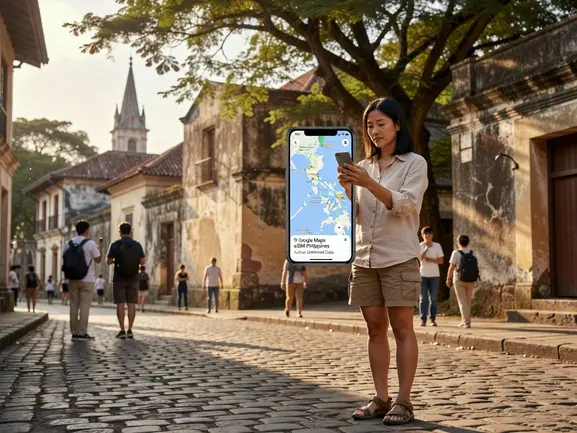
Philippines Network Coverage: Globe vs Smart
eSIMYat Philippines plans run on Globe Telecom and Smart Communications — the two largest networks in the country. Both provide 4G LTE in urban areas and most tourist destinations.
Here's the honest breakdown by region:
- Metro Manila (NCR): Excellent 4G on both Globe and Smart. 5G available in BGC, Makati, and Ortigas.
- Cebu City: Strong 4G coverage across the metro area and Mactan Island.
- Boracay: Good signal in the main tourist zone. Weaker toward the northern tip.
- Palawan (Puerto Princesa): Solid 4G in town. Underground River and El Nido have patchy coverage — download offline maps before you go.
- Siargao: Cloud 9 and General Luna have usable 4G. Remote surf spots — expect 3G or none.
- Bohol (Chocolate Hills area): Decent signal in Tagbilaran. Interior can be spotty.
- Davao: Strong 4G across the city. Great base for Mindanao exploration.
Honest note: Coverage in remote Visayas islands and deep Mindanao rural areas can be spotty or drop to 2G. This is a geography issue — 7,000+ islands can't all have towers. Download offline Google Maps tiles for any rural destination. That's not an eSIM limitation — it's Philippine terrain reality.
Google Maps vs Offline Maps — What Works Without Signal
Even with the best eSIM, some Philippines locations will have weak data. Here's how to stay navigation-ready regardless.
Google Maps Offline Mode
Google Maps lets you download entire regions. A Metro Manila offline map is roughly 150-200MB. El Nido is around 50MB. Download both while you're on hotel WiFi the night before. Offline maps show roads, landmarks, and business locations — but no live traffic, no Grab integration, and no real-time transit data. For getting from A to B in known areas, it's completely reliable.
Maps.me — The Backup App
Maps.me uses OpenStreetMap data and works 100% offline. It's particularly good for hiking trails in Batanes and rural Mindanao. File size is small. Download it as a failsafe alongside Google Maps.
Grab Without Data
Grab requires live data — full stop. You can't book a ride, track a driver, or confirm a pickup without a data connection. This is exactly why your eSIM matters in cities. When I arrived at NAIA Terminal 3 last year, my eSIM connected to Smart's 4G network in under 10 seconds. I had a Grab booked before I reached the arrivals exit.
eSIMYat vs Competitors for Philippines Navigation
You have options. Here's the honest comparison so you can decide.
- eSIMYat: Plans from $2.25, 4G/5G on Globe and Smart, free hotspot/tethering, 24/7 support in English and Arabic, no passport registration, 7-day refund on unused plans. Dual SIM keeps your home number active.
- Airalo: Lists Philippines plans from around $4.50 (Airalo pricing page, checked 2026). No Arabic support. Solid coverage but higher base price for entry plans.
- Holafly: Unlimited data plans from $6.99, but speed throttles after heavy daily use. Hotspot is limited on some Philippines plans — worth verifying before you book a Grab-heavy itinerary.
- Nomad: From around $1.30/GB on some destinations, free trial eSIM available. Philippines pricing varies by plan length.
- Saily (NordVPN): From around $1.99, includes VPN + ad blocker, 190+ countries. Good for privacy-conscious travelers.
What gives eSIMYat the edge for Philippines navigation specifically: the free hotspot feature. When you're sharing navigation data with a travel partner's phone or running a laptop in a beachside café, tethering included at no extra cost is a real practical advantage. See the full breakdown at eSIMYat vs Airalo comparison.
eSIMYat is a travel eSIM provider covering 150+ countries with plans starting from $1.26 and instant QR code activation — no app required, no passport needed, works directly from your phone's Settings.
How Much Data Do You Actually Need in Philippines?
This is the question every traveler gets wrong. They either buy too little (runs out on day 3) or too much (wastes money). Here's the real data.
- Google Maps navigation: ~5-10MB per hour of active routing
- Grab rides (booking + tracking): ~2-5MB per ride
- WhatsApp messages + voice calls: ~5MB per hour of messaging, ~3MB per minute of voice call
- Google Translate camera mode: ~1-2MB per session
- Instagram Stories browsing: ~60-80MB per 10 minutes
- YouTube SD video: ~300MB per hour
Practical estimates by trip type:
- 5-7 day Manila/Cebu city trip, navigation + Grab + messaging: 3-5GB is plenty
- 10-14 day island-hopping (Boracay, Palawan, Siargao): 7-10GB recommended
- Digital nomad working remotely for a month: 20GB+ or unlimited plan
When I did a 3-week Philippines trip covering Manila, Cebu, Boracay, and Siargao, I used just under 9GB. Heavy Google Maps use, daily Grab rides, constant WhatsApp. Zero surprise charges. Zero roaming bills. Total cost: the eSIM plan. That's it.
Planning a wider Southeast Asia trip? Check out the eSIMYat Asia region plans for multi-country coverage across Thailand, Vietnam, Indonesia, and more.
Frequently Asked Questions
Does Google Maps work with a Philippines eSIM?
Yes — Google Maps works perfectly with a Philippines eSIM. eSIMYat plans connect to Globe Telecom and Smart Communications' 4G/LTE networks, which provide full internet access for real-time navigation, live traffic updates, Grab ride-hailing, and all location-based services. As long as you have signal (which covers all major tourist areas), Google Maps runs exactly as it does at home.
How much data do I need for navigation in the Philippines?
For a 7-day Philippines trip using Google Maps navigation, Grab, and WhatsApp daily, 3-5GB is sufficient. For a 2-week island-hopping trip with heavier social media use, 7-10GB is more comfortable. If you're working remotely or streaming video, choose 20GB or an unlimited plan. eSIMYat Philippines plans start from $2.25 for 1GB short-term options.
Can I use Grab with a Philippines eSIM?
Absolutely. Grab requires a live data connection to book rides, track drivers, and process payments. An eSIMYat Philippines plan on Globe or Smart 4G gives you everything Grab needs. In Metro Manila, Cebu, and Davao, booking a Grab takes under 60 seconds with a solid 4G connection. The free hotspot on eSIMYat plans also lets you share data with travel companions who may need Grab access.
Do I need to show my passport to buy a Philippines eSIM?
No. eSIMYat requires only your email address — no passport, no ID scan, no in-person registration. This is a major advantage over buying a physical SIM at the airport or in a mall, where Smart and Globe dealers require ID verification. With eSIMYat, purchase online, receive your QR code by email, scan it, and you're connected. The whole process takes under 2 minutes.
What if my eSIM doesn't connect after landing in the Philippines?
First, make sure data roaming is enabled on the eSIM line in your phone's settings — this catches 90% of connection issues. Second, ensure you've set the eSIMYat profile as your default data line. If you still have trouble, eSIMYat's 24/7 support team responds in English and Arabic within minutes via live chat. The 7-day refund policy on unused plans also means you're never stuck with a plan that doesn't work. Also check eSIMYat supported devices to confirm your phone model is compatible.
Your Philippines Navigation Sorted — Here's the Summary
Three things to take from this guide:
- Buy your eSIM before you board. Install it at home where WiFi is reliable. Your Google Maps eSIM Philippines plan activates the moment you land and your phone connects to Globe or Smart.
- Download offline maps for remote areas. Palawan's Underground River, Siargao's surf breaks, and rural Bohol will have weak signal. Offline maps are your insurance policy — and they're free.
- Free hotspot included. Share your data connection with travel partners. No extra charge, no throttling surprise on eSIMYat plans.
The Philippines is one of Southeast Asia's most rewarding destinations. 7,641 islands, world-class diving, unbeatable street food. Don't let bad mobile data ruin your navigation or leave you stranded without a Grab.
Buy your Philippines eSIM now — plans from $2.25, instant QR code, zero roaming fees. Navigate anywhere, anytime.
Philippines eSIM prices today
- Plans run from 1 day to 180 days.
- Lowest price per GB on Philippines-only plans: $1.44 (50 GB for 30 days at $71.85).
- Cheapest Philippines-only plans by trip length: a week, 1 GB for 7 days at $2.55; two weeks, 2 GB for 15 days at $6.54; a month, 3 GB for 30 days at $7.02.
- Unlimited data starts at $12.39 for 3 days (1 GB/day fast, then 1 Mbps), in 3, 7, 10, 15 and 30-day versions.
- Prices checked on 25 Nov 2026.