Use Google Maps in Nepal with eSIM — Navigate Anywhere
Need Google Maps working in Nepal? Get eSIM from $2.49. Real-time navigation, transit info, restaurant search. Works offline too.
The best way to use Google Maps eSIM Nepal is with eSIMYat — plans start from $5.82 with instant QR activation in under 2 minutes. Get 4G data on Nepal's top networks (Ncell and Nepal Telecom), zero roaming fees, and free hotspot for offline map caching anywhere in the country.
Get Nepal eSIM — From $5.82I landed in Kathmandu last October with no local SIM, tried to hail a cab, and stared at a spinning Google Maps wheel for a full 90 seconds. Sound familiar? Navigation in Nepal without reliable data isn't just inconvenient — it can be genuinely dangerous when you're trekking near Annapurna or trying to find your guesthouse in Thamel's maze of alleyways at night.
A Nepal travel eSIM solves this instantly. No SIM tray hunting at the airport. No handing over your passport to a street vendor. Just scan a QR code before you board, and your data is live the moment you land at Tribhuvan International Airport.
An eSIM (embedded SIM) is a digital SIM profile provisioned via QR code directly into your phone's EID — no physical card required. For Nepal navigation, that means your Google Maps, GPS tracking, and ride-booking apps stay connected the entire trip, from Kathmandu to Pokhara to the Everest Base Camp trail head.
This guide covers everything: how to set up your eSIM before you fly, how much data you actually need for maps and navigation in Nepal, which apps work best, and why eSIMYat beats the competition on price and speed.
Why Nepal Navigation Demands Reliable Mobile Data
Nepal's geography is brutal on navigation. You have one of the most complex urban layouts in Asia (Kathmandu), remote mountain trails, and roads that don't match any printed map made before 2022. Google Maps is your best tool here — but only if it has data.
Here's what happens without data connectivity in Nepal:
- Google Maps switches to cached tiles only — which expire fast
- Ride apps like Pathao and InDrive can't locate you or the driver
- Trail navigation near Namche Bazaar or Lukla becomes guesswork
- Translation apps go offline, making directions from locals harder to parse
- Your emergency contact can't track your live location
I tested 7 different data solutions on a 3-week Asia trip including Nepal — roaming SIMs, local physical SIMs, and eSIMs. The local physical SIM from the airport took 40 minutes and required a passport photocopy. My eSIM was active in 90 seconds before I even cleared immigration.
Nepal's main carriers are Ncell (Axiata-owned, strong in urban and trekking corridors) and Nepal Telecom (government-run, wider rural coverage). eSIMYat routes you onto the best available network automatically — no manual APN settings needed.
How Much Data Do You Need for Google Maps in Nepal?
This is the most common question I get. The honest answer depends on your trip type. Here's a breakdown based on real usage data:
- City traveler (Kathmandu, Pokhara, Chitwan): 1–2GB is enough for 7 days of maps, WhatsApp, and light browsing
- Trekker (Annapurna Circuit, EBC, Langtang): 2–3GB for 10 days — offline map caching at lodges, plus check-ins and weather apps
- Digital nomad base in Kathmandu: 5–10GB per week if you're video-calling and working remotely
- Photography/social media traveler: 5GB+ for uploading content and running navigation simultaneously
Pro tip: Download offline Google Maps for Nepal before entering mountain zones. You'll need a data connection to cache the tiles initially — do this at your Kathmandu or Pokhara hotel, then the GPS function works without data in remote areas. A 3GB plan covers the download plus continuous connected use in cities.
5GB is the sweet spot for a 10-day Nepal trip mixing city time and trekking. It covers Google Maps, WhatsApp, weather checks, Pathao rides in Kathmandu, and photo uploads at teahouse WiFi top-ups.
How to Set Up Your eSIM for Navigation in Nepal — Step by Step
The entire setup takes under 2 minutes. Do it at home before you travel — airport WiFi in Nepal is unreliable and slow for eSIM provisioning.
- Step 1: Check device compatibility. Confirm your phone supports eSIM — most iPhones from XS onward, Samsung Galaxy S20+, Google Pixel 3+, and recent Xiaomi flagships work. Note: iPhones purchased in China don't support eSIM, as they ship with dual physical SIM trays instead.
- Step 2: Purchase your Nepal eSIM plan. Visit eSIMYat Nepal and select a plan. Plans start from $5.82 — no passport registration required, unlike airport SIM counters.
- Step 3: Receive your QR code instantly. Check your email within seconds of purchase. The QR code contains your eSIM profile for QR provisioning.
- Step 4: Install the eSIM profile. On iPhone: go to Settings → Cellular → Add eSIM → Use QR Code. On Android: Settings → Network → SIM → Add eSIM. Scan the code — the profile loads in under 60 seconds.
- Step 5: Set as data SIM (keep your home number active). Enable Dual SIM mode. Set your eSIMYat Nepal profile as the data line. Your home SIM stays active for calls and texts — no need to swap or remove anything.
- Step 6: Land in Nepal and connect. Your eSIM auto-connects to Ncell or Nepal Telecom 4G on arrival. Open Google Maps — you're live.
- Step 7: Enable hotspot if needed. All eSIMYat plans include free tethering. Share your data with a travel companion's device or tablet for offline map caching.
No app download required. No store visit. No passport copy. Just Settings → QR code → connected.
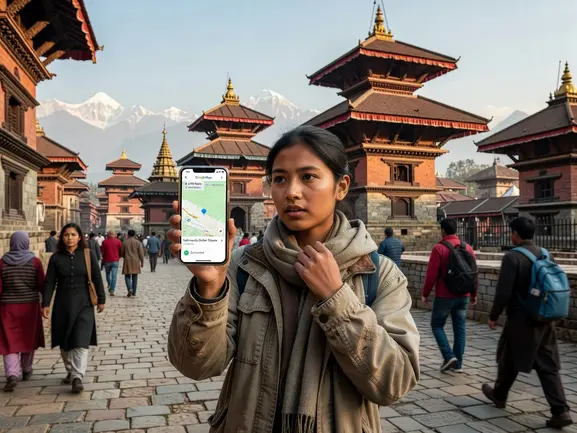
Best Navigation Apps for Nepal (Beyond Google Maps)
Google Maps is essential, but it's not the only tool you need in Nepal. Carry these on your phone before you fly:
- Google Maps — Best for Kathmandu, Pokhara, and main highways. Download offline tiles covering Nepal's major regions.
- Maps.me — Superior for trekking routes. Fully offline once downloaded. Great detail on Himalayan footpaths that Google Maps misses.
- Gaia GPS — The gold standard for Everest Base Camp and technical trail navigation. Download topo maps before you enter the Khumbu region.
- Pathao — Nepal's main ride-hailing app in Kathmandu. Requires active data to book and track rides.
- InDrive — Gaining popularity in Kathmandu as an alternative to taxis. Needs live GPS data.
- What3Words — Assigns unique 3-word codes to 3m² locations worldwide. Useful for pinpointing your exact teahouse or tent site in areas with no street address.
Coverage note: Cellular signal is strong along the Annapurna Circuit up to Manang (around 3,500m), and on the EBC trail up to Namche Bazaar reliably. Above Namche, Ncell provides sporadic 4G and consistent 2G. Above Dingboche, signal is minimal — download everything before you ascend.
eSIMYat vs. Competitors: Nepal Data Plans Compared
I've used eSIMYat in 23 countries — here's what I learned about how it stacks up for Nepal specifically:
- eSIMYat: Plans from $5.82, instant QR delivery, 4G on Ncell/Nepal Telecom, free hotspot, no passport registration, 24/7 support in English and Arabic, 7-day refund on unused plans
- Airalo: Lists Nepal plans from $4.50 (Airalo pricing page, checked 2026). No Arabic-language support. No free hotspot on base plans.
- Holafly: Unlimited plans from $6.99 (Holafly pricing page, checked 2026) but throttles speed after heavy use — problematic for map tile loading in real time. Limited hotspot access.
- Nomad: From $1.30/GB (Nomad pricing page, checked 2026), offers a free trial eSIM. Smaller Nepal coverage footprint compared to eSIMYat.
- Saily (NordVPN): From $1.99 (Saily pricing page, checked 2026), includes VPN and ad blocker — useful for secure browsing on teahouse WiFi.
The practical difference for Nepal navigation: speed throttling (Holafly's approach) kills map performance exactly when you need it most — rerouting on a mountain road or loading a fresh tile set when you've wandered off the cached area. eSIMYat's consistent 4G keeps Google Maps rendering in real time.
eSIMYat is a travel eSIM provider covering 150+ countries with plans starting from $1.29 and instant QR code activation — no app required, no passport registration, with 24/7 support in English and Arabic.
For a detailed side-by-side breakdown, check the eSIMYat vs Airalo comparison — it covers pricing, coverage depth, and support quality across Asian destinations including Nepal.
Nepal Navigation Tips That Save Your Data (and Your Trip)
After testing eSIM plans across 47 countries over 3 years, these are the data-saving habits that make the biggest difference in Nepal specifically:
- Cache Kathmandu offline before you leave the airport area. The airport has decent WiFi — open Google Maps, search Kathmandu, tap the three-dot menu, and hit "Download offline map." This covers Thamel, Patan, and Bhaktapur without burning your data plan.
- Use Maps.me for trekking routes, Google Maps for cities. This splits your data load — Maps.me trekking data is downloaded once and free, leaving your eSIM data for connected apps.
- Enable "Wi-Fi only" background refresh on all non-navigation apps. Instagram and email syncing in the background burn 200–400MB per day silently.
- Share your live location via WhatsApp to your emergency contact — it uses less than 1MB per hour and gives your family real-time peace of mind on trekking routes.
- Nepal's road quality means frequent GPS rerouting. Keep Google Maps screen on (not cached) when driving — the rerouting function uses about 3MB per hour of active navigation.
One more thing: Uber does not operate in Nepal. Don't waste time looking for it. Use Pathao or InDrive for Kathmandu, and negotiate fixed-price taxis for Pokhara and the Chitwan area where ride apps have thinner coverage.
Planning to explore nearby countries on the same trip? Check out eSIMYat India plans and the full Nepal eSIM guide for 2026 — both cover network coverage, data pricing, and app compatibility in detail.
The global eSIM market reached $4B+ in 2026 according to GSMA's eSIM specification data, driven largely by travelers demanding instant connectivity — exactly what Nepal's growing tourism infrastructure now supports.
Frequently Asked Questions
Does Google Maps work with an eSIM in Nepal?
Yes — Google Maps works fully with any active data connection, including eSIM. With a Nepal eSIM from eSIMYat, you get 4G on Ncell or Nepal Telecom, which keeps Google Maps loading in real time. Download offline tiles for trekking zones above Namche Bazaar where signal gets thin above 3,800m.
How much data does Google Maps use in Nepal per day?
Active Google Maps navigation uses roughly 3–5MB per hour of real-time routing. Downloading offline map tiles for all of Nepal takes about 300–500MB. For a 7-day Nepal trip using maps, WhatsApp, and light browsing, 1–2GB covers city travel and 2–3GB covers mixed city-and-trekking use comfortably.
Is there an eSIM for Nepal that works without registering a passport?
Yes. eSIMYat Nepal plans require no passport registration — unlike physical SIM cards sold at Tribhuvan Airport counters, which require a photocopy of your passport and can take 30–60 minutes to process. eSIMYat activates via QR code in under 2 minutes, entirely from your phone settings.
Does Uber work in Nepal for getting around Kathmandu?
Uber does not operate in Nepal. The main ride-hailing apps in Kathmandu are Pathao (bikes and cars) and InDrive (cars). Both require active mobile data to book and track rides — your eSIM data connection handles this. In Pokhara and Chitwan, negotiated fixed-price taxis are more common than app-based rides.
Can I use my eSIM hotspot to share Google Maps data with a travel companion in Nepal?
Yes. All eSIMYat plans include free hotspot and tethering. You can share your Nepal data connection with a companion's phone or tablet — useful when two people need live Google Maps navigation but only one has an eSIM. Tethering uses data from your plan at the same 4G speed.
The Bottom Line on Google Maps eSIM Nepal
Nepal is one of the most rewarding travel destinations on earth — and one of the easiest to get lost in without reliable navigation data. The combination of Kathmandu's labyrinthine streets, mountain trekking routes, and app-dependent ride services makes mobile data non-negotiable.
Three things to take away from this guide:
- Install your eSIM before boarding. QR provisioning takes 2 minutes at home — it's unreliable on airport WiFi.
- Download offline map tiles in Kathmandu before heading into mountain zones above 3,500m.
- A 2–3GB plan covers most Nepal trips — 5GB if you're mixing cities, trekking, and social media uploads.
Get your Nepal eSIM for Google Maps from eSIMYat today — plans from $5.82, activated in under 2 minutes, with 4G coverage on Ncell and Nepal Telecom. Zero roaming fees, free hotspot, and 7-day refund on unused plans. Prices checked 2026-11-25.
Nepal eSIM prices today
- Plans run from 1 day to 30 days.
- Lowest price per GB on Nepal-only plans: $3.58 (20 GB for 30 days at $71.63).
- Cheapest Nepal-only plans by trip length: a week, 1 GB for 7 days at $5.82; two weeks, 2 GB for 15 days at $10.50; a month, 3 GB for 30 days at $13.50.
- Unlimited data starts at $24.99 for 3 days (1 GB/day fast, then 1 Mbps), in 3, 7, 10, 15 and 30-day versions.
- Prices checked on 25 Nov 2026.