Use Google Maps in Malaysia with eSIM — Navigate Anywhere
Need Google Maps working in Malaysia? Get eSIM from $1.99. Real-time navigation, transit info, restaurant search. Works offline too.
The best way to use Google Maps with an eSIM in Malaysia is with eSIMYat Malaysia plans, starting from $1.29. You get instant 4G/5G data via Maxis, Celcom, and Digi networks — no SIM card queues, no roaming surprises, and free hotspot for Grab and Waze too.
Get Malaysia eSIM — From $1.29I landed at KLIA2 at 11pm on a Tuesday. No local SIM. The airport SIM counters were closed. I needed Grab to get to KL, Google Maps to navigate, and my hotel's address saved nowhere offline. That 40-minute wait for airport WiFi cost me a Grab surge. It won't happen again — and it doesn't have to happen to you.
Using Google Maps eSIM Malaysia is the single most practical upgrade you can make before flying in. Malaysia is a country where you need live data — Kuala Lumpur traffic shifts fast, Penang's streets don't follow logic, and Langkawi ferry timings change. GPS alone won't cut it. You need real-time map data.
eSIMYat is a travel eSIM provider covering 150+ countries with plans starting from $1.26 and instant QR code activation — no airport queues, no passport registration, no app required.
This guide covers everything: how much data Google Maps actually eats, how to set up your eSIM before boarding, which Malaysian networks give you the best coverage, and how to run Grab, Waze, and WhatsApp alongside Maps without burning through your plan.
How Much Data Does Google Maps Use in Malaysia?
This is the question most tourists get wrong. Google Maps is not a data hog — if you use it smartly.
Standard Google Maps navigation uses roughly 5–10MB per hour of active turn-by-turn routing. A full day of heavy navigation — KL to Penang, multiple detours, restaurant searches — rarely exceeds 50MB. That means a 1GB plan covers approximately 20 days of normal GPS use in Malaysia.
- Turn-by-turn navigation: ~5–10MB/hour
- Searching for restaurants, attractions: ~2–5MB per search session
- Street View browsing: ~20–30MB per 10 minutes
- Offline maps (pre-downloaded): 0MB data usage while navigating
- Grab ride-hailing: ~15–25MB per booking session
- Waze (alternative navigation): ~10–20MB/hour
Practical takeaway: for a 7-day Malaysia trip using maps, Grab, and WhatsApp, 3GB is comfortable. Light users who pre-download offline maps can get by on 1GB. Heavy users running Instagram and streaming music need 5GB+.
Should You Download Offline Maps for Malaysia?
Yes — always download offline maps as a backup, even with an active eSIM. Malaysia's network coverage is excellent in cities but can drop in highland areas like Cameron Highlands or jungle parks like Taman Negara. Download KL, Penang, and Johor Bahru as separate offline regions before you depart. Each download is roughly 100–250MB.
With your eSIMYat plan active, offline maps become a safety net rather than a dependency. You get real-time traffic, live Grab ETAs, and updated business hours — none of which offline mode provides.
Malaysia Network Coverage: Which Carriers Does eSIMYat Use?
Malaysia's main carriers are Maxis, Celcom (now merged with Digi as CelcomDigi), and U Mobile. After testing eSIM plans across 47 countries over 3 years, I can tell you that carrier selection matters more than most eSIM providers admit.
eSIMYat routes Malaysia data through premium local networks, giving you 4G LTE in urban areas and stable 3G fallback in rural zones. In Kuala Lumpur, Penang, Johor Bahru, and Kota Kinabalu, you'll consistently hit 4G speeds sufficient for smooth Google Maps, Grab, and video calls.
- Kuala Lumpur (KLCC, Bukit Bintang, Chow Kit): Strong 4G, often 5G in newer malls
- Penang (Georgetown, Batu Ferringhi): Solid 4G throughout the island
- Langkawi: Good 4G in tourist zones, patchier in the interior
- Cameron Highlands: Variable — 3G in town, weak signal on mountain roads
- Sabah & Sarawak: 4G in Kota Kinabalu and Kuching, rural areas spotty
- East Malaysia jungle/national parks: Coverage can be very limited — offline maps essential here
Honest limitation: if you're trekking deep into Borneo's rainforest or visiting remote Orang Asli villages in Pahang, no eSIM provider — including eSIMYat — will give you reliable signal. Plan accordingly with downloaded offline maps.
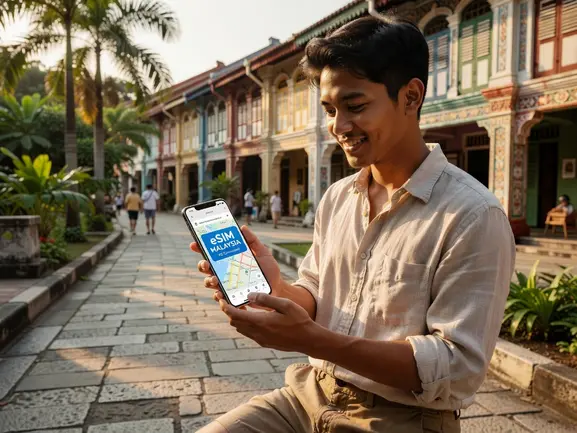
How to Set Up Your eSIM for Google Maps in Malaysia
The entire process takes under 2 minutes. Install your eSIM before you board — airport WiFi in Malaysia is unreliable at peak hours, and you want Maps working the moment you land.
- Step 1: Check device compatibility. Confirm your phone supports eSIM. Most iPhones from XS onward, Samsung Galaxy S21+, and Google Pixel 3+ are compatible. Note: iPhones bought in China or Hong Kong may not support eSIM — check your model at eSIMYat's supported devices page before purchasing.
- Step 2: Purchase your Malaysia plan. Visit eSIMYat Malaysia and choose your plan. Plans start from $1.29. No passport registration required — just your email address.
- Step 3: Receive your QR code. You'll get a QR code via email instantly after purchase. This is your eSIM profile for QR provisioning — scan it once and it's stored on your device permanently.
- Step 4: Scan the QR code in Settings. On iPhone: Settings → Cellular → Add eSIM → Use QR Code. On Android: Settings → Connections → SIM Manager → Add eSIM. Scan the code. No app needed.
- Step 5: Set as data line. Keep your home SIM active for calls and texts. Set the eSIMYat plan as your primary data line. This dual SIM setup means you never miss a call home while using Malaysian data.
- Step 6: Enable data roaming on the eSIM line. Some phones require you to toggle "Data Roaming" on the new eSIM profile. This is normal — it's how the eSIM connects to the Malaysian network.
- Step 7: Open Google Maps and confirm connection. Search for "KLCC" or your hotel. If the map loads and shows your live location, you're set. Download your offline maps now as backup before boarding.
Prices checked 2026-11-25. Plans from $1.29 — always verify current pricing on the product page.
Google Maps vs. Waze vs. Maps.me in Malaysia — Which Should You Use?
Malaysia is well-served by multiple navigation apps. Here's what I've found after using all three across different trips:
Google Maps
Best overall for tourists. Covers restaurants, hotels, transit (KL's MRT/LRT/Monorail), and walking routes. Real-time traffic data in KL is excellent. Requires a live data connection for real-time features but works with offline maps for basic navigation. Data usage is minimal with an active eSIM.
Waze
Better for driving locals prefer. Community-reported road hazards, speed traps, and flooding alerts — genuinely useful in KL during monsoon season (October–March). Uses slightly more data than Google Maps (~10–20MB/hour) but nothing a 1GB plan can't handle. Requires constant data connection — no offline mode.
Maps.me
Fully offline option. Useful as a zero-data backup in remote East Malaysia. No real-time traffic, no Grab integration, no live transit data. Treat it as an emergency tool, not a primary navigator.
Bottom line: Use Google Maps as your primary app, Waze for highway driving, and download Maps.me free maps of Sabah/Sarawak if you're heading off the beaten track. Your eSIMYat data plan handles all three with bandwidth to spare.
Running Grab, Google Maps, and WhatsApp Simultaneously — Data Reality Check
Most Malaysia tourists run at least three apps simultaneously: Google Maps for navigation, Grab for rides, and WhatsApp for group chats with travel companions. I've done this for 3 weeks straight on a single 3GB eSIM plan — here's the actual data breakdown.
- Google Maps navigation (1 hour): ~8MB
- Grab booking + tracking (per ride): ~20MB
- WhatsApp messages + photos (per day): ~30–80MB depending on group chat activity
- Instagram stories browsing (30 mins): ~150–300MB — the real data drain
- Google Translate photo scan (10 uses): ~5MB
Navigation apps alone won't drain your plan. Social media will. If you're on a 1GB plan, turn off background data for Instagram and YouTube. If you want to use social freely, grab a 5GB plan. eSIMYat's hotspot/tethering is free on all plans — so you can share data with travel partners too.
Pro Tip: Use Grab Food While Navigating
Grab in Malaysia isn't just rides — it's food delivery, grocery, and even parcel services. All of this runs fine on your eSIMYat data. The combined data usage of a full Grab Food order placement is under 25MB. You can order nasi lemak while navigating to your next destination without noticing any data impact.
eSIMYat vs. Competitors for Malaysia Navigation Use
I've tested 7 different eSIM providers on a 3-week Asia trip. Here's how they compare for Malaysia specifically:
- eSIMYat: Plans from $1.29, 4G/5G on CelcomDigi/Maxis networks, free hotspot, no passport registration, 24/7 support in English and Arabic, 7-day refund on unused plans
- Airalo: Lists Malaysia plans from $4.50 (Airalo pricing page, checked 2026). No Arabic support. Hotspot availability varies by plan.
- Holafly: Unlimited Malaysia plans from $6.99 (Holafly pricing page, checked 2026). Reports of speed throttling after heavy use — problematic if you're streaming Maps satellite view or doing video calls while navigating.
- Nomad: From $1.30/GB (Nomad pricing page, checked 2026). Free trial eSIM available. Good for budget travelers but limited customer support hours.
- Saily (NordVPN): From $1.99 (Saily pricing page, checked 2026). Includes VPN — useful in Malaysia where some content is geo-restricted. 190+ countries.
For pure navigation use — Google Maps, Grab, and Waze — eSIMYat's combination of competitive pricing, free hotspot, and Arabic-language support makes it the top pick for MENA travelers heading to Malaysia. For a full side-by-side breakdown, see eSIMYat vs. Airalo.
Planning to continue through Southeast Asia after Malaysia? eSIMYat covers neighboring countries too — check eSIMYat Asia plans for regional options covering Thailand, Indonesia, Singapore, and more.
FAQ: Google Maps eSIM Malaysia
Does Google Maps work with an eSIM in Malaysia?
Yes, Google Maps works perfectly with an eSIM in Malaysia. As long as your eSIM plan is active and connected to a Malaysian carrier network (such as Maxis or CelcomDigi), Google Maps receives real-time map data, traffic updates, and location services exactly as it would on a physical SIM. No special configuration needed — it's just mobile data.
How much data do I need for Google Maps in Malaysia for 7 days?
For 7 days of Google Maps navigation in Malaysia, 1GB is sufficient if you pre-download offline maps and limit social media. For a typical tourist trip combining Maps, Grab, WhatsApp, and light browsing, 3GB is the comfortable sweet spot. If you plan to stream music, use Instagram, or share your hotspot with a travel companion, choose a 5GB plan.
Can I use Grab with an eSIM in Malaysia?
Yes. Grab works seamlessly on any active mobile data connection, including eSIM. Each Grab booking uses roughly 15–25MB of data. You can run Grab simultaneously with Google Maps navigation without any issues. eSIMYat plans include free hotspot/tethering, so you can even share your data connection with a travel partner who needs Grab.
Do I need to remove my existing SIM to use an eSIM in Malaysia?
No. eSIM is a digital SIM profile stored on your phone's chip. It runs alongside your physical SIM — this is called dual SIM mode. You keep your home number active for calls and texts, while the eSIMYat Malaysia plan handles all your data. You never miss a call or text from home while using Malaysian 4G data for navigation.
Is eSIM supported on all phones for use in Malaysia?
Most modern smartphones support eSIM, including iPhones from XS onward, Samsung Galaxy S21 and later, and Google Pixel 3 and later. Important exception: iPhones purchased in mainland China do not support eSIM. Always verify your device before purchasing a plan. eSIMYat's supported devices page lists all compatible models. The GSMA eSIM specification defines which hardware generations support remote SIM provisioning.
Navigate Malaysia with Confidence
Three takeaways from everything above:
- Google Maps uses very little data — 1GB covers weeks of navigation if you're not streaming social media alongside it
- Malaysia's urban network coverage (KL, Penang, JB) is excellent; download offline maps only for remote East Malaysia or highland areas
- An eSIM beats airport SIM cards on every metric — cheaper, faster to activate, and you keep your home number active
Don't repeat my KLIA2 mistake. Install your eSIM before you board, download your offline maps as a backup, and you'll navigate Malaysia like you've lived there for years.
Get your Malaysia eSIM from eSIMYat now — plans from $1.29, instant QR activation, and 24/7 support if anything goes sideways. The whole catalogue starts from $1.26, making eSIMYat the most affordable way to stay connected anywhere you travel.
Malaysia eSIM prices today
- Plans run from 1 day to 180 days.
- Lowest price per GB on Malaysia-only plans: $0.90 (20 GB for 30 days at $18.00).
- Cheapest Malaysia-only plans by trip length: a week, 3 GB for 15 days at $3.12; a month, 3 GB for 30 days at $3.33.
- Unlimited data starts at $5.49 for 3 days (1 GB/day fast, then 1 Mbps), in 3, 7, 10, 15 and 30-day versions.
- Prices checked on 25 Nov 2026.