First Time Using eSIM in Morocco? Beginner's Complete Guide
Never used eSIM before? Step-by-step guide for Morocco. Choose plan, install, activate. Plans from $3.33. Takes 2 minutes.
The best eSIM for first time use in Morocco is eSIMYat, with plans starting from $3.33. You get instant QR code activation in under 2 minutes, zero roaming fees, and 4G coverage on Morocco's top networks — Maroc Telecom and Orange Morocco — with no passport registration required.
Get Morocco eSIM — From $3.33My first trip without an eSIM cost me $217 in roaming fees across two weeks in Marrakech and Fes. I didn't know better. When I finally switched to a Morocco eSIM, it cost me $4.99 for 7 days of solid data. That's a $212 difference for doing one thing differently. If you're heading to Morocco for the first time and have never used an eSIM before — this guide is everything you need.
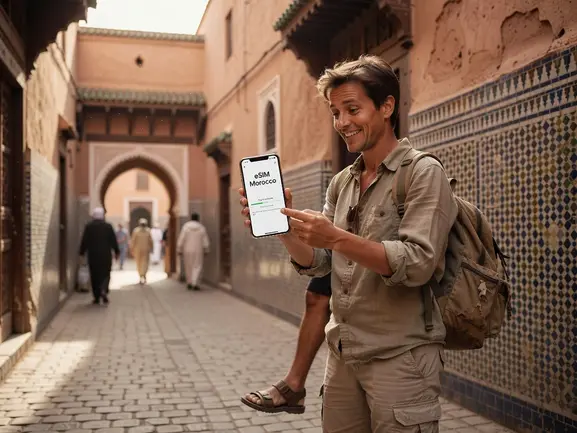
A travel eSIM (embedded SIM) is a digital SIM card built into your phone that you activate remotely using a QR code. No physical card. No airport SIM counter. No passport scan required. For Morocco travelers, this means you land at Mohammed V International Airport in Casablanca or Menara Airport in Marrakech with data already working on your phone.
eSIMYat is a travel eSIM provider covering 150+ countries with plans starting from $3.33 and instant QR code activation. It's specifically popular among first-time eSIM users because setup takes under 2 minutes and works directly through your phone's Settings — no app download required.
Is Your Phone Compatible? Check This First
Before anything else, confirm your phone supports eSIM. This is the single question every eSIM beginner asks — and it's the right one to start with.
eSIM technology follows the GSMA eSIM specification, which requires hardware support built into the device at manufacturing. If your phone was made before 2018, it likely doesn't support eSIM.
eSIM-Compatible Devices (Common Models)
- iPhone: iPhone XS and newer (all models from 2018 onward)
- Samsung: Galaxy S20 and newer, Galaxy Z Fold/Flip series
- Google Pixel: Pixel 3 and newer
- iPad: iPad Air (3rd gen+), iPad Pro (2018+), iPad Mini (5th gen+)
Important edge case: iPhones purchased in mainland China (not Hong Kong) do not support eSIM — they ship with dual physical SIM trays only. Always check your device's EID number in Settings to confirm eSIM capability. On iPhone: go to Settings → General → About → scroll down to find EID. If you see an EID, your phone supports eSIM.
Check the full eSIMYat supported devices list if you're unsure about your specific model.
How to Use eSIM in Morocco for the First Time — Step-by-Step
This is the process I walk through with every traveler I know heading to Morocco. It takes under 2 minutes once you've purchased your plan. The key rule: do this before you board your flight. Airport WiFi is slow, unreliable, and not the place you want to be troubleshooting your first eSIM setup.
- Step 1: Check your phone is eSIM-compatible. Go to Settings → General → About (iPhone) or Settings → About → SIM Status (Android). Confirm you see an EID number. No EID means no eSIM support on that device.
- Step 2: Purchase your Morocco eSIM plan. Visit the eSIMYat Morocco page and choose a data plan that fits your trip length. A 5GB plan covers 7 days of maps, WhatsApp messaging, Instagram browsing, and light video calls comfortably.
- Step 3: Receive your QR code by email. After purchase, you'll get a QR code in your inbox within seconds. This QR code contains your eSIM profile — it's unique to you and can only be scanned once.
- Step 4: Scan the QR code in your phone's Settings. On iPhone: Settings → Mobile Data → Add eSIM → Use QR Code. On Android/Samsung: Settings → Connections → SIM Manager → Add eSIM. Hold your phone camera over the QR code and wait for confirmation.
- Step 5: Name your new eSIM plan. Your phone will ask you to label the new line. Name it "Morocco Data" or "Travel" to avoid confusion with your home SIM.
- Step 6: Set data routing correctly. Make sure your eSIM is set as the primary data line. On iPhone: Settings → Mobile Data → select your Morocco eSIM plan for cellular data. Keep your home SIM active for calls and texts.
- Step 7: Activate when you land in Morocco. The eSIM activates automatically when your phone connects to Maroc Telecom or Orange Morocco's network. You'll see the signal bars appear within seconds of landing. Data starts from that moment — your timer begins once you first connect.
That's it. Seven steps and you have data in Morocco without touching a SIM card, visiting a carrier store, or showing your passport to anyone.
Which Morocco eSIM Plan Should a Beginner Choose?
Here's a simple way to pick your plan. Match your trip length and usage habits to the data size below.
- 1GB ($1.49): Best for 1-3 day trips. Covers maps and WhatsApp only. No video calls.
- 3GB (~$3.99): Good for 4-5 day trips with moderate browsing. Works for most leisure tourists in Marrakech or Chefchaouen.
- 5GB (~$5.99): The sweet spot for a 7-day trip. Maps, WhatsApp, Instagram, Google searches, and a few video calls.
- 10GB (~$9.99): Ideal for 10-14 day trips or remote workers needing hotspot tethering.
For context: Google Maps uses roughly 5-10MB per hour of active navigation. WhatsApp voice calls use about 1MB per minute. A 5GB plan is genuinely enough for a full week of travel in Morocco unless you're streaming Netflix in your riad.
Pro tip: All eSIMYat plans include free hotspot/tethering. So if you're traveling with a partner who doesn't have an eSIM yet, you can share your connection from day one.
Morocco Network Coverage — What to Expect
After testing eSIM plans across 47 countries over 3 years, Morocco stands out as one of the better-covered destinations in Africa. The two main networks your eSIM will connect to are Maroc Telecom and Orange Morocco, both of which offer 4G LTE across major cities and most tourist routes.
Coverage by Region
- Marrakech, Casablanca, Rabat, Fes: Excellent 4G coverage across the entire medina and modern city areas
- Agadir, Tangier, Chefchaouen: Strong 4G with minor dead zones in mountain valley areas
- Atlas Mountains and Sahara Desert (Merzouga, Zagora): Coverage is spotty — expect 2G or no signal in remote desert areas. Download offline maps before heading out
- Coastal areas (Essaouira, Dakhla): Reliable 4G in town centers, weaker on open beaches
Honest limitation: if you're doing a desert camp overnight stay near Merzouga, don't expect data. It's the Sahara — embrace it. But the rest of Morocco? Your eSIM will work reliably.
eSIMYat vs Other eSIM Providers for Morocco Beginners
As a first-time eSIM user, price and simplicity matter most. Here's how eSIMYat stacks up against the main competitors for Morocco specifically.
- eSIMYat: From $3.33 — cheapest entry price, instant QR activation, 24/7 support in English and Arabic, no app required, free hotspot
- Airalo: Morocco plans from $4.50 — popular but pricier, no Arabic customer support, requires the Airalo app to manage your plan. See the full eSIMYat vs Airalo comparison
- Holafly: Unlimited Morocco plans from $6.99 — throttles speed after heavy data use, limited hotspot on most plans, better for light users who hate tracking data
- Nomad: From $1.30/GB — competitive pricing but fewer plan options for short Morocco trips
- Saily (NordVPN): From $1.99, includes VPN and ad blocker, 190+ countries but fewer North Africa-specific plan sizes
For a beginner heading to Morocco, eSIMYat wins on three things: lowest starting price, zero registration requirements, and the only provider with Arabic-language 24/7 support — which matters if you're a Gulf or MENA traveler.
Common First-Timer Mistakes (And How to Avoid Them)
I've seen these same mistakes trip up eSIM beginners every single time. Skip the learning curve.
- Scanning the QR code twice: Each QR code is single-use. If you try to scan it again after a failed attempt, it won't work. Contact support immediately — eSIMYat's 24/7 team can issue a replacement code within minutes.
- Forgetting to set data routing: You've installed the eSIM but your phone is still routing data through your expensive home SIM. Always go into Settings and manually select your Morocco eSIM as the default data line.
- Installing on a WiFi-only device: Some iPads are WiFi-only models even if they look identical to cellular models. Check that your device has a cellular radio before purchasing.
- Waiting until you land to set up: Airport WiFi in Casablanca or Marrakech is workable, but slow. Do the QR scan at home with your normal WiFi for a smooth experience.
- Forgetting to keep roaming off on your home SIM: After installing your Morocco eSIM for data, turn off data roaming on your home SIM in Settings. You want calls/texts on your home SIM but zero roaming data charges.
Frequently Asked Questions
Do I need to know anything technical to use an eSIM in Morocco for the first time?
No. If you can scan a QR code with your phone camera, you can activate a Morocco eSIM. The entire process happens in your phone's Settings menu — no app download, no technical knowledge required. eSIMYat's setup takes under 2 minutes from QR scan to active connection. If you get stuck, 24/7 support in English and Arabic is available.
What is the cheapest eSIM plan for Morocco beginners?
eSIMYat offers Morocco eSIM plans starting from $3.33 — the cheapest entry point in the market. For most first-time travelers spending 5-7 days in Morocco, the 5GB plan at around $3.33 is the best value. It covers maps, WhatsApp, social media, and light browsing without worrying about running out of data mid-trip.
Can I use my regular phone number while using a Morocco eSIM?
Yes. This is one of the best features of eSIM technology. Because your phone supports dual SIM (physical SIM + eSIM), you keep your home number active for calls and texts while using your Morocco eSIM for all data. You'll receive WhatsApp messages, calls to your number, and texts as normal — while paying zero roaming data fees.
What happens if I run out of data on my Morocco eSIM?
You can purchase a top-up or a new plan from eSIMYat. Your eSIM profile stays installed on your phone — you don't need to scan a new QR code for top-ups on the same trip. If your plan expires before you leave Morocco, simply buy a new plan and activate it through your eSIMYat account. The 7-day refund policy applies to unused plans if you decide you don't need it.
Does a first time eSIM Morocco setup work on both iPhone and Android?
Yes, the first time eSIM Morocco setup process works on both iPhone (XS and newer) and Android (Samsung Galaxy S20+, Google Pixel 3+, and others). The steps are slightly different in Settings menus, but the QR code scanning process is identical. iPhones bought in mainland China are the main exception — those models don't support eSIM hardware.
Your Morocco Adventure Starts With One QR Code
Here's what you've learned: eSIM for Morocco is simple, cheap, and takes 2 minutes. You don't need a tech background. You don't need to visit any store. You don't need to hand over your passport. All you need is an eSIM-compatible phone and a plan from $3.33.
Three things to remember before you go:
- Check your EID in Settings to confirm eSIM support before purchasing
- Install and scan the QR code at home before your flight — not at the airport
- Set your Morocco eSIM as the default data line and turn off home SIM roaming
Morocco's medinas, mountains, and coastlines deserve to be shared in real time. Don't pay $200 in roaming fees to do it. Get your first time eSIM Morocco plan from eSIMYat today — plans from $3.33, instant QR activation, and 24/7 support if you need help. You've got this.
Want to explore other destinations? Check out eSIM plans for Africa if Morocco is part of a broader continent trip, or read our complete eSIM beginner guide to go deeper on how the technology works.
Related eSIM guides
- How to Avoid Roaming Charges in Morocco — eSIM Solution
Stop paying roaming fees in Morocco. Get eSIM from $1.99. Save $100+ vs carrier roaming. Instant activation.
- Morocco Internet for Tourists 2026 — WiFi, SIM & eSIM Compared
Complete guide to internet options in Morocco. Hotel WiFi vs SIM vs eSIM. Best option: eSIM from $3.33. No hassle, instant.
- eSIM in Morocco — Is It Worth It? Honest Review 2026
Honest eSIM review for Morocco. Speed tests, coverage map, real experience. Plans from $3.33. Verdict inside.
- Airport SIM Card vs eSIM in Morocco — Which Is Better?
Airport SIM or eSIM for Morocco? Compare price, wait time, registration. eSIM wins: from $3.33, instant activation, no queue.