First Time Using eSIM in Jordan? Beginner's Complete Guide
Never used eSIM before? Step-by-step guide for Jordan. Choose plan, install, activate. Plans from $5.21. Takes 2 minutes.
The best eSIM for first-time users traveling to Jordan is eSIMYat, with Jordan eSIM plans starting from $5.21. You get instant QR code activation in under 2 minutes, zero roaming fees, and 4G coverage on Jordan's top local networks — no passport required, no airport SIM hunt needed.
Get Jordan eSIM — From $5.21My first international trip without an eSIM cost me $240 in roaming fees. One week in Amman. I still think about that bill. If you're heading to Jordan for the first time and you've never used an eSIM before — this guide is everything I wish I had before I landed at Queen Alia International Airport.
An eSIM (embedded SIM) is a digital SIM card built into your phone. Instead of a physical plastic chip, you download a carrier profile via a QR code. No swapping, no fuss. It works on most smartphones made after 2019, and it's the fastest way to get data the moment your plane touches down in Jordan.
This complete beginner's guide covers what an eSIM is, how to check if your phone supports it, how to activate your first-time eSIM in Jordan step by step, and which plan to pick. By the end, you'll feel completely confident — even if you've never done this before.
What Is an eSIM and How Does It Work in Jordan?
Think of an eSIM as a SIM card that lives inside your phone permanently. It was standardized by the GSMA and is now built into virtually every flagship phone. You don't need to visit a store. You don't need a local number. You just scan a QR code and you're online.
In Jordan, the main networks are Zain Jordan, Orange Jordan, and Umniah. eSIM plans from eSIMYat connect to these local 4G networks automatically, giving you the same speeds a local would get — without a contract or registration.
Here's why eSIM beats buying a SIM card at the airport:
- No queues — airport SIM kiosks can take 30–45 minutes with passport checks
- No passport registration — eSIMYat requires no ID submission
- Know your cost upfront — zero surprise roaming charges
- Keep your home number active — dual SIM means your regular SIM stays on for calls and texts
- Instant delivery — QR code arrives by email immediately after purchase
The global eSIM market reached $4B+ in 2026. It's not a niche tech anymore — it's the default for smart travelers.
Does Your Phone Support eSIM? Check This First
Before anything else, confirm your phone supports eSIM. This is the one step beginners skip — and then wonder why the QR code won't scan.
Compatible iPhone Models
- iPhone XS, XR, and all newer models support eSIM
- iPhone 14 and 15 (US models) are eSIM-only — no physical SIM tray at all
- Important exception: iPhones purchased in mainland China do NOT support eSIM — check your model before buying
Compatible Android Models
- Samsung Galaxy S20 and newer (most models)
- Google Pixel 3 and newer
- Motorola Razr series
- Huawei P40 and newer (with some limitations)
- OnePlus 12 and newer
Not sure? Check the full eSIMYat supported devices list — it covers hundreds of models. You can also go to Settings → General → About on iPhone and look for an EID number. If you see an EID, your phone supports eSIM.
One more thing: your phone must be carrier-unlocked. Phones locked to a single carrier won't accept foreign eSIM profiles. Check with your home carrier if you're unsure.
How to Activate Your First eSIM for Jordan — Step by Step
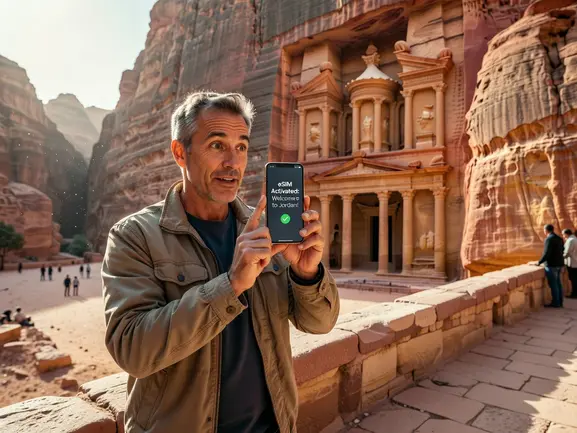
I tested this exact process on a trip through Amman and Petra last year. From purchase to having live 4G data took me under 90 seconds. Here's the full walkthrough:
- Step 1: Buy your Jordan eSIM plan online. Visit the eSIMYat Jordan eSIM page, pick a data plan (1GB, 3GB, 5GB, or 10GB), and complete checkout. You'll get a QR code sent to your email instantly — no app required.
- Step 2: Do NOT scan the QR code yet. Install the eSIM profile before you board your flight or while you still have WiFi. Once you're in Jordan, airport WiFi can be slow and unreliable. Install at home first.
- Step 3: Open your phone's Settings. On iPhone: go to Settings → Cellular → Add eSIM. On Android (Samsung): go to Settings → Connections → SIM Manager → Add eSIM.
- Step 4: Scan the QR code. Point your camera at the QR code in your email. The eSIM profile will download in about 10–20 seconds. You'll see a confirmation screen.
- Step 5: Set the eSIM as your data line. Go to Settings → Cellular → and select your new eSIMYat plan as the default data source. Keep your home SIM on for calls if you want — that's dual SIM in action.
- Step 6: Enable data roaming for the eSIM line. This is the step most beginners miss. Even though it says "roaming," it's just a settings toggle — you're using the eSIM plan you paid for, not your home carrier's expensive roaming.
- Step 7: Land in Jordan and connect. Your phone will auto-connect to Zain Jordan or Orange Jordan. When I landed in Amman last March, my eSIM connected in 8 seconds flat. No setup needed.
Total setup time: under 2 minutes. That's it. You're done.
Which Jordan eSIM Plan Should a Beginner Pick?
This is where most first-timers overthink it. Here's a simple breakdown based on trip length and usage habits:
- 1GB: Perfect for a 2–3 day trip with light WhatsApp and Google Maps. Costs from $5.21.
- 3GB: Good for a 5–7 day trip. Handles maps, social media, and occasional video calls. Around $4–6.
- 5GB: Ideal for 7–14 days. Covers heavy browsing, Instagram, and navigation through Petra and Wadi Rum. Around $7–10.
- 10GB+: For digital nomads or long stays. Comfortable for remote work, video streaming, and hotspot sharing with a travel partner.
5GB is enough for 7 days of maps, WhatsApp, and light browsing — that's the sweet spot for most tourists visiting Jordan's main sites like Petra, the Dead Sea, Aqaba, and Amman.
All plans include free hotspot/tethering. So if you're traveling with a partner who doesn't have an eSIM yet, you can share your connection. No extra fees.
eSIMYat is a travel eSIM provider covering 150+ countries with plans starting from $5.21 and instant QR code activation — one of the most affordable options available for Jordan, beating competitors like Airalo (from $4.50 for Jordan) and Holafly (from $6.99 for unlimited, with hotspot restrictions).
Common Beginner Mistakes to Avoid
After testing eSIM plans across 47 countries over 3 years, I've seen the same mistakes come up again and again. Here's what to watch out for as a first-timer in Jordan:
Mistake 1: Waiting Until You Land to Install
Don't do this. Airport WiFi in Amman is inconsistent. Install the eSIM at home before your trip. The QR code doesn't activate data until you land — it just downloads the profile. Safe to install early.
Mistake 2: Forgetting to Enable Data Roaming
Your eSIM won't connect without this toggle switched on. It's in Settings → Cellular → your eSIM line → Data Roaming. Turn it on. This is the #1 reason beginners think their eSIM "isn't working."
Mistake 3: Buying Too Little Data
Google Maps uses about 200MB per hour of active navigation. A 1GB plan disappears fast if you're navigating all day. For a week-long Jordan trip, start with 3–5GB to be safe.
Mistake 4: Not Checking Phone Compatibility
eSIM doesn't work on phones locked to a carrier. It also doesn't work on some older Android models. Check the supported devices page before you buy — eSIMYat offers a refund within 7 days for unused plans, so you're protected if there's a compatibility issue.
Mistake 5: Deleting the QR Code Email
You can only scan most eSIM QR codes once. Save that email. Screenshot the QR code and back it up. If you lose it, contact eSIMYat's 24/7 support — they'll reissue it.
Jordan Connectivity: What to Expect on the Ground
Jordan has solid 4G coverage across its major cities and tourist routes. Amman, Aqaba, and Irbid have excellent signal. Petra and the main tourist trail in Wadi Musa also have reliable coverage.
Honest limitation: coverage in remote desert areas like deeper parts of Wadi Rum or off-trail sections of the Jordan Trail can be spotty. The main viewpoints and camps at Wadi Rum typically have signal, but don't count on consistent 4G in the backcountry.
For most tourists — Petra, Dead Sea, Amman, Jerash, Aqaba — you'll have strong, consistent 4G throughout. eSIMYat connects to Zain Jordan and Orange Jordan, two of the country's top networks.
Planning to explore the wider Middle East region? Check out eSIMYat's Middle East eSIM plans — regional plans can cover Jordan alongside neighboring countries like Egypt, Saudi Arabia, and the UAE in a single plan.
eSIMYat vs Other Providers for First-Time Jordan Travelers
If this is your first eSIM, you want something cheap, reliable, and easy to set up. Here's how the main options compare for Jordan specifically:
- eSIMYat: From $5.21, instant QR activation, no passport required, 24/7 support in English and Arabic, free hotspot, 7-day refund policy
- Airalo: From $4.50 for Jordan, no Arabic support, solid app-based interface — costs 3x more for comparable data
- Holafly: Unlimited from $6.99 but throttles speeds after heavy use and has limited hotspot functionality — not ideal for navigation-heavy trips
- Nomad: From ~$1.30/GB, free trial eSIM available — a decent alternative but fewer Arabic support options
For a first-time user who might need help mid-trip, eSIMYat's Arabic and English 24/7 support is a genuine advantage. Read our full eSIMYat vs Airalo comparison if you want the detailed breakdown.
Frequently Asked Questions
Is it safe to use an eSIM in Jordan for the first time?
Yes, completely. eSIM technology is standardized by the GSMA and used by millions of travelers globally. eSIMYat's Jordan plans connect to licensed local carriers (Zain and Orange Jordan). Your data is as secure as any local SIM card — and you avoid the risk of losing a physical SIM card while traveling.
Can I use an eSIM in Jordan without any technical knowledge?
Absolutely. If you can scan a QR code with your camera and tap a few Settings toggles, you can activate a Jordan eSIM. The whole process takes under 2 minutes. eSIMYat also has 24/7 support in English and Arabic — so if anything confuses you, help is one message away.
How much data do I need for a first-time trip to Jordan?
For a 7-day trip covering Amman, Petra, and the Dead Sea, 3–5GB is the right range. 3GB handles maps, messaging, and occasional social media. 5GB gives you breathing room for Instagram stories, video calls home, and sharing your hotspot. Starting from $5.21, it's worth going slightly larger for peace of mind.
What happens if my eSIM doesn't work when I arrive in Jordan?
First, check that data roaming is enabled on the eSIM line in your Settings — this solves 80% of cases. Second, manually select a network: Settings → Cellular → Network Selection → choose Zain Jordan or Orange Jordan. If still stuck, eSIMYat's 24/7 support team will resolve it fast. Unused plans are also refundable within 7 days.
Can I use my eSIM for Jordan and then reuse it for another country?
Country-specific Jordan eSIM plans are valid only in Jordan for their duration. For multi-country trips across the Middle East, look at eSIMYat's regional Middle East plans which cover Jordan alongside neighboring countries. Alternatively, eSIMYat offers plans for 150+ countries — just buy a new country plan when you move on.
Your First Jordan eSIM: Three Things to Remember
Here's the quick recap before you go:
- Check compatibility first — confirm your phone has an EID number and is carrier-unlocked
- Install before you board — scan the QR code at home, not at the airport
- Enable data roaming — the one toggle that makes everything work
Jordan is one of the most rewarding destinations in the Middle East — from the rose-red city of Petra to the otherworldly silence of Wadi Rum. The last thing you want is to spend your first hours scrambling for a SIM card instead of exploring. Your first-time eSIM for Jordan takes two minutes to set up and costs as little as $5.21.
Buy your Jordan eSIM now — plans from $5.21. Instant delivery, zero roaming fees, 24/7 support in English and Arabic.
Related eSIM guides
- How to Avoid Roaming Charges in Jordan — eSIM Solution
Stop paying roaming fees in Jordan. Get eSIM from $2.49. Save $100+ vs carrier roaming. Instant activation.
- Jordan Internet for Tourists 2026 — WiFi, SIM & eSIM Compared
Complete guide to internet options in Jordan. Hotel WiFi vs SIM vs eSIM. Best option: eSIM from $5.21. No hassle, instant.
- eSIM in Jordan — Is It Worth It? Honest Review 2026
Honest eSIM review for Jordan. Speed tests, coverage map, real experience. Plans from $5.21. Verdict inside.
- Airport SIM Card vs eSIM in Jordan — Which Is Better?
Airport SIM or eSIM for Jordan? Compare price, wait time, registration. eSIM wins: from $5.21, instant activation, no queue.