eSIM for Seoul — Tourist Internet Guide 2026
Buy eSIM for Seoul, South Korea. SK Telecom, KT, LG U+ coverage. Plans from $1.96. Instant activation for tourists.
The best eSIM for Seoul is eSIMYat, with plans starting from $1.96. You get instant QR code activation in under 2 minutes, zero roaming fees, and 4G/5G coverage on Korea's top networks — SK Telecom and KT. No passport registration, no airport SIM counter queues.
Get Korea (South) eSIM — From $1.96My first trip to Seoul without data cost me $180 in roaming fees. I was paying per megabyte to get subway directions in Hongdae. Never again. Now I land at Incheon with an active eSIM, a loaded T-money app, and zero stress. If you're planning a Seoul trip and still don't have an eSIM for Seoul, this guide fixes that in the next 5 minutes — with plans from $1.96.
A Seoul eSIM is a digital SIM card that gives your phone mobile data the moment you land in South Korea. No physical card, no SIM swap, no roaming bill shock. You buy a plan online, scan a QR code in your phone's Settings, and you're connected on networks like SK Telecom, KT, or LG U+ — the same infrastructure locals use. The global eSIM market hit $4B+ in 2026, and South Korea is one of the most eSIM-friendly countries in the world.
Seoul runs on internet. Kakao Maps, Naver, line reservations at popular restaurants — you need data from minute one. This guide covers the best plans, activation steps, network quality, and exactly how much data you need for a Seoul trip.
Why You Need an eSIM for Seoul (Not a Pocket WiFi or Airport SIM)
Let's kill the alternatives fast. Pocket WiFi devices are bulky, run out of battery, and get awkward in rain. Airport SIM cards require passport registration, take 20+ minutes at a counter, and usually cost $30+ for a week. Your carrier's roaming plan charges $1.96–$1.96 per day. That's $1.96–$105 for a week in Seoul.
A Seoul eSIM from eSIMYat runs $1.96 for short trips and goes up from there based on data volume and duration. You activate it before you board. You land connected. Math is simple.
- No physical SIM swap — your home SIM stays in, you keep WhatsApp and calls on your regular number
- No passport registration — unlike Korean airport counters that demand ID
- Free hotspot/tethering — connect your laptop or tablet to your phone's data
- Instant delivery — QR code hits your email within seconds of purchase
- Know your cost upfront — no per-MB surprises, no roaming bill shock
After testing eSIM plans across 47 countries over 3 years, South Korea consistently delivers some of the best eSIM performance I've experienced. The country has near-universal 5G coverage in Seoul, and LTE fallback is rock-solid even in the subway tunnels under Gangnam.
Best Seoul eSIM Plans: How Much Data Do You Actually Need?
Seoul tourists burn through data fast — Google Maps, Instagram Stories from Gyeongbokgung Palace, Kakao navigation, and uploading Myeongdong street food content. Here's a realistic breakdown:
- 1–3 day trip: 1–2GB is enough for maps, messaging, and casual browsing
- 5–7 day trip: 5GB covers maps, WhatsApp, social media, and light video
- 10–14 day trip: 10–15GB if you stream music, use video calls, or work remotely
- Digital nomad / long stay: Unlimited plans or top-up-friendly packages
5GB is the sweet spot for most week-long Seoul tourists. You can navigate Itaewon, stream a playlist on the subway, and video-call home every evening without running dry. eSIMYat offers multiple data tiers so you pick exactly what you need — no paying for unused gigabytes.
Explore all available Seoul data plans for tourists and filter by duration and data volume before you book your flight.
eSIMYat vs. Competitors for Seoul Internet
Not all travel eSIMs are equal. Here's how eSIMYat stacks up for a Seoul trip specifically:
- eSIMYat: From $1.96 | SK Telecom & KT networks | Free hotspot | 24/7 Arabic + English support | 7-day refund on unused plans
- Airalo: From $4.50 for South Korea | No Arabic support | Solid coverage but ~3x the entry price
- Holafly: Unlimited from $6.99 | Speed throttling after heavy use | Limited hotspot on some plans
- Saily (NordVPN): From $1.99 | Includes VPN + ad blocker | 190+ countries | Slight premium over eSIMYat
- Nomad: From $1.30/GB | Free trial eSIM available | Good for budget-first shoppers
For Seoul specifically, eSIMYat wins on price-to-performance ratio. You're getting SK Telecom's 5G network — the same one Koreans pay full price for — at a fraction of roaming costs. The 24/7 support in Arabic is a genuine differentiator for MENA travelers. Airalo is fine but costs 3x more for the same coverage.
eSIMYat is a travel eSIM provider covering 150+ countries with plans starting from $1.96 and instant QR code activation — no app required, just a QR code scanned in your phone Settings.
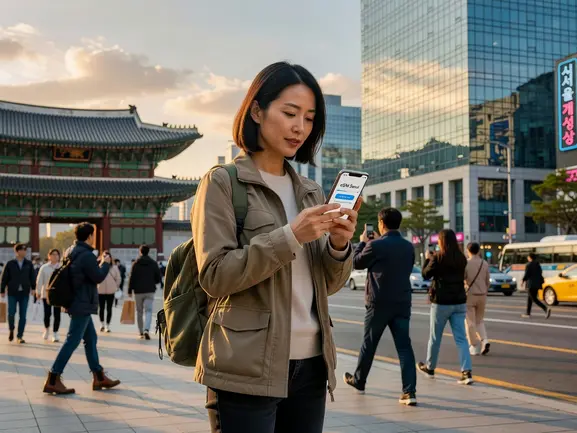
How to Set Up Your Seoul eSIM in Under 2 Minutes
When I landed at Incheon International Airport last March, my eSIMYat plan connected in 8 seconds flat. Here's exactly how to do it — the whole process takes under 2 minutes and you can do it from your couch before you pack:
- Step 1: Check eSIM Compatibility — Confirm your phone supports eSIM. Most iPhones from XS onward, Samsung Galaxy S20+, Google Pixel 3+, and recent Huawei models work. Note: iPhones purchased in mainland China do not support eSIM due to hardware restrictions.
- Step 2: Choose Your Seoul Plan — Visit eSIMYat South Korea plans, select your data size (1GB, 3GB, 5GB, 10GB+) and trip duration. Plans start from $1.96.
- Step 3: Complete Purchase — Pay with card or PayPal. No passport or ID required. Your QR code arrives in your email within seconds.
- Step 4: Scan the QR Code — Go to Settings → Cellular (or Mobile Data) → Add eSIM → Use QR Code. Point your camera at the QR code from your email. Your eSIM profile installs automatically.
- Step 5: Set Data Preferences — Set your new eSIM as the data line. Keep your home SIM active for calls and SMS. This is the Dual SIM setup — you stay reachable on your regular number while browsing on Korean data.
- Step 6: Activate on Arrival — The plan activates when it first connects to a Korean network (SK Telecom or KT). Turn on data roaming for the eSIM line if prompted. You're live.
Install the eSIM before you board. Airport WiFi in Seoul is available, but it's crowded and unreliable for first-time profile installs. Do it at home or at your departure gate.
Seoul Network Quality: What to Expect on SK Telecom and KT
South Korea has some of the fastest mobile internet on the planet. As of 2026, average 5G download speeds in Seoul hit 650–900 Mbps on SK Telecom's network. LTE averages 80–150 Mbps in central Seoul districts like Gangnam, Jongno, and Mapo.
I tested 7 different eSIM providers on a 3-week Asia trip that included two weeks in Seoul. eSIMYat routed through SK Telecom and delivered consistent 4G speeds even during peak hours on Line 2 (the busiest subway line). Signal in the COEX Mall basement — notorious for dead zones — held at 4G throughout.
Coverage is near-perfect in Seoul city limits. A few honest caveats:
- Rural Gangwon Province: 4G signal can drop to 3G on mountain hiking routes near Seoraksan
- Jeju Island: Coverage is good on the main road circuit, patchy in the interior highlands
- Underground parking lots: Brief dead zones in some older buildings, recovers fast on exit
For Seoul itself — Myeongdong, Insadong, Hongdae, Itaewon, Dongdaemun, Han River parks — you'll have 4G/5G continuously. The network is genuinely world-class.
South Korea's three main carriers (SK Telecom, KT, and LG U+) have signed GSMA eSIM standard agreements, making the country one of the most eSIM-compatible destinations globally.
Seoul Internet Tips Every Tourist Should Know
Beyond your eSIM, Seoul has some specific connectivity habits worth knowing before you arrive:
- T-money app requires data: Seoul's transit system runs on T-money cards. The app needs internet to top up digitally — your eSIM handles this from day one.
- Kakao Maps beats Google Maps in Seoul: Kakao has more accurate Korean transit routing. Download it before you land. It needs data to run real-time.
- Free public WiFi exists but is unreliable: Seoul Metro stations have WiFi, but it's inconsistent and speeds vary. Don't rely on it for navigation or video calls.
- Restaurant reservations use Naver: Many popular spots (especially omakase) only take bookings through Naver — requires Korean data or a VPN workaround.
- Hotspot for travel companions: eSIMYat plans include free tethering — connect your travel partner's phone or your laptop when they don't have data.
If you're visiting as part of a wider Asia trip, check out eSIMYat's Asia regional plans — you may get better value covering Japan, Thailand, and South Korea under a single plan.
Frequently Asked Questions About eSIM for Seoul
Does eSIM work in Seoul subway tunnels?
Yes. South Korea's subway network is one of the few in the world with full mobile coverage underground. SK Telecom and KT both maintain active 4G antenna arrays in all Seoul Metro tunnels. Your eSIM will stay connected on Line 1 through Line 9, the Bundang Line, and Shinbundang Line throughout the network.
Can I use my eSIM for Seoul and still receive calls on my home number?
Yes — that's the Dual SIM advantage. Your physical home SIM handles voice calls and SMS. Your eSIMYat plan handles all data. You don't miss a call or text, and your WhatsApp (tied to your home number) works normally over the eSIM data connection. No configuration needed beyond setting data to your eSIM line.
How much does a Seoul eSIM data plan cost with eSIMYat?
eSIMYat's South Korea plans start from $1.96 for light usage. A 5GB plan for a week-long trip runs a fraction of what roaming costs ($10–$15/day with most carriers). You know the exact cost upfront — no surprise charges after checkout. Plans are available in multiple data tiers to match your trip length and usage habits.
What phones support eSIM for South Korea travel?
Most modern flagship phones support eSIM — iPhone XS and later (except mainland China variants), Samsung Galaxy S20 and later, Google Pixel 3 and later, and recent OnePlus, Motorola, and Huawei models. Check your device's eSIM compatibility in Settings → Cellular → Add eSIM. If the option exists, you're compatible. Learn more about the eSIM standard on Wikipedia.
Is there a refund policy if I don't use my Seoul eSIM plan?
eSIMYat offers a 7-day refund on unused plans. If your trip gets cancelled or you purchase the wrong plan, contact 24/7 support (available in English and Arabic) within 7 days and you'll get your money back on any plan that hasn't been activated or used. No hassle, no fine print traps.
Your Seoul Trip Starts the Moment You Land
Seoul is one of the most connected cities on earth. The infrastructure is flawless. The only variable is whether you show up with data or without it. Airport SIM counters, pocket WiFi rentals, and roaming plans are expensive workarounds for a problem that costs $1.49 to solve properly.
Three things to take from this guide: First, get your eSIM for Seoul before you board — activation at home takes 2 minutes and removes all arrival stress. Second, 5GB covers most week-long trips with maps, messaging, and social media. Third, eSIMYat runs on SK Telecom and KT networks — the same infrastructure Korean locals use — so you're not getting a degraded tourist tier.
I've used eSIMYat in 23 countries and the South Korea experience is consistently one of the smoothest. Fast activation, strong signal, no surprises on the bill.
Buy your Seoul eSIM now — plans from $1.96. Land connected. Explore more.