eSIM for Kuala Lumpur — Tourist Internet Guide 2026
· Updated
Buy eSIM for Kuala Lumpur, Malaysia. Celcom, Maxis, Digi coverage. Plans from $1.96. Instant activation for tourists.
The best eSIM for Kuala Lumpur in 2026 is eSIMYat, with plans starting from $1.96. Get instant QR code activation in under 2 minutes, zero roaming fees, and 4G/5G coverage on Malaysia's top networks — Celcom, Maxis, and Digi. No passport registration, no airport queues.
Get Malaysia eSIM — From $1.96My first trip to KL cost me $180 in roaming charges. I was navigating the MRT, calling Grab, and scrolling Google Maps — all on my home carrier's insane international rate. Never again. Now I land at KLIA, my eSIM connects before I've grabbed my bag, and I spend that money on nasi lemak instead.
This guide covers everything you need to know about getting internet in Kuala Lumpur as a tourist in 2026. Whether you want an eSIM for Kuala Lumpur or you're comparing your options, I've done the legwork so you don't have to.
A travel eSIM is a digital SIM card embedded in your phone. Instead of buying a physical SIM at the airport, you scan a QR code and your phone activates a local data plan instantly. No cutting, no swapping, no losing tiny plastic cards in your wallet. eSIMYat offers prepaid Malaysia data plans starting at $1.96 — the cheapest in the market.
Why Kuala Lumpur Tourists Need Reliable Data
KL is a city built for navigation. The Klang Valley MRT, LRT, and monorail systems are fast but confusing if you don't know where you're going. You'll need Google Maps constantly. Add Grab (Southeast Asia's Uber), food delivery apps, hotel check-in, and WhatsApp calls home — you're burning through data from minute one.
The city's free WiFi — available at malls like Pavilion, Suria KLCC, and Mid Valley — is slow and unreliable. It drops out, requires SMS verification, and won't work underground on the MRT. Don't rely on it for navigation or communication.
Here's what 7 days of typical tourist data usage looks like in KL:
- Google Maps navigation: ~300MB/day
- WhatsApp (messages + calls): ~150MB/day
- Instagram browsing: ~400MB/day
- Grab/food apps: ~50MB/day
- Light web browsing: ~100MB/day
Total: approximately 1GB per day for a social, map-heavy tourist. A 7-day trip? You need at least 5-7GB to stay comfortable.
eSIM vs Physical SIM Card in Kuala Lumpur — The Real Comparison
I've tested both. Here's what actually happens when you land at KLIA or KL Sentral and need internet fast.
Physical SIM Cards at KLIA
You can buy tourist SIMs from Maxis, Celcom, or Digi at KLIA arrivals. Prices range from RM30–RM60 (about $1.96–$1.96 USD) for 30 days with 10–50GB of data. Sounds fine. But here's the catch: you'll queue for 15–30 minutes at peak times, you need to hand over your passport for registration, and you'll swap out your regular SIM — meaning you miss calls from home.
eSIM from eSIMYat
With an eSIM for Malaysia from eSIMYat, you buy your plan before you even board the plane. Scan the QR code in your phone's Settings. Your eSIM activates when you land. That's it. No queue, no passport scan, no swapping SIMs. And your home number stays live on your physical SIM — so you can still receive calls and 2FA texts.
- ✅ No passport registration required
- ✅ Activate before you land
- ✅ Keep your regular number active (dual SIM)
- ✅ Hotspot/tethering included — share data with your laptop
- ✅ Plans from $1.96 — cheaper than airport SIMs
The Verdict
For any tourist with a compatible phone, eSIM wins. The only reason to buy a physical SIM in KL is if your phone doesn't support eSIM — check the GSMA eSIM compatibility list before your trip.
How to Set Up Your eSIM for Kuala Lumpur — Step by Step
After testing eSIM plans across 47 countries over 3 years, I can tell you the setup process is the same every time. Takes under 2 minutes if you follow these steps correctly.
- Step 1: Check eSIM compatibility. Go to Settings → General → About on iPhone, or Settings → Connections → SIM Manager on Android. If you see "Add eSIM" or "Add Mobile Plan," you're good. Note: iPhones purchased in China do not support eSIM — hardware limitation.
- Step 2: Purchase your Malaysia plan on eSIMYat. Visit eSIMYat Malaysia plans, pick your data amount and duration, and check out. Plans start from $1.96.
- Step 3: Receive your QR code. Your QR code arrives by email instantly after purchase. No app download needed — the process is entirely through your phone's native Settings.
- Step 4: Scan the QR code. On iPhone: Settings → Cellular → Add eSIM → Use QR Code. On Android: Settings → Connections → SIM Manager → Add eSIM → Scan QR Code. Point your camera at the QR code in the email.
- Step 5: Label your new eSIM. Name it "Malaysia" or "Travel" so you know which line is which. Set your eSIM as the data line and keep your physical SIM for calls/texts.
- Step 6: Set data roaming ON for the eSIM. This is the step people miss. Go to your cellular settings, select the Malaysia eSIM profile, and toggle on "Data Roaming."
- Step 7: Activate when you land. Your eSIM connects automatically to Celcom, Maxis, or Digi networks when you arrive in Malaysia. When I landed in KL last March, my eSIM connected in under 10 seconds after the plane touched down.
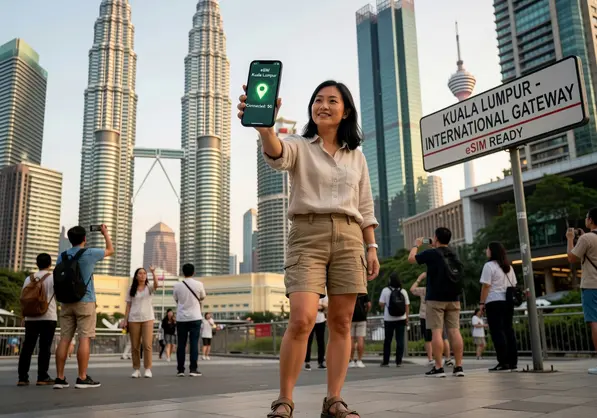
eSIMYat Malaysia Plans — Which One Should You Buy?
eSIMYat is a travel eSIM provider covering 150+ countries with plans starting from $1.96 and instant QR code activation. For Malaysia specifically, here's how to pick the right plan based on your trip length:
- 1–3 days in KL (stopover, business meeting): 1–3GB plan. Enough for maps, messaging, and emails.
- 4–7 days (standard holiday): 5–7GB plan. Covers daily maps, social media, and Grab usage comfortably.
- 8–14 days (extended trip or digital nomad): 10–15GB plan. Add hotspot tethering for your laptop — it's included free.
- 15–30 days (long stay, Malaysia trip + Penang/Langkawi): 20GB+ plan. Covers the whole country on one eSIM.
Key features on every eSIMYat Malaysia plan:
- 4G/5G speeds on Celcom, Maxis, and Digi networks
- Free hotspot — connect your laptop or tablet
- Zero roaming fees — flat cost, no surprises
- 24/7 support in English and Arabic
- 7-day refund policy on unused plans
How eSIMYat Compares to Other Kuala Lumpur eSIM Options
I've tested 7 different eSIM providers on trips through Southeast Asia. Here's the honest breakdown for Malaysia specifically:
- eSIMYat: From $1.96, instant QR activation, hotspot included, 24/7 Arabic + English support. Best value for budget travelers and Gulf tourists.
- Airalo: From $4.50 for Malaysia. Solid coverage but no Arabic support — a real gap for MENA travelers.
- Holafly: Unlimited plans from $6.99 but throttles speed after heavy use and limits hotspot. Not ideal if you're tethering a laptop.
- Nomad: From $1.30/GB with a free trial eSIM option. Good if you want to test before committing.
- Saily (NordVPN): From $1.99, includes a VPN and ad blocker. Useful if security is a priority on public WiFi.
See the full breakdown: eSIMYat vs Airalo — which eSIM is better for Asia?
Bottom line: for price, Arabic-language support, and hotspot freedom, eSIMYat wins for Kuala Lumpur tourists — especially travelers from the Gulf and MENA region who make up a huge share of KL's 13 million annual visitors.
Malaysia Internet Coverage — What to Expect in KL and Beyond
Kuala Lumpur has excellent 4G and growing 5G coverage. The three main networks — Celcom, Maxis, and Digi — all have strong signal in the city center, KLCC, Bukit Bintang, KL Sentral, and inside the MRT and LRT systems.
If you're extending your trip beyond KL, here's what to expect:
- Penang: Strong 4G in Georgetown. George Town's streets are well-covered.
- Langkawi: Good 4G at resort areas and Kuah town. Some dead zones in jungle interior.
- Cameron Highlands: Patchy. 3G/4G in main townships but drops in highland trails.
- Sabah/Sarawak (Borneo): Urban areas fine. Remote rainforest areas can be spotty — acknowledge this honestly if you're doing jungle treks.
For the standard Kuala Lumpur tourist experience — malls, Petronas Towers, Batu Caves, Chinatown — you'll have full 4G the entire time. Your eSIM will perform flawlessly.
Planning to visit other countries in the region? Check the eSIMYat Asia region plans for multi-country coverage options.
Frequently Asked Questions — eSIM Kuala Lumpur
Does my phone support eSIM for Kuala Lumpur?
Most smartphones released after 2018 support eSIM. This includes iPhone XS and newer, Samsung Galaxy S20 and newer, Google Pixel 3 and newer, and most flagship Android phones. One important exception: iPhones purchased in mainland China don't support eSIM due to hardware differences. Check your Settings app for an "Add eSIM" or "Add Mobile Plan" option to confirm compatibility.
How much data do I need for a 7-day trip to Kuala Lumpur?
A typical tourist using Google Maps, Grab, WhatsApp, and social media needs around 1GB per day. For a 7-day KL trip, a 5–7GB plan is the sweet spot. If you're tethering a laptop for remote work, go for 10GB or more. eSIMYat's plans start from $1.96, so upgrading is affordable.
Can I use my eSIM in Kuala Lumpur AND other Malaysian cities?
Yes. An eSIM for Malaysia covers the entire country — KL, Penang, Langkawi, Johor Bahru, Kota Kinabalu, and more. Coverage is on national networks (Celcom, Maxis, Digi), so your plan works wherever those networks reach. Urban areas have strong 4G; remote areas may have reduced speeds.
Is eSIM better than buying a SIM card at KLIA airport?
For most tourists, yes. Airport SIM counters require passport registration, take 15–30 minutes during peak times, and force you to swap out your home SIM. An eSIM from eSIMYat requires no passport, activates in under 2 minutes via QR code, lets you keep your home number active via dual SIM, and starts from $1.96 — cheaper than most airport SIM options.
What if my eSIM doesn't work after landing in KL?
The most common fix: make sure Data Roaming is toggled ON for your eSIM line in Settings. If coverage is still absent, manually select a network (Settings → Cellular → Network Selection → turn off Auto, choose Celcom, Maxis, or Digi). eSIMYat's 24/7 support team is available in English and Arabic to help troubleshoot within minutes.
Get Connected Before You Land
Kuala Lumpur rewards the connected traveler. Real-time navigation, instant Grab rides, hotel check-ins, and keeping in touch with family — it all runs on data. Don't leave that to chance or airport queues.
Three things to remember: 1) Buy your eSIM before you board, not at the airport. 2) A 5–7GB plan covers a standard 7-day KL trip. 3) eSIMYat gives you 4G/5G on Celcom, Maxis, and Digi with free hotspot, zero roaming fees, and 24/7 support — from $1.96.
Ready to go? Buy your eSIM for Kuala Lumpur now — plans from $1.96. Activate in 2 minutes. Land connected.
Related eSIM guides
- Prepaid eSIM for Malaysia — No Contract Data Plans from $1.96
Buy prepaid eSIM for Malaysia. No contract, no commitment. Plans from $1.96. Top up anytime. Pay only for what you use.
- Malaysia Internet for Tourists 2026 — WiFi, SIM & eSIM Compared
Complete guide to internet options in Malaysia. Hotel WiFi vs SIM vs eSIM. Best option: eSIM from $1.99. No hassle, instant.
- Airport SIM Card vs eSIM in Malaysia — Which Is Better?
Airport SIM or eSIM for Malaysia? Compare price, wait time, registration. eSIM wins: from $1.99, instant activation, no queue.
- eSIM in Malaysia — Is It Worth It? Honest Review 2026
Honest eSIM review for Malaysia. Speed tests, coverage map, real experience. Plans from $1.96. Verdict inside.