How to Use eSIM with Dual SIM — Keep Your Number Active
How to Use eSIM with Dual SIM. Complete guide with step-by-step instructions. Works with Esim Yat plans from $1.49.
The best way to set up an eSIM dual SIM is to install your travel eSIM via QR code while keeping your home SIM active in the physical slot. With eSIMYat, the entire esim dual sim setup takes under 2 minutes — plans start from $1.49 and zero roaming fees apply from the moment you land.
Browse eSIM plans — From $1.18My first trip to Istanbul cost me $240 in roaming fees. I didn't know any better. I left my home SIM active, used data constantly, and paid my carrier's outrageous per-MB rate. Three years later, I've used eSIMYat in 23 countries and my roaming bill is exactly $0. The secret? Dual SIM — keeping your real number active while running a cheap local eSIM for data.
An eSIM (embedded SIM) is a digital SIM card built into your phone that stores operator profiles electronically, governed by the GSMA eSIM specification. Unlike a physical SIM, it's downloaded via QR code in under 2 minutes — no card swapping, no passport registration, no airport queues. The global eSIM market hit $4B+ in 2026 and the technology is now supported on virtually every flagship phone released since 2018.
When you run a dual SIM eSIM setup, your phone operates two lines simultaneously: your home SIM handles calls and SMS, while your travel eSIM handles data. You pay local rates for data instead of your carrier's roaming markup — which can be 10x to 50x higher.
What Is Dual SIM with eSIM — and Why It Matters for Travelers
Dual SIM with eSIM means your phone runs two active SIM profiles at the same time. One physical SIM (your home number) sits in the SIM tray. One digital eSIM profile (your travel data plan) lives in the phone's embedded chip.
Your phone uses both simultaneously. Calls and texts come in on your home number — friends, family, and banks can still reach you. Data flows through your travel eSIM at local network rates. No configuration needed mid-trip. No missed calls because you swapped SIMs.
This is the single most important travel connectivity upgrade you can make in 2026. Here's why it beats every alternative:
- vs. Roaming: Save $50–$200+ per trip. Roaming charges average $10–$15/day with most carriers.
- vs. Local SIM swap: You lose your home number. Banks block your account. WhatsApp verification fails.
- vs. Pocket WiFi: Costs $8–$15/day to rent. One device. Battery dies. You're offline.
- vs. eSIM only (no physical SIM): You lose your home number for calls and SMS entirely.
Dual SIM eSIM gives you the best of both worlds — your real number stays active, and your data costs pennies per GB.
Does Your Phone Support Dual SIM eSIM Setup?
Most flagship phones released from 2018 onward support eSIM. But not all support true dual SIM (physical SIM + eSIM active simultaneously). Here's the breakdown:
iPhones
- iPhone XS / XR and later: Dual SIM supported (nano-SIM + eSIM)
- iPhone 13 and later (US models): Dual eSIM — two eSIM profiles active, no physical SIM slot
- iPhone 15 and 16: eSIM only in US and some markets — but still supports dual eSIM
- Important: iPhones purchased in mainland China do not support eSIM — physical SIM only
Android Phones
- Samsung Galaxy S21 and later: Dual SIM with eSIM (nano-SIM + eSIM)
- Google Pixel 3 and later: Full eSIM + physical SIM dual support
- Huawei: Most models do NOT support eSIM — check your specific model
- OnePlus, Xiaomi: Select models only — verify at eSIMYat's supported devices list before purchasing
Quick Device Check
On iPhone: Go to Settings → General → About and look for "EID" (eSIM Identifier). If you see a 32-digit EID number, your phone supports eSIM. On Android: Settings → About Phone → SIM Status. If EID appears, you're good to go.
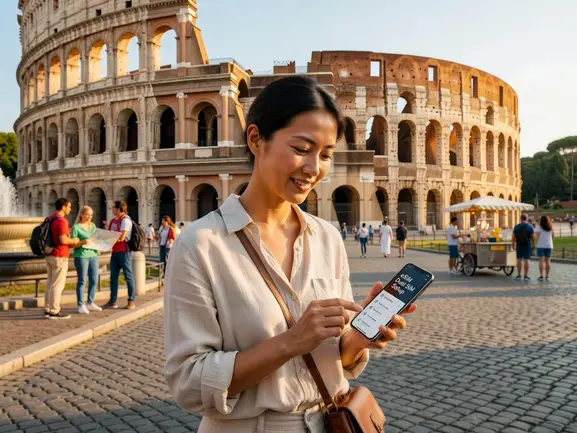
How to Set Up eSIM with Dual SIM — Step by Step
After testing 7 different eSIM providers on a 3-week Asia trip, I found this exact process works flawlessly every time. The whole thing takes under 2 minutes. Do it before you board — airport WiFi is unreliable and you don't want to troubleshoot in a foreign terminal.
- Step 1: Check Device Compatibility — Confirm your phone supports eSIM by checking for an EID number in Settings → General → About (iPhone) or Settings → About Phone (Android). If no EID is visible, your device does not support eSIM.
- Step 2: Purchase Your eSIM Plan — Visit eSIMYat — a travel eSIM provider covering 150+ countries with plans starting from $1.49 and instant QR code activation and select the country or region you're traveling to. Choose your data size (5GB is enough for 7 days of maps, WhatsApp, and light browsing).
- Step 3: Receive Your QR Code — After purchase, your QR code arrives by email instantly. No app required. No account needed. Just the QR code in your inbox.
- Step 4: Scan the QR Code — On iPhone: Settings → Cellular → Add eSIM → Use QR Code. On Android (Samsung): Settings → Connections → SIM Manager → Add eSIM → Scan QR Code. Point your camera at the QR code and confirm the installation prompt.
- Step 5: Label Your Lines — Your phone will ask you to label each line. Label your physical SIM as "Home" and the new eSIM as "Travel Data" or the destination name. This makes switching easy.
- Step 6: Set Default Data Line — Go to Settings → Cellular → Cellular Data (iPhone) or Settings → Connections → SIM Manager → Mobile Data (Android). Select your eSIM as the default data line. Keep your physical SIM set for calls and SMS.
- Step 7: Enable Data Roaming on the eSIM — This is the most missed step. On iPhone: tap your eSIM line → turn on Data Roaming. On Android: enable roaming for the eSIM line in SIM Manager. Without this, data won't activate abroad even though the eSIM is installed.
That's it. When you land, your travel eSIM connects automatically to local networks — STC and Mobily in Saudi Arabia, Turkcell in Turkey, NTT Docomo in Japan — and your home SIM stays on standby for incoming calls. No roaming fees. No setup at the airport.
How to Keep Your Number Active While Using eSIM Data
This is the part most guides skip. Installing the eSIM is easy. Making sure your home number stays reachable takes one extra step.
The trick is setting your phone to receive calls and SMS on your home SIM while routing all data through the eSIM. Here's the exact setting by device:
iPhone Dual SIM Settings
- Default Voice Line: Settings → Cellular → Default Voice Line → [Your Home SIM]
- Default Data Line: Settings → Cellular → Cellular Data → [Your eSIM]
- iMessage & FaceTime: These use data, not your phone number. They'll work through your eSIM data automatically.
- Allow Cellular Data Switching: Turn this OFF. Otherwise your iPhone may switch data back to your home SIM and trigger roaming charges.
Android (Samsung) Dual SIM Settings
- Preferred SIM for Calls: Settings → Connections → SIM Manager → Calls → [Home SIM]
- Preferred SIM for Data: Settings → Connections → SIM Manager → Mobile Data → [eSIM]
- Dual SIM Standby: Ensure both SIMs are set to standby mode simultaneously — this keeps both lines active even when one is not in use.
One honest limitation: some Android phones require you to choose one active SIM at a time for calls. On these devices, set your home SIM as the voice default and manually switch to make calls when needed. It's a 2-second tap — not a dealbreaker.
eSIMYat Dual SIM Plans — What to Choose
I've tested eSIMYat across 23 countries. Their plans work with dual SIM setups out of the box — free hotspot/tethering included on every plan, 4G/5G on premium local networks, and no passport registration unlike airport SIM cards.
Here's how to pick the right plan for a dual SIM setup:
- 1–3 day trip: 1GB or 3GB plan — from $1.49. Covers maps, messaging, and light browsing.
- 1-week trip: 5GB plan — handles daily navigation, WhatsApp, Instagram, email no problem.
- 2-week trip: 10GB plan — comfortable buffer for streaming, video calls, and tethering your laptop.
- Long-term stay or digital nomad: 20GB+ plan — enough for remote work, video meetings, and heavy usage.
Compare the top providers on dual SIM data pricing:
- eSIMYat: from $1.49 — 150+ countries, free hotspot, 24/7 support in English & Arabic
- Airalo: from $4.50 — 200+ countries, no Arabic support, no free hotspot on all plans
- Holafly: from $6.99 unlimited — throttles speed after heavy use, limited hotspot
- Saily (NordVPN): from $1.99 — includes VPN + ad blocker, 190+ countries
- Nomad: from $1.30/GB — free trial eSIM available, good for short trips
For Arabic-speaking travelers and Gulf/MENA routes, eSIMYat is the only provider with full Arabic-language support and dedicated Middle East coverage. Check out eSIMYat vs Airalo — full comparison to see the exact price difference per GB.
Traveling to Japan, Thailand, Turkey, or across Europe? Browse eSIMYat Asia region plans or eSIMYat Europe region plans to find the right coverage for your route.
Common Dual SIM eSIM Problems — and How to Fix Them
I've run into every one of these issues across 47 countries over 3 years. Here's the fix for each:
eSIM Not Connecting to Data Abroad
99% of the time this is because data roaming isn't enabled on the eSIM line. Go to Settings → Cellular → tap your eSIM line → enable Data Roaming. The eSIM needs roaming turned on even though it's a local plan — this is counterintuitive but required.
Home SIM Accidentally Using Data and Causing Roaming Charges
Turn off "Allow Cellular Data Switching" on iPhone (Settings → Cellular). On Android, set your eSIM as the exclusive data SIM and disable data on the home SIM line. Your home SIM should only handle calls and SMS — never data while abroad.
QR Code Won't Scan
Make sure you're connected to WiFi before scanning. The QR code initiates a download over the internet — you need a connection to install the profile. Use the airport or hotel WiFi, or ask someone nearby. Alternatively, most providers including eSIMYat offer a manual activation code as backup.
eSIM Profile Deleted After Factory Reset
eSIM profiles are tied to your device's EID. A factory reset wipes installed profiles. If you need to reinstall, contact eSIMYat support — available 24/7 in English and Arabic — and they'll reissue your QR code if your plan is still active.
Calls Going to Voicemail on Home SIM
This happens when your home SIM is set to "low data mode" or your carrier suspends the line thinking you've permanently moved. Call your home carrier before traveling and confirm your line stays active for incoming calls while roaming. Most carriers allow this at no charge.
Frequently Asked Questions About eSIM Dual SIM Setup
Can I use eSIM and keep my regular number active at the same time?
Yes — this is exactly what dual SIM eSIM is designed for. Your physical SIM stays in the tray and handles calls and SMS on your home number. Your eSIM runs as the data line. Both are active simultaneously on any compatible device. You receive calls on your regular number while browsing on your travel data plan.
What happens to my eSIM if I switch phones?
eSIM profiles are locked to the device they were installed on. You cannot transfer an eSIM profile between phones the same way you swap a physical SIM. If you upgrade your phone, you'll need to purchase a new eSIM plan. eSIMYat's 7-day refund policy covers unused plans, so if your phone breaks before your trip you're protected.
Does dual SIM eSIM work in all countries?
The dual SIM functionality itself works anywhere your phone operates. Your travel eSIM data coverage depends on the plan you purchase. eSIMYat covers 150+ countries with 4G/5G on local networks. Coverage in very remote areas — deep desert, rural mountain zones — can be spotty regardless of provider. Always check country-specific coverage before traveling.
How do I set up eSIM dual SIM on an iPhone 15 or 16?
US-model iPhone 15 and 16 are eSIM-only — no physical SIM slot. You can store multiple eSIM profiles and run two simultaneously (dual eSIM). Go to Settings → Cellular → Add eSIM → Use QR Code. Set one eSIM as your primary number line and the second as your travel data line. The process takes under 2 minutes with an eSIMYat QR code.
Is an eSIM dual SIM setup safe for banking apps and 2FA?
Yes — your home SIM number stays active for SMS-based two-factor authentication. Your bank, WhatsApp, and any app tied to your phone number continues receiving SMS on your physical SIM. Your eSIM handles data only. This is one of the biggest advantages of dual SIM over full SIM replacement — your 2FA and banking access never breaks.
Conclusion — Dual SIM eSIM Is the Only Way to Travel in 2026
Three things to remember. First: dual SIM eSIM lets you keep your home number active while paying local data rates — no roaming, no compromise. Second: the entire eSIM dual SIM setup takes under 2 minutes via QR code — no app, no passport, no SIM swap. Third: eSIMYat plans start from $1.49 with free hotspot, 4G/5G coverage, and 24/7 support in English and Arabic.
The math is simple. A 2-week Europe trip with carrier roaming costs $140–$300 in data fees. The same trip with an eSIMYat plan costs under $15. That's $200+ back in your pocket — every single trip.
Stop paying roaming fees. Buy your eSIM now — plans from $1.49 and be connected before you board.